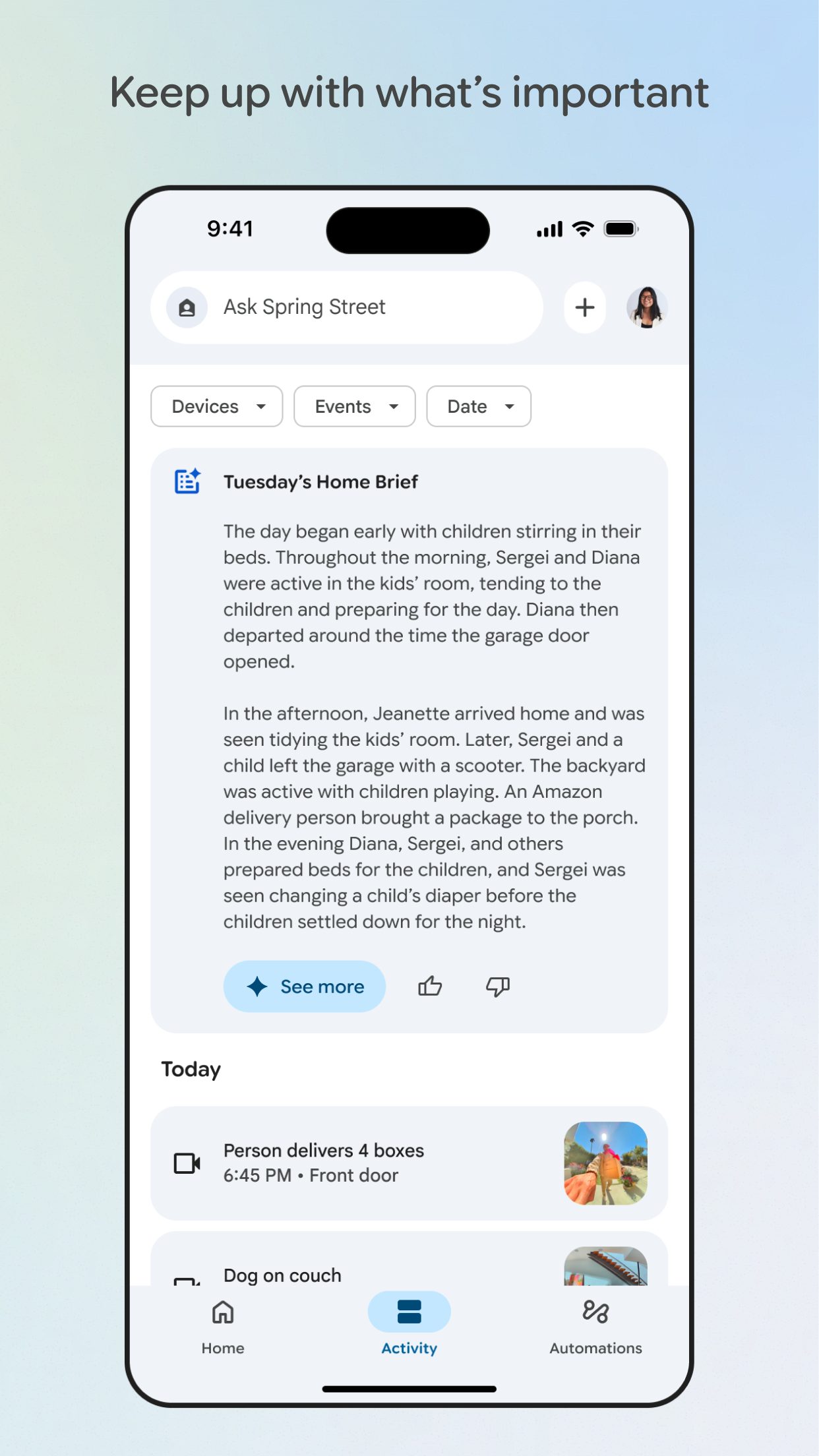
Google Home is a dedicated iOS app designed to serve as the central control point for Google's ecosystem of smart home products, such as Nest cameras and speakers. For users invested in Google's hardware, this app simplifies device management by consolidating functions that would otherwise require multiple apps. Specific features include a photo-based setup process where users can scan QR codes or take pictures of wiring for devices like Nest cameras, live video feeds from connected cameras with two-way audio, and integrated control for adjusting speaker volumes or grouping devices for multi-room audio. The app also supports creating routines, like having cameras start recording when motion is detected or speakers play morning news at a set time.
In real-world scenarios, this means a homeowner can check camera feeds while at work, silence a noisy speaker from another room, or automate lights to turn on at sunset—all through a single app. Reviews indicate that users appreciate the seamless integration, with one noting they found a way to 'pair up all my Google services into one neat little home.' However, some feedback points to limitations, such as occasional lag in live video feeds or microphone volume that could be louder for clear communication. Customer support experiences vary, with reports of inconsistent assistance when devices malfunction. Despite these hiccups, Google Home remains a practical choice for those deeply embedded in Google's smart home environment, offering reliable daily control with room for improvement in performance consistency.
In real-world scenarios, this means a homeowner can check camera feeds while at work, silence a noisy speaker from another room, or automate lights to turn on at sunset—all through a single app. Reviews indicate that users appreciate the seamless integration, with one noting they found a way to 'pair up all my Google services into one neat little home.' However, some feedback points to limitations, such as occasional lag in live video feeds or microphone volume that could be louder for clear communication. Customer support experiences vary, with reports of inconsistent assistance when devices malfunction. Despite these hiccups, Google Home remains a practical choice for those deeply embedded in Google's smart home environment, offering reliable daily control with room for improvement in performance consistency.
Key Features
Photo-based device setup
Unified camera and speaker control
Live video feed access
Routine automation for smart devices
“
Glad I found a way to pair up all my Google services into one neat little home! Appreciate it, developers! Didn't even know this app existed! Glad I found it.
★★★★★Verified User Review
iOSUpdated Jan 6, 2026