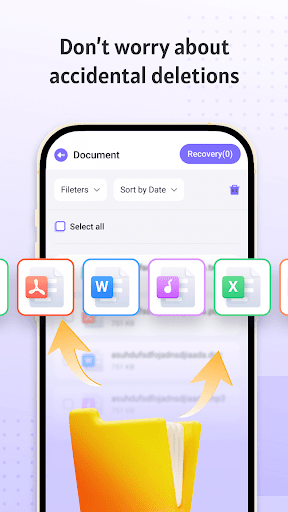
Recovery Photo is an Android utility designed specifically for retrieving deleted media files from a device's internal storage or external SD card. The app's primary function is a deep scan that trawls through storage sectors to locate image and video file signatures that the operating system has marked as deleted but may still physically exist. A key practical scenario involves a user who has hastily cleared their camera roll or downloaded folder, only to realize minutes later that a cherished photo or important screenshot was among the deletions. Recovery Photo provides a tangible solution in these moments, offering a chance to restore files before new app installs or photo captures overwrite the data.
Specific features make it a viable option. The scanning process is granular, often categorizing found files by type (JPG, PNG, MP4) and providing thumbnails for visual confirmation before recovery. Reviews indicate it performs reasonably well with common deletion cases, particularly for recently lost items. However, its effectiveness is not absolute. Success heavily depends on how quickly the app is used after deletion and the amount of subsequent storage activity. The interface, while functional, can feel cluttered with persistent ad placements, and some users report sporadic crashes during lengthy scans on older devices. For straightforward recovery needs where time is of the essence, Recovery Photo presents a direct, no-root-required tool, though managing expectations about recovering files deleted weeks prior is advised.
Specific features make it a viable option. The scanning process is granular, often categorizing found files by type (JPG, PNG, MP4) and providing thumbnails for visual confirmation before recovery. Reviews indicate it performs reasonably well with common deletion cases, particularly for recently lost items. However, its effectiveness is not absolute. Success heavily depends on how quickly the app is used after deletion and the amount of subsequent storage activity. The interface, while functional, can feel cluttered with persistent ad placements, and some users report sporadic crashes during lengthy scans on older devices. For straightforward recovery needs where time is of the essence, Recovery Photo presents a direct, no-root-required tool, though managing expectations about recovering files deleted weeks prior is advised.
Key Features
Deep storage scan for deleted image/video files
Preview thumbnails before restoring files
No need for root access on the device
“
"I thought my vacation pics were gone for good after a cleanup mistake. This app found about 80% of them after a 20-minute scan. The ads are annoying, but it saved the day."
★★★★★Verified User Review
AndroidUpdated Dec 2, 2025