XB CONTROLLER is a utility app designed to bridge Android devices and Xbox consoles. For users who have misplaced their physical controller or simply want a secondary input method from the couch, this app provides a viable solution. It establishes a connection over the same local Wi-Fi network as the console, enabling control of the dashboard, apps, and media playback directly from the smartphone screen.
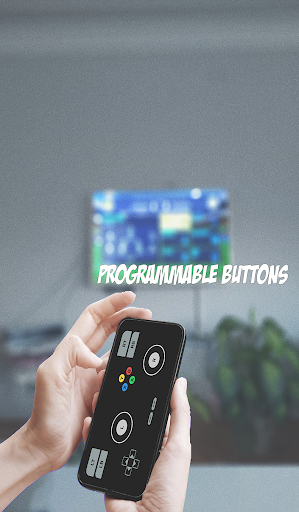
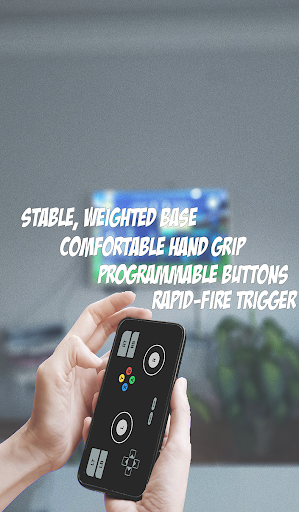
The app's interface mimics a standard Xbox controller layout with virtual buttons and analog sticks. A particularly useful feature is the integrated keyboard, which makes entering text for searches or login details significantly faster than using a controller's directional pad. The app also includes dedicated media playback buttons for services like Netflix or Spotify. However, it is important to manage expectations; this is not intended for precision gaming. Reviews indicate noticeable input latency in fast-paced game scenarios, making it better suited for menu navigation and media consumption. Some users report that initial setup can require a few attempts to discover the console reliably, but the connection is generally stable once established. For a free tool, it offers a convenient stopgap or supplementary control method for everyday console interaction.
The app's interface mimics a standard Xbox controller layout with virtual buttons and analog sticks. A particularly useful feature is the integrated keyboard, which makes entering text for searches or login details significantly faster than using a controller's directional pad. The app also includes dedicated media playback buttons for services like Netflix or Spotify. However, it is important to manage expectations; this is not intended for precision gaming. Reviews indicate noticeable input latency in fast-paced game scenarios, making it better suited for menu navigation and media consumption. Some users report that initial setup can require a few attempts to discover the console reliably, but the connection is generally stable once established. For a free tool, it offers a convenient stopgap or supplementary control method for everyday console interaction.
Key Features
Virtual gamepad with button mapping
On-screen keyboard for text input
Dedicated media control buttons
“
A lifesaver when my controller batteries died mid-movie. Used my phone to pause and navigate Netflix without getting up. It's not for gaming, but for media it's perfect.
★★★★★Verified User Review
AndroidUpdated Dec 23, 2025