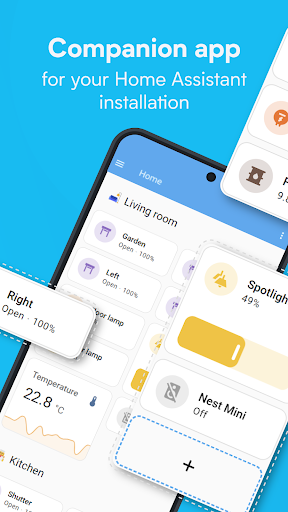
Home Assistant is a powerful hub application designed to unify control of disparate smart home devices under one interface. For users who have collected gadgets from various brands—say, Philips Hue lights, a Nest thermostat, and generic smart plugs—this app solves the problem of juggling multiple proprietary apps. Its core strength is local-first control and an extensive library of supported integrations, allowing devices that normally wouldn't communicate to work together in automations. A user can create a single 'Goodnight' scene that turns off lights, locks doors, and adjusts the thermostat, regardless of each device's native platform.
Specific features like the visual automation editor and a customizable dashboard builder enable complex routines without coding, though setting up more advanced integrations can involve configuration files. The companion app provides remote access via a subscription (Nabu Casa), though some technical users opt for their own VPN solutions. User feedback consistently praises the freedom from vendor lock-in, though notes the initial setup has a notable learning curve. A minor but persistent critique involves notification management, where certain system alerts cannot be individually disabled. For the tinkerer building a mixed-brand smart home, the app offers unparalleled flexibility, provided they are willing to navigate its initially technical interface.
Specific features like the visual automation editor and a customizable dashboard builder enable complex routines without coding, though setting up more advanced integrations can involve configuration files. The companion app provides remote access via a subscription (Nabu Casa), though some technical users opt for their own VPN solutions. User feedback consistently praises the freedom from vendor lock-in, though notes the initial setup has a notable learning curve. A minor but persistent critique involves notification management, where certain system alerts cannot be individually disabled. For the tinkerer building a mixed-brand smart home, the app offers unparalleled flexibility, provided they are willing to navigate its initially technical interface.
Key Features
Unified dashboard for 1000+ device brands
Local control without cloud dependence
Visual automation and scene builder
“
“Now that I realize this was a companion app... I've taken my cameras, all my lights and plug-ins and gate opener offline. Yeah I love the app. Wish it was a bit more noob friendly.”
★★★★★Verified User Review
AndroidUpdated Jan 9, 2026