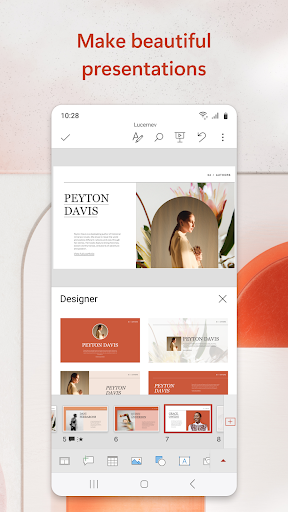
Microsoft PowerPoint is a robust mobile application designed for users who need to handle presentations away from their desks. For tablet-based editing, particularly on devices like Samsung Galaxy Tabs with stylus support, the app delivers a competent experience. It includes touch-optimized tools for adjusting text, images, and layouts, along with real-time co-authoring via OneDrive integration. This allows teams to collaborate on slides during meetings or while traveling. Reviews indicate that file fidelity is a strong point, with users noting that presentations edited on a PC retain their structure and element positions when opened on Android. However, some users report that extensive editing, such as complex animations or detailed design work, can feel slower compared to the desktop version, making it better suited for last-minute tweaks rather than full creation. The app also supports features like presenter view and speaker notes, which are handy for rehearsals. Despite minor interface quirks on smaller screens, it remains a reliable choice for professionals and students needing on-the-go access to their slides.
Key Features
OneDrive cloud synchronization for seamless file access
Touch-friendly editing interface with stylus support
Real-time co-authoring and collaboration tools
“
the best. when u edit a ppt on pc and then transfer it to the cp, it will still retain its structure and position of icons, texts, etc. when using this application.
★★★★★Verified User Review
AndroidUpdated Dec 10, 2025