Your Question

Which Android app should I use for professional-style video editing without needing a desktop?

KineMaster is perfect for this. It offers a multi-layer timeline, chroma key, and precision tools traditionally found in desktop software, all optimized for a mobile device.

professional video editingmobile video editordesktop alternativeKineMaster2025chroma keymulti-layer editing
KineMaster is a mobile video editor that brings a suite of professional-grade features to Android devices, making it a strong contender for users seeking desktop-like capability on their phone or tablet. The app's primary strength lies in its multi-layer timeline, which allows for separate video, image, text, handwriting, and effect layers. This is crucial for creating complex compositions, such as picture-in-picture effects or titles with custom animations. Specific tools like chroma key (green screen), audio ducking, and frame-by-frame trimming provide the control needed for polished projects, from YouTube vlogs to short promotional clips. User reviews frequently highlight its ongoing improvements and powerful feature set for content creation. However, some recent feedback indicates occasional stability issues post-update, such as video buffering or unresponsive playback controls, which can interrupt a workflow. For anyone producing content on the go who requires more than basic cut-and-trim functionality, KineMaster delivers a robust editing environment. Its export options and asset store for additional effects and music further cement its position, though users should be prepared for a learning curve and the rare technical hiccup.

Key Features

Multi-layer timeline for video, image, and text
Chroma key (green screen) for advanced compositing
Precision editing with keyframe animation controls

I love this app. I always edit in this app to post videos in my youtube channel .l will give 5 stars rating for this app ♥️♥️♥️♥️

★★★★★Verified User Review
AndroidUpdated Jan 8, 2026
More Video Players & Editors Questions

What's the best Android app for creating professional-looking videos with multiple layers, special effects, and precise editing tools for social media and YouTube?

KineMaster - Video Editor is a top choice for creating professional-looking videos, offering multiple layers, special effects, and precise editing tools....

KineMaster - Video Editor
KineMaster, Video Editor Experts Group
Same AppRead More →

What's a good Android app for making training videos for new nurses at the clinic, without needing a whole film crew?

Honestly, KineMaster has been surprisingly good. I can edit videos right on my phone during my lunch break. It's actually reliable, which is a HUGE plus....

KineMaster - Video Editor
KineMaster, Video Editor Experts Group
Same AppRead More →

What's a good Android app for making quick, fun videos to share with friends?

Kwai is perfect for this. Its straightforward tools for adding music and effects simplify creating entertaining short clips for social sharing....

Kwai - Cool Video & Social Fun
Joyo Technology Pte Ltd
Read More →

What's the best Android app for casting my phone's screen to an AirPlay-compatible TV without expensive hardware?

AirMirror is perfect for this. It allows free, straightforward casting from Android devices to TVs supporting AirPlay, ideal for sharing media or presentations in home or casual settings....

AirMirror: TV Cast via AirPlay
BoostVision
Read More →

What's a good Android app for making a video slideshow with music for a birthday or event?

Photo Video Maker is perfect for this. It offers easy slide arrangement, a variety of transitions, and straightforward tools to add and trim background music to fit the video duration....

Photo Video Maker - InSlide
Daily AI Studio
Read More →
KineMaster - Video Editor icon

KineMaster - Video Editor

by KineMaster, Video Editor Experts Group

4.4/ 5.0
Get on Google Play

Screenshots

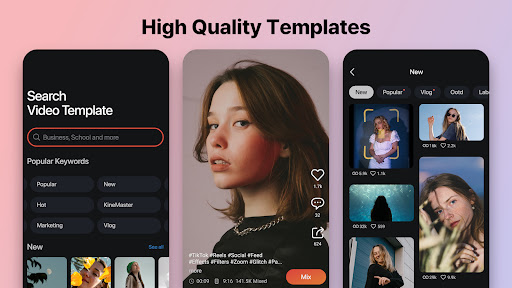
KineMaster - Video Editor screenshot 1
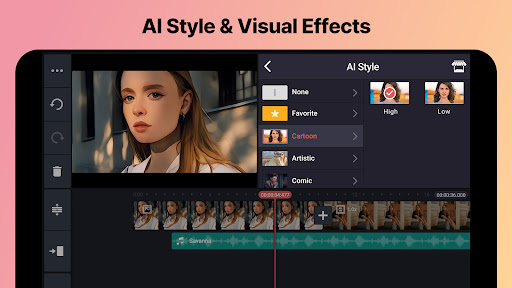
KineMaster - Video Editor screenshot 2
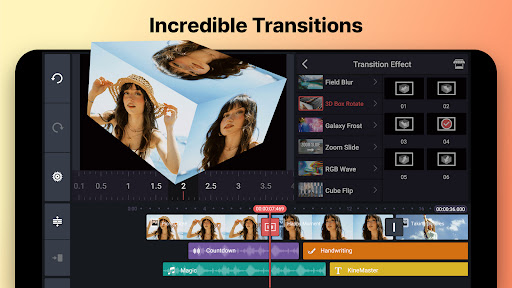
KineMaster - Video Editor screenshot 3

+5 more screenshots

Platform

Android

App Preview