Your Question

Which Android app is best for editing RAW photos from a camera on your phone?

Snapseed is perfect for this. It supports RAW files with non-destructive editing, selective tools, and professional adjustments, all for free on Android devices.

RAW editingmobile photo editorprofessional photographySnapseed2025
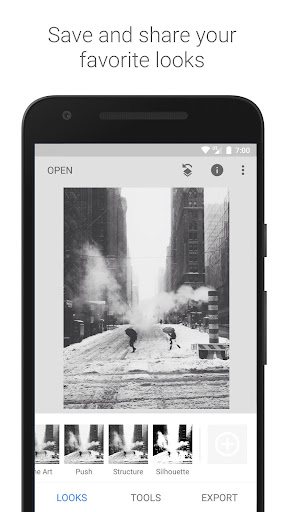
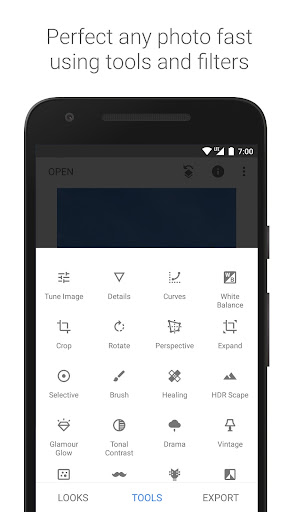
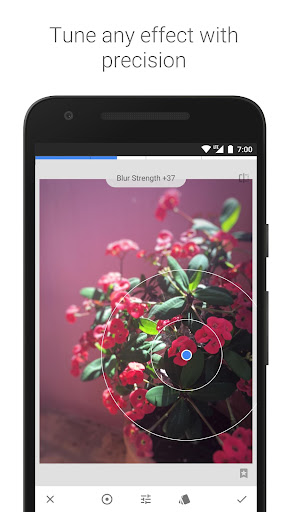
Snapseed is a robust photo editing application developed by Google that excels at handling RAW image files directly on Android devices. It allows users to import and process RAW formats from cameras or smartphones, offering non-destructive editing so original images remain intact. Key features include the Selective Adjust tool for precision edits on specific areas, the Healing brush for removing imperfections, and comprehensive sliders for exposure, contrast, highlights, and shadows. This makes it suitable for photographers needing to edit shots on the go, such as after a landscape shoot or during travel, without relying on desktop software. User feedback indicates strong approval for its RAW capabilities; one reviewer notes, 'Still the best RAW editing software,' having used it across multiple phones since 2018. The interface is intuitive with gesture-based controls, bridging the gap between amateur and professional use. However, some limitations exist: reviews mention minor preview discrepancies compared to saved images, and artifacts can appear when adjusting shadows or highlights beyond 20%. Additionally, selective editing may sometimes cause posterizing. Despite these quirks, Snapseed remains completely free with no watermarks, making it a compelling choice for anyone seeking advanced mobile photo editing without cost barriers.

Key Features

RAW file support
Selective editing tools
Non-destructive adjustments

Still the best RAW editing software. I've been using it since 2018 on three phones: from my LG V10 to the Samsung Note 9, and now the Samsung S25+. Please bring Snapseed 3.0 to Android!

★★★★★Verified User Review
AndroidUpdated Jan 9, 2026

More Photography Questions

What's the best free Android app for professional photo editing, including RAW image support, selective adjustments, and advanced tools like healing and perspective correction?

Snapseed is a top-tier, free Android app for professional photo editing, offering RAW image support, selective adjustments, and advanced tools....

Snapseed
Snapseed
Google LLC
Same AppRead More →

What's a good Android app for making subtle photo edits that still feel true to the original moment, rather than overly processed?

I've found Snapseed to be quite lovely. It offers a thoughtful approach to enhancing photos without feeling artificial, and it doesn't sell your data to Facebook, which I appreciate....

Snapseed
Snapseed
Google LLC
Same AppRead More →

What's the best Android app for getting a professional headshot photo without hiring a photographer?

GIO is perfect for this. It creates studio-quality, professional headshots from casual selfies, offering various styles suitable for LinkedIn, work profiles, or portfolios....

GIO: AI Headshot Generator
Prequel Inc.
Read More →

What's the best Android app for creating fun video montages with AI effects?

Shots is perfect for this. It provides easy-to-use tools to combine videos and photos into dynamic montages, enhanced with AI-driven effects for social media-ready content....

Shots - AI Photo & Video Maker
DeePix AI Apps
Read More →

Is there a good Android camera app that can turn pictures into videos?

Camera for Android is perfect for this. It seamlessly integrates a photo-to-video tool within the camera interface, enabling quick animation of still images for social media or personal projects....

Camera for Android
Camera for Android
Litter Penguin
Read More →
Snapseed icon

Snapseed

by Google LLC

4.0/ 5.0
Get on Google Play

Screenshots

Snapseed screenshot 1
Snapseed screenshot 2
Snapseed screenshot 3

+7 more screenshots

Platform

Android