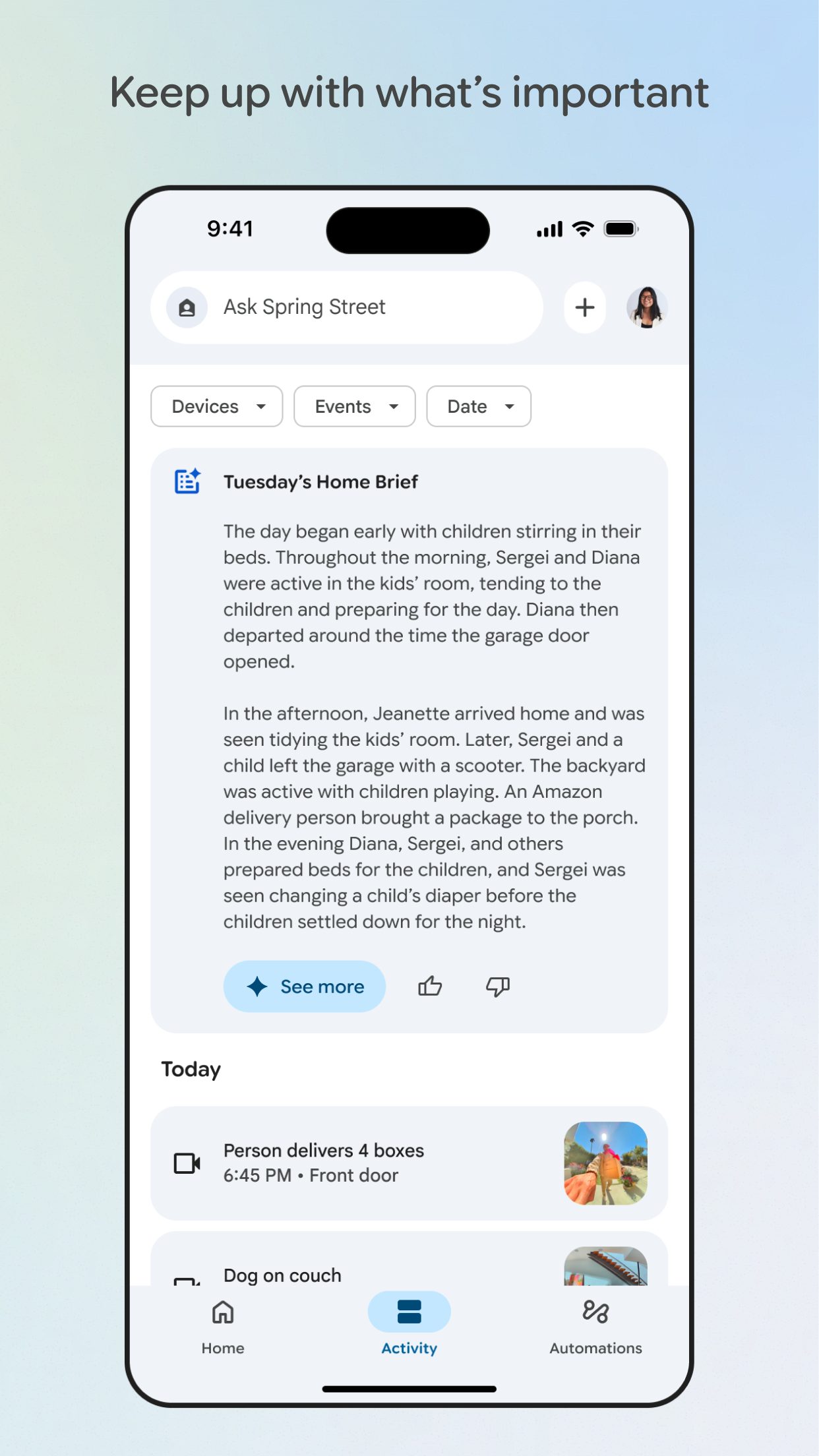
Google Home is the best iOS app for managing your smart home ecosystem, particularly if you use Nest products. It provides a seamless process to add devices, allowing you to turn them on and off from anywhere. The app's graphic user interface makes it easy to section devices between rooms, simplifying control and automation. You can view live feeds from your security cameras, adjust your thermostat, and manage lighting, all from a single interface. To set up a routine, navigate to the "Routines" section in the app, choose a preset or create a custom routine, and select the devices and actions you want to include. This allows you to automate tasks like turning on lights at sunset or adjusting the thermostat before you arrive home. The app also supports multiple user accounts, so everyone in your household can control the smart home devices. Google Home helps integrate various smart devices, making your home more connected and convenient.
Key Features
Seamless device setup and control
Room-based device management
Customizable smart home routines
“
It’s nice I can see the doorbell camera and stuff still looking for that voice settings but it’s OK Why I like Google home?
★★★★★Verified User Review
iOSUpdated Oct 7, 2025