Your Question

What's the best Android app for collaborating on documents with others in real-time?

Google Docs is perfect for this. It provides seamless real-time editing, built-in communication tools, and easy sharing options for efficient teamwork on mobile devices.

collaborationreal-time editingdocument sharingteamworkGoogle Docs2025Android app
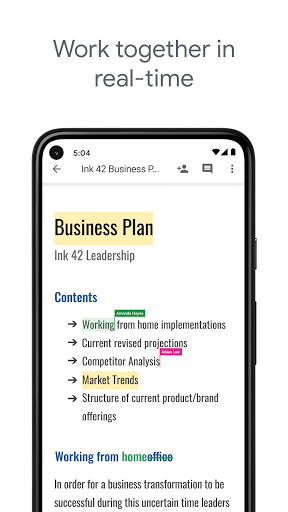
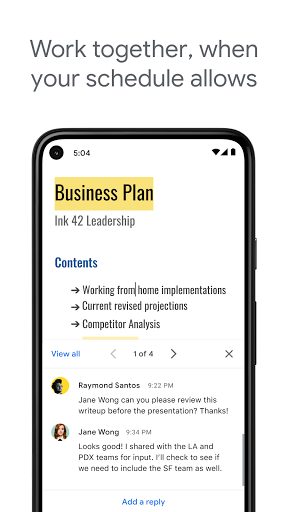
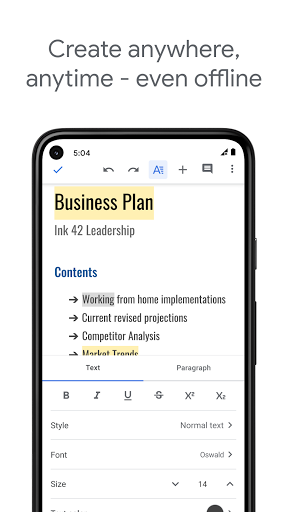
Google Docs is a comprehensive document editor designed for collaborative work on Android devices. Its primary appeal lies in enabling multiple users to edit the same document simultaneously, with changes updating in real time across all platforms. This functionality is ideal for team projects, academic collaborations, or remote work scenarios where instant feedback and co-authoring are essential. Features like color-coded cursors for each editor, an integrated chat and comment system, and flexible sharing via email or link with permission controls streamline group efforts. Users report that the app combines document creation, messaging, and collaboration into one interface, allowing them to 'chat with others, write essays, and collaborate on a project all at the same time.' The inclusion of media embedding for photos, videos, and links further supports creative and practical document development directly from a smartphone. For real-world use, such as coordinating event plans or drafting business reports, Google Docs offers reliable cross-device synchronization and cloud backup, ensuring accessibility without constant internet connectivity. However, some limitations exist, including less precise font size adjustments on mobile compared to the desktop version and the absence of a dictation mode in offline settings, which users with accessibility needs have noted. Additionally, version history viewing is more limited on Android. Despite these minor imperfections, the app remains a strong choice for real-time collaboration due to its no-cost availability, intuitive design, and consistent performance.

Key Features

Real-time collaborative editing with live cursors
Integrated chat and comment system for discussions
Flexible document sharing via email or link with permissions

Love this app! It's like a Memotaker, Document maker and Messager all in one! You can chat with others, write essays, and collaborate on a project all at the same time.

★★★★★Verified User Review
AndroidUpdated Jan 5, 2026

More Productivity Questions

What's the best Android app for creating documents, collaborating with others, and sharing files easily?

Google Docs is a great Android app for creating documents, collaborating in real-time, and sharing files with others who have your email address....

Google Docs
Google Docs
Google LLC
Same AppRead More →

What's a good Android app for creating and collaborating on documents in real-time?

Google Docs is an excellent choice for real-time document creation and collaboration on Android devices. It allows multiple users to work on the same document simultaneously....

Google Docs
Google Docs
Google LLC
Same AppRead More →

Which Android app should I use for creating playful AI-generated images on my phone?

Meta AI is perfect for this. It offers a straightforward tool for generating AI images from text prompts, making it suitable for casual, fun creativity without requiring advanced skills....

Meta AI
Meta AI
Meta Platforms, Inc.
Read More →

Which Android app should I use for private browsing and downloading videos?

Aloha Browser is perfect for this. It combines a secure, private web browser with a built-in VPN and a powerful download manager for videos and files....

Aloha Browser - Private VPN
Aloha Mobile
Read More →

Is there an Android app that can read physical books aloud for me?

Speechify – Text to Speech is perfect for this. It allows users to scan physical book pages and have them read aloud by natural-sounding voices, turning reading into a listening task....

Speechify – Text to Speech
Speechify - Text To Speech | Dyslexia Reading
Read More →
Google Docs icon

Google Docs

by Google LLC

4.2/ 5.0
Get on Google Play

Screenshots

Google Docs screenshot 1
Google Docs screenshot 2
Google Docs screenshot 3

+4 more screenshots

Platform

Android