Best PDF Scanner Apps for Android - 2025 Comprehensive Review
These PDF scanner apps excel in transforming physical documents into digital formats with high accuracy, ease of use, and advanced features like OCR and cloud integration.
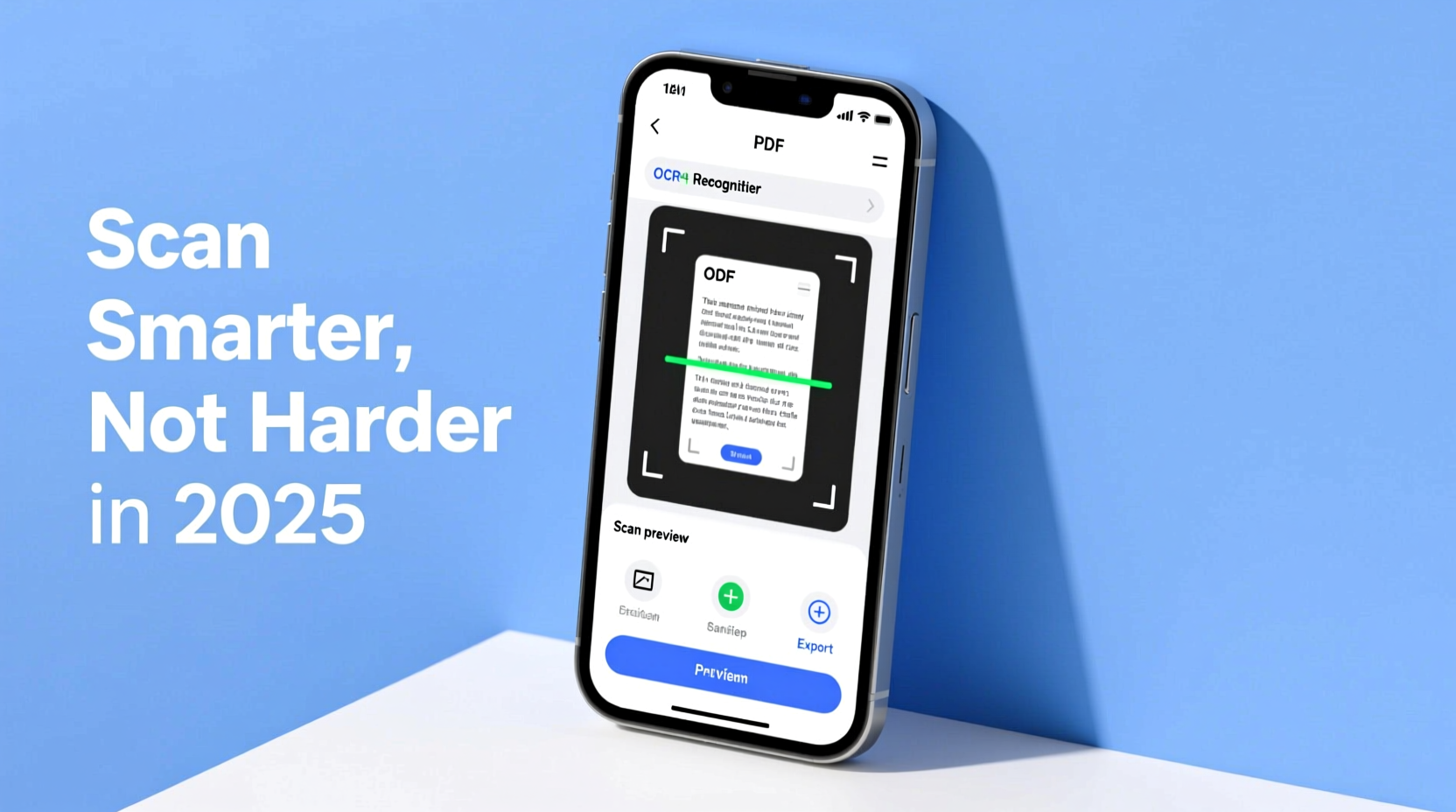
Our Top Pick
The best pdf scanner app for Android

Why It's #1
- AI-driven edge detection
- Integration with Adobe Document Cloud
- Real-time color correction
Screenshots
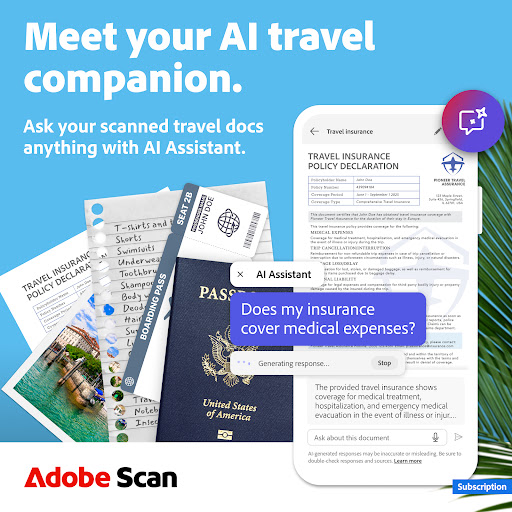
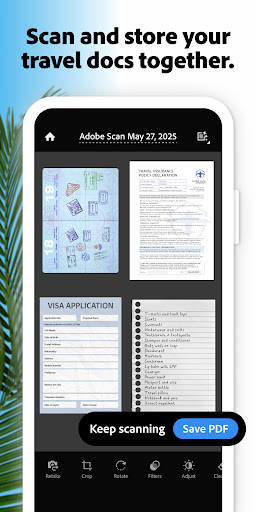
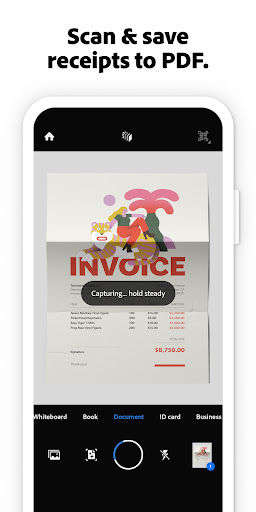
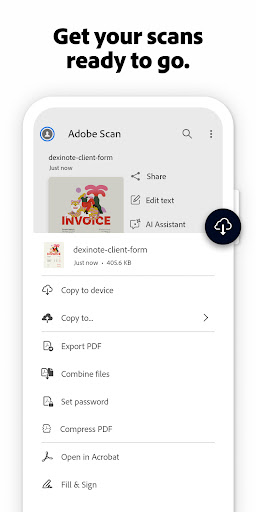
About Adobe Scan AI PDF Scanner, OCR by Adobe
Scan and save to multiple files types like PDF, Microsoft Word, JPEG and more.
Overview
These PDF scanner apps excel in transforming physical documents into digital formats with high accuracy, ease of use, and advanced features like OCR and cloud integration.
Ideal for students, professionals, and anyone needing to digitize paperwork quickly, these apps save time and reduce clutter by enabling efficient document management on the go.
We evaluated based on scanning quality, user interface, feature set, pricing, and user reviews to identify the top performers.
Why Adobe Scan AI PDF Scanner, OCR by Adobe is Our #1 Pick
Key Reasons:
Superior AI-powered scanning accuracy
Seamless integration with Adobe ecosystem
Free with robust features
Standout Features:
Auto-capture without flash
Multiple file type exports
Advanced OCR for text recognition
"Users consistently praise its auto-capture, color options, and quick saving capabilities, making it reliable and efficient for everyday use."
- What users love most
Our Recommendations
Best Overall
Adobe Scan AI PDF Scanner, OCR by Adobe
It combines advanced AI scanning, multiple export formats, and a free tier with minimal drawbacks, making it the most versatile and reliable choice.
💚 Best Free
Genius Scan - PDF Scanner by The Grizzly Labs
Offers a truly free experience with no ads or trials, providing fast and efficient scanning without any hidden costs.
💎 Best Premium
CamScanner- scanner, PDF maker by INTSIG PTE
The paid version removes ads and unlocks advanced tools like AI chat and e-signatures, offering great value for power users.
Easiest to Use
PDF Scanner app - TapScanner by Tap AI
Its simplicity and immediate functionality make it perfect for beginners, with no learning curve required.
Most Innovative
Adobe Scan AI PDF Scanner, OCR by Adobe
Leverages AI for auto-capture and real-time edits, setting a high standard for innovation in document scanning.
The 12 Best pdf scanner Apps
Adobe Scan AI PDF Scanner, OCR by Adobe
Pros:
- High-quality auto-capture
- Supports multiple file formats
- Free with no ads
Cons:
- Can be resource-intensive on older devices
- Limited cloud storage in free version
The top choice for its AI-enhanced scanning and versatile export options.

Genius Scan - PDF Scanner by The Grizzly Labs
Pros:
- Very fast scanning speed
- No-nonsense free version
- Easy to use interface
Cons:
- Limited advanced editing tools
- Basic OCR capabilities
A fast and intuitive scanner with smart features built-in for effortless use.

CamScanner- scanner, PDF maker by INTSIG PTE
Pros:
- Wide range of features including e-signature
- Good scanning quality
- Educational plans available
Cons:
- Heavy ad presence in free version
- Ads are not skippable and slow down tasks
A versatile app with extensive tools, though ads can be intrusive in the free version.
Microsoft Lens - PDF Scanner by Microsoft Corporation
Pros:
- Integrated OCR for text recognition
- Seamless with Office 365
- Free and ad-free
Cons:
- Less feature-rich compared to others
- Limited export options
A reliable scanner with strong OCR and integration with Microsoft services.
PDF Scanner - Document Scanner by Tools & Utilities Apps
Pros:
- Simple and easy to use
- Good image clarity
- Free with basic features
Cons:
- Lacks advanced features like OCR
- May have ads
A straightforward app for clear image scans and easy sharing.

PDF Scanner app - TapScanner by Tap AI
Pros:
- Extremely easy to start using
- No waiting or trials
- Reliable for quick scans
Cons:
- Limited customization options
- Basic feature set
An app praised for its simplicity and immediate usability.
Document Scanner - PDF Creator by LUFICK TECHNOLOGY PRIVATE LIMITED
Pros:
- Efficient scanning capabilities
- Free to use
- Good for quick tasks
Cons:
- May not have the latest features
- Interface could be more modern
A solid app for on-the-fly document scanning with good performance.
Image to PDF - PDF Maker by Simple Design Ltd.
Pros:
- High user rating
- Easy conversion process
- Includes PDF reader
Cons:
- Primarily for image conversion, not full scanning
- Limited OCR
Excels in converting images to PDFs with a focus on simplicity and management.

Mobile Scanner App - Scan PDF by Glority Global Group Ltd.
Pros:
- Good for photo scanning
- Free and accessible
- Decent quality
Cons:
- Might be outdated compared to newer apps
- Basic features only
A cool and functional app for scanning documents and photos to PDF.
Clear Scan - PDF Scanner App by Indy Mobile App
Pros:
- High-quality image output
- Free to use
- Simple interface
Cons:
- Lacks advanced features like OCR
- Not as fast as others
Offers high-quality scans using mobile camera with a focus on clarity.

iScanner - PDF Scanner App by BP Mobile LLC
Pros:
- OCR text recognition
- Free with useful features
- Good for digitizing text
Cons:
- OCR accuracy may vary
- Interface could be improved
Turns your phone into a scanner with OCR recognition for text extraction.

Tiny Scanner - PDF Scanner App by TinyWork Apps
Pros:
- Comprehensive feature set
- Easy to use
- Free version available
Cons:
- Can be slower than competitors
- Not the most innovative
An all-in-one app that digitizes paperwork with ease, though it may lack some advanced features.
Comparison Insights
Key Differences
Apps vary in focus: some prioritize speed and simplicity, while others offer advanced features like OCR and e-signatures; Adobe leads in AI, while others excel in user-friendliness.
How to Choose
Consider scanning quality, feature set (e.g., OCR, export options), ad presence, cost, and user reviews when choosing an app.
Common Limitations
Most apps struggle with very low-light conditions, cannot handle 3D objects well, and free versions may have restrictions on file size or number of scans.
Emerging Trends
Increased use of AI for automatic corrections, better cloud integrations, and more freemium models with enhanced paid features.
Key Insights
Top apps offer AI enhancements for better accuracy; free versions often include ads that can impact usability; integration with cloud services is a common strength.
Buying Guide
Essential Features
- •High-quality scan output
- •OCR for text recognition
- •Easy export to multiple formats
Nice to Have
- •Cloud storage integration
- •Advanced editing tools
- •Batch scanning capabilities
⚠️ Red Flags
- •Excessive ads that cannot be skipped
- •Poor user reviews mentioning crashes
- •Hidden costs in free versions
Pricing Expectations
Free apps often include ads or limited features; paid versions typically cost $5-$10 per month or a one-time fee for ad removal and premium tools.
Frequently Asked Questions
What is the best PDF scanner app for Android in 2025?
Adobe Scan AI PDF Scanner is top-rated for its AI features and versatility, but choose based on your specific needs like speed or simplicity.
How to choose between free and paid PDF scanner apps?
Opt for free apps if you need basic scanning; consider paid versions if you require ad-free experience, advanced OCR, or additional tools like e-signatures.
What's the learning curve like for these apps?
Most apps are designed to be user-friendly with minimal learning curve; beginners can start with TapScanner or Genius Scan for instant usability.
Conclusion
The best PDF scanner apps for Android in 2025 offer a range of features from AI-enhanced scanning to simple, ad-free options, catering to diverse user needs.
After careful comparison, the key differentiators in this category are: Apps vary in focus: some prioritize speed and simplicity, while others offer advanced features like OCR and e-signatures; Adobe leads in AI, while others excel in user-friendliness.
Our Final Recommendation
For most users, Adobe Scan provides the best overall experience, but assess based on whether you prioritize features, cost, or ease of use.
What We're Hoping to See in the Future
Expect continued integration of AI for smarter scanning, improved cloud services, and more personalized features in upcoming updates.
Current Trends: Increased use of AI for automatic corrections, better cloud integrations, and more freemium models with enhanced paid features.