Best Budget Planner Apps for Android - September 2025
These 11 budget planner apps stand out for their exceptional user ratings, comprehensive features, and ease of use, making them the top choices for Android users in 2025.
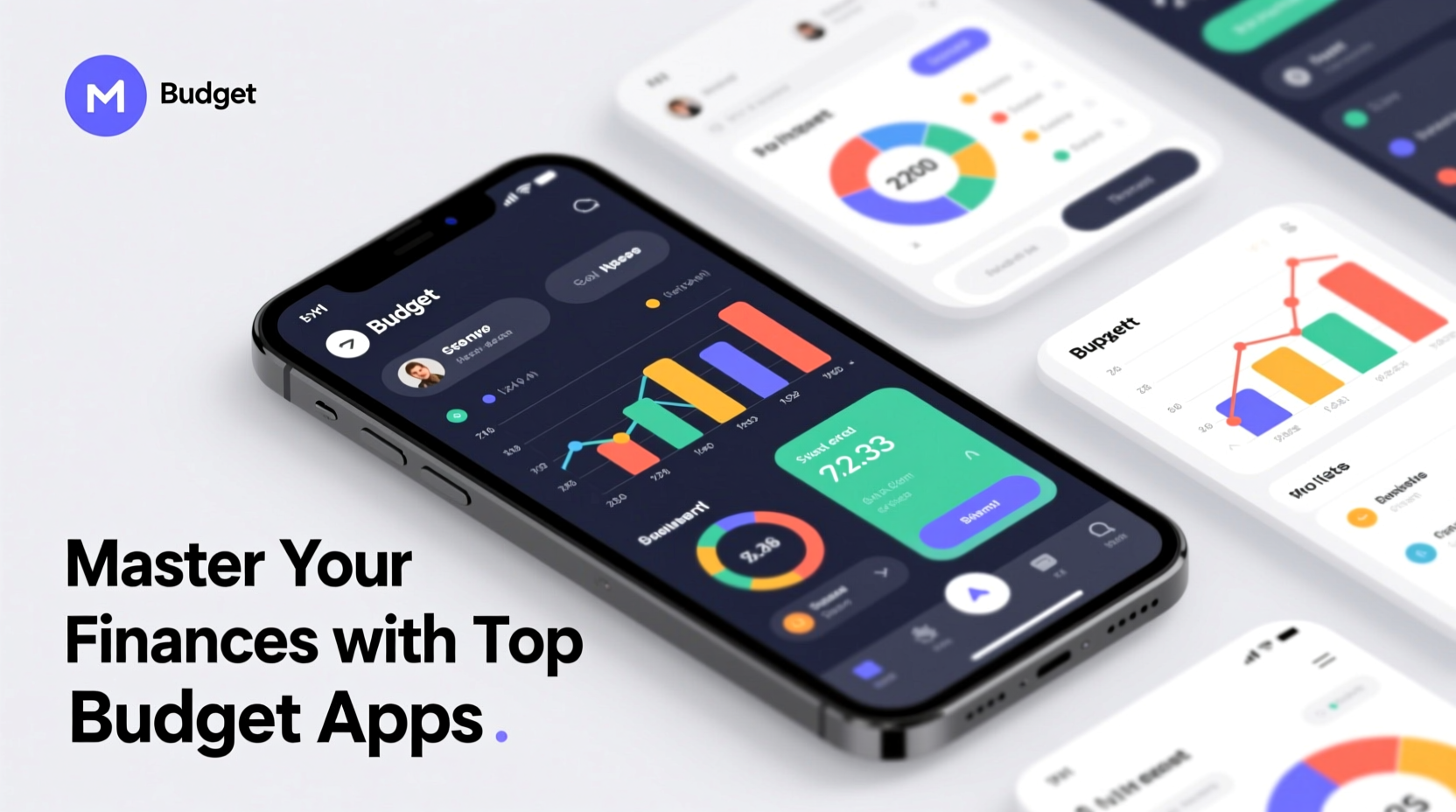
Our Top Pick
The best budget planner app for Android

Why It's #1
- Integrated bill reminders
- Cash flow visualization
- Customizable categories
Screenshots
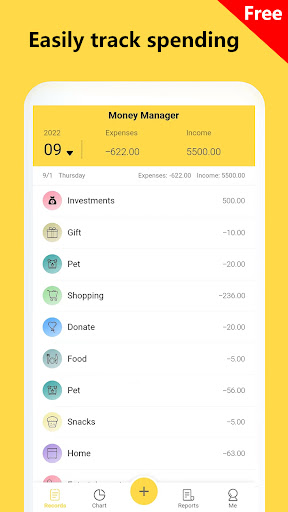
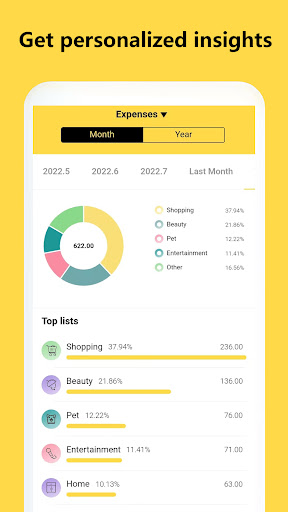
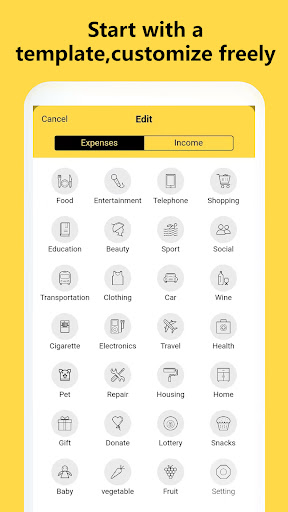
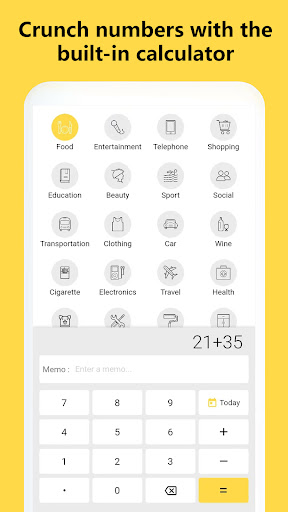
About Money Tracker-Expense & Budget
Money management made simple. Expense tracker, cash book and bill organizer.
Overview
These 11 budget planner apps stand out for their exceptional user ratings, comprehensive features, and ease of use, making them the top choices for Android users in 2025.
Ideal for individuals seeking to track expenses, set budgets, and achieve financial goals, these apps simplify money management for everyone from beginners to advanced users.
We evaluated based on user ratings, feature set, ease of use, customization options, and real user feedback to ensure a balanced and insightful review.
Why Money Tracker-Expense & Budget is Our #1 Pick
Key Reasons:
Highest user rating at 4.917526/5
Comprehensive money management tools
Intuitive and user-friendly interface
Standout Features:
Integrated bill organizer
Cash book functionality
Simple expense tracking
"Users love its simplicity and effectiveness in managing daily expenses without overwhelming features."
- What users love most
Our Recommendations
Best Overall
Money Tracker-Expense & Budget
Combines high user ratings, simplicity, and effective features for most budgeting needs.
💚 Best Free
MyMoney—Track Expense & Budget
Completely free with no ads, offering essential tracking without complexity.
💎 Best Premium
Wallet: Budget Expense Tracker
Premium version unlocks advanced features like cloud sync and detailed analytics, providing great value.
Easiest to Use
MyMoney—Track Expense & Budget
Its straightforward interface makes it ideal for beginners to start budgeting quickly.
Most Innovative
Cashew—Expense Budget Tracker
Uses AI for personalized spending insights and adaptive budgeting, setting it apart with smart technology.
The 11 Best budget planner Apps
Money Tracker-Expense & Budget
Pros:
- Easy to use with a clean interface
- Comprehensive expense tracking
- Free with no hidden costs
Cons:
- Limited advanced features
- No syncing across devices
An incredibly user-friendly app that makes money management straightforward and effective.
Cashew—Expense Budget Tracker
Pros:
- Smart spending insights
- Customizable budgets
- Attractive design
Cons:
- Can be slow with large data sets
- Limited export options
A personalized expense tracker that adapts to your spending habits with smart insights.

Beyond Budget - Budget Planner
Pros:
- Effective zero-based budgeting system
- Detailed planning tools
- User-friendly setup
Cons:
- Steeper learning curve for beginners
- Limited bill tracking
Excels in zero-based budgeting, helping users plan every dollar for maximum financial control.

Budgeting App - Spend Tracker
Pros:
- Strong analytics and reports
- Easy budget creation
- Reliable performance
Cons:
- Interface can feel cluttered
- No multi-currency support
A robust app that combines budgeting and expense tracking with powerful analytics.
MyMoney—Track Expense & Budget
Pros:
- Very easy to use
- Quick expense entry
- Free with no ads
Cons:
- Basic features only
- Lacks advanced budgeting
A simple and effective app for daily expense tracking without unnecessary complexity.

Money Manager Expense & Budget
Pros:
- Wide range of features
- Good for long-term planning
- Stable performance
Cons:
- Can be overwhelming for some
- Occasional bugs
A comprehensive finance app that offers detailed tracking and planning features.

Budge・Savings & Budget Planner
Pros:
- Great for saving goals
- Easy budget adjustments
- Minimalist interface
Cons:
- Limited expense categories
- No bill pay integration
Focuses on savings and monthly budgeting with a clean, intuitive design.
Wallet: Budget Expense Tracker
Pros:
- Comprehensive feature set
- Bill tracking
- Cloud sync available
An all-in-one app that helps users spend smarter and save money with integrated tools.

EveryDollar: Budget Management
Pros:
- Customizable budgets
- Bill management
- Educational resources
Cons:
- Premium features require payment
- Can be rigid in approach
Based on Dave Ramsey's principles, it offers customized budgeting for effective money management.

Budget planner—Expense tracker
Pros:
- Basic and effective
- Low resource usage
- Free
Cons:
- Lacks advanced features
- No updates frequently
A functional app that helps master money management with essential tracking features.

Mobills: Budget Planner
Pros:
- Comprehensive budgeting
- Bill tracking
- Card management
Cons:
- Lower user satisfaction
- Can be buggy
Offers personal finance management with budget creation and bill tracking, though with a lower rating.
Comparison Insights
Key Differences
Apps range from simple trackers to comprehensive managers, with variations in features like bill organizing, savings goals, and analytics; some offer premium upgrades for advanced functionalities.
How to Choose
Consider ease of use, feature set, user ratings, cost, and specific needs like savings or bill tracking when choosing an app.
Common Limitations
Most apps lack investment tracking, multi-currency support, and advanced security features; free versions may have ads or limited capabilities.
Emerging Trends
Increased use of AI for personalized insights, better data visualization, and more integration with banking APIs for real-time updates.
Key Insights
Top-rated apps focus on simplicity and user experience; zero-based budgeting is a growing trend; free apps often suffice for basic needs; integration with other financial tools is limited; privacy concerns vary by app.
Buying Guide
Essential Features
- •Expense tracking
- •Budget creation
- •Basic reports
Nice to Have
- •Bill reminders
- •Savings goals
- •Multi-device sync
⚠️ Red Flags
- •High number of negative reviews
- •Excessive ads in free version
- •Poor data security
Pricing Expectations
Most apps are free with optional premium features costing $2-$10 per month for enhanced tools like analytics and sync.
Frequently Asked Questions
What is the best budget app for beginners?
MyMoney—Track Expense & Budget is ideal for beginners due to its simplicity and ease of use.
How do I choose between free and paid budget apps?
Start with a free app for basic needs; upgrade to paid if you require advanced features like cloud sync or detailed reports.
What is the typical learning curve for these apps?
Most apps have a low learning curve, taking only a few minutes to set up, but advanced apps like Beyond Budget may require more time to master.
Conclusion
The top budget planner apps for Android in 2025 offer a range of options from simple trackers to comprehensive managers, with high user ratings highlighting their effectiveness.
After careful comparison, the key differentiators in this category are: Apps range from simple trackers to comprehensive managers, with variations in features like bill organizing, savings goals, and analytics; some offer premium upgrades for advanced functionalities.
Our Final Recommendation
Choose Money Tracker-Expense & Budget for overall best experience, or opt for MyMoney if you prefer simplicity and a free solution.
What We're Hoping to See in the Future
Expect more AI integration and better security features in future updates, making budgeting even more personalized and secure.
Current Trends: Increased use of AI for personalized insights, better data visualization, and more integration with banking APIs for real-time updates.