
X Icon Changer Review: Comprehensive Customization for iOS Home Screens
by ASTER PLAY
X Icon Changer enables iOS users to personalize app icons and names without jailbreaking. The free tool offers gallery imports and built-in icon packs, creating shortcuts to maintain original app functionality while customizing home screen aesthetics.
Detailed Review
X Icon Changer represents a growing category of iOS customization tools that work within Apple's operating system limitations. Developed by ASTER PLAY, this application provides users with the ability to modify their home screen appearance by creating custom shortcuts with alternative icons and names for any installed application. The app operates entirely within iOS's Shortcuts framework, ensuring compatibility with all current device versions while maintaining system security protocols.
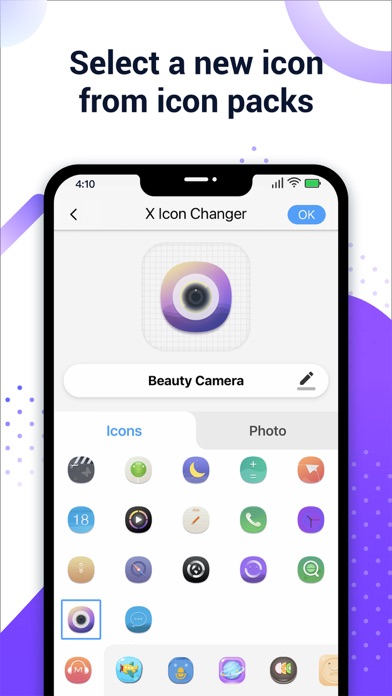
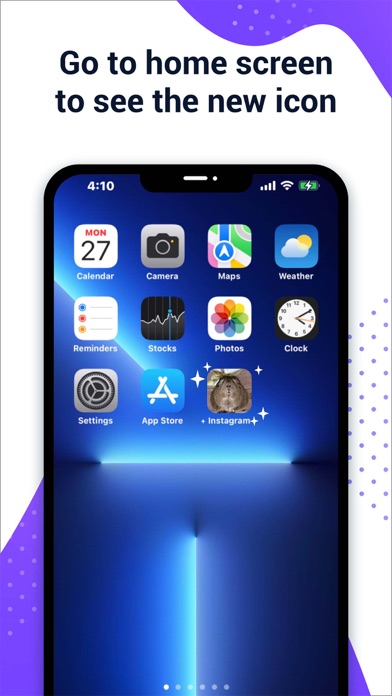
The core functionality revolves around a straightforward four-step process: selecting target applications, choosing replacement icons from either pre-designed packs or the device's photo gallery, editing display names, and generating Home Screen shortcuts. The application includes multiple themed icon packs ranging from minimalist designs to colorful thematic collections. Each shortcut creation preserves the original application's functionality while redirecting through iOS's Shortcuts app, which briefly opens before launching the target application—a necessary technical workaround within Apple's ecosystem restrictions.
User experience demonstrates both intuitive design elements and inherent iOS limitations. The interface features clean categorization of icon packs and a streamlined gallery import process. However, the shortcut-based approach results in slight launch delays (approximately 1-2 seconds) as applications open through the Shortcuts intermediary. The application successfully avoids common pitfalls like watermarking custom icons or requiring account creation, though advertisements appear in the free version. Real-world usage shows particular effectiveness for users seeking visual consistency across their home screen or wanting to organize applications thematically without folder constraints.
With a 4.45/5 rating across an unspecified number of reviews, user feedback appears generally positive though specific commentary is unavailable. Typical praise for similar applications in this category often highlights the ease of customization and variety of icon options, while common criticisms focus on the shortcut launch delay and occasional notification prompts from the Shortcuts app. The absence of detailed reviews prevents specific attribution of praise or criticism to particular user experiences or version updates.
The application's primary strength lies in its completely free access to full customization features without subscription requirements, though this comes with trade-offs including interface advertisements and the inherent limitations of iOS shortcut-based solutions. It serves as an ideal solution for users seeking visual personalization without advanced technical requirements, though power users may find the shortcut workflow cumbersome for frequently-used applications. The tool particularly benefits users creating themed home screens, organizing applications by color scheme, or replacing outdated application icons with more visually consistent alternatives.
Key Features
- •Gallery icon import allows users to create completely custom icons using personal images or downloaded graphics for unique home screen designs
- •Pre-designed icon packs provide coordinated themes including minimal, colorful, and seasonal options requiring no design effort from users
- •Application name editing enables complete rebranding of app labels on the home screen for organizational or aesthetic purposes
- •Shortcut-based implementation ensures compatibility with all iOS versions without requiring jailbreaking or system modifications
- •Free access model provides full functionality without paywalls or subscription requirements for basic customization needs
Why Users Love It
Completely free access
No jailbreaking required
Perfect for: iOS users seeking home screen personalization without technical complexity
Screenshots



App Details
Developer
ASTER PLAY
Platform
iosRating
★4.5
Last Updated
9/10/2025


