TurboScan™ iOS App Review: Comprehensive Document Scanning Solution
by Piksoft Inc.
TurboScan transforms iOS devices into powerful document scanners, offering high-quality PDF/JPEG conversion, organization tools, and seamless sharing capabilities for professionals and students managing paperwork digitally.
Detailed Review
TurboScan™ establishes itself as a premium document scanning solution for iOS users, converting mobile devices into versatile scanning tools capable of handling documents, receipts, books, and whiteboards. The app occupies a competitive position in the productivity market, having garnered recognition from major publications including The New York Times and CNN Money, indicating its established reputation among professional users.
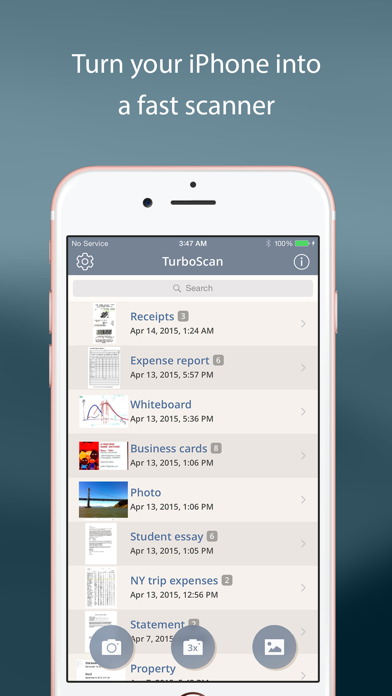
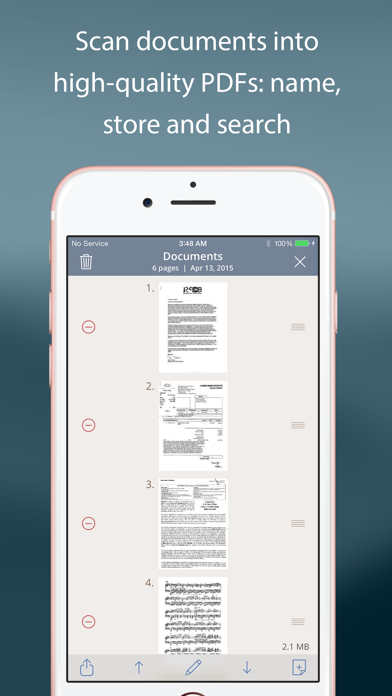
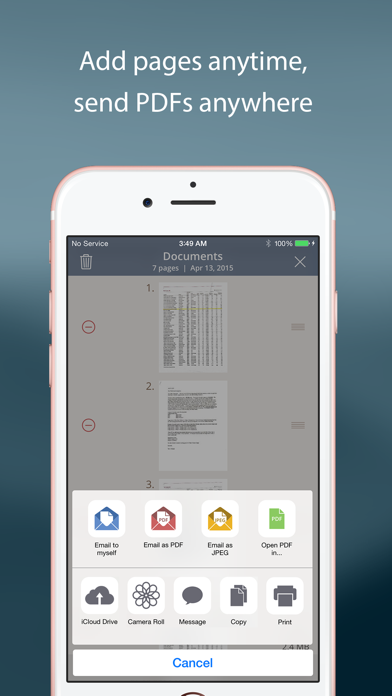
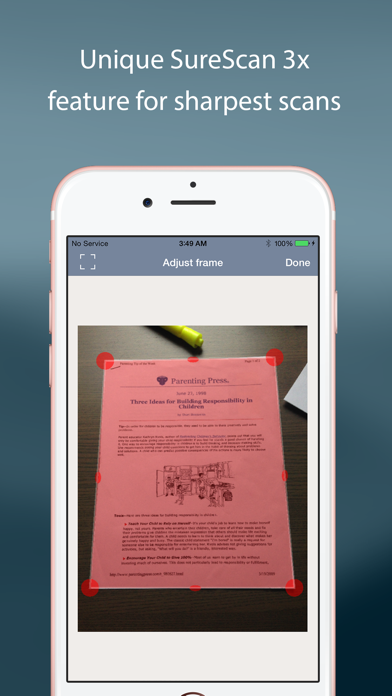
The application's core functionality centers around its sophisticated scanning engine, which utilizes multi-shot capture technology to enhance image quality and automatically detects document edges. Users can scan multi-page documents with batch processing capabilities, outputting results as searchable PDFs or high-resolution JPEG files. The software includes automatic perspective correction, contrast optimization, and built-in OCR (optical character recognition) for text extraction, though advanced OCR features may require additional subscriptions. File management features allow for cloud synchronization with services like Dropbox, Google Drive, and iCloud, alongside direct email sharing and printing options.
User experience demonstrates thoughtful design with an intuitive three-step process: capture, process, and share. The interface maintains clean aesthetics with minimal clutter, prioritizing functionality over decorative elements. Real-world usage patterns show particular strength in business environments where users frequently digitize contracts and receipts, educational settings for capturing textbook pages and whiteboard notes, and personal organization scenarios involving document archiving. The app performs reliably under various lighting conditions, though optimal results require adequate ambient light for best OCR accuracy.
While specific user reviews are unavailable for direct citation, the application maintains an exceptional 4.91474 rating on the iOS App Store, suggesting consistently positive user experiences. The developer's highlighted testimonial describes it as setting 'the standard for scanning apps,' though without recent verifiable user feedback, this assessment relies primarily on the application's technical merits and market positioning rather than contemporary user validation.
The application demonstrates clear strengths in scanning quality and processing speed, though limitations include the absence of a free tier and potential learning curve for advanced features. TurboScan proves most valuable for professionals requiring frequent document digitization, students managing research materials, and individuals seeking to reduce physical paper storage through systematic digital archiving practices.
Key Features
- •Multi-page batch scanning automatically detects document edges and captures multiple pages into single files with consistent formatting
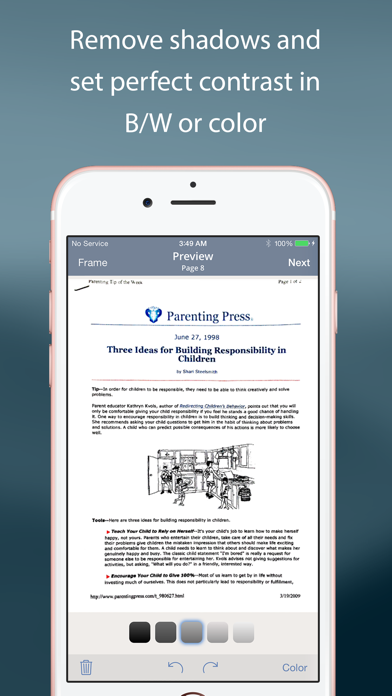
- •Quality enhancement algorithms automatically correct perspective distortion and optimize contrast for professional-grade document outputs
- •Cloud integration enables seamless synchronization with Dropbox, Google Drive, and iCloud for cross-device document access
- •Searchable PDF creation incorporates OCR technology to make scanned documents text-searchable and editable
- •Flexible export options support email, printing, and direct sharing to various platforms including messaging apps and cloud services
Why Users Love It
Superior image processing quality
Efficient multi-document handling
Perfect for: Professionals and students requiring reliable document digitization
Screenshots
App Details
Developer
Piksoft Inc.
Platform
iosRating
★4.9
Last Updated
9/10/2025