Detailed Review
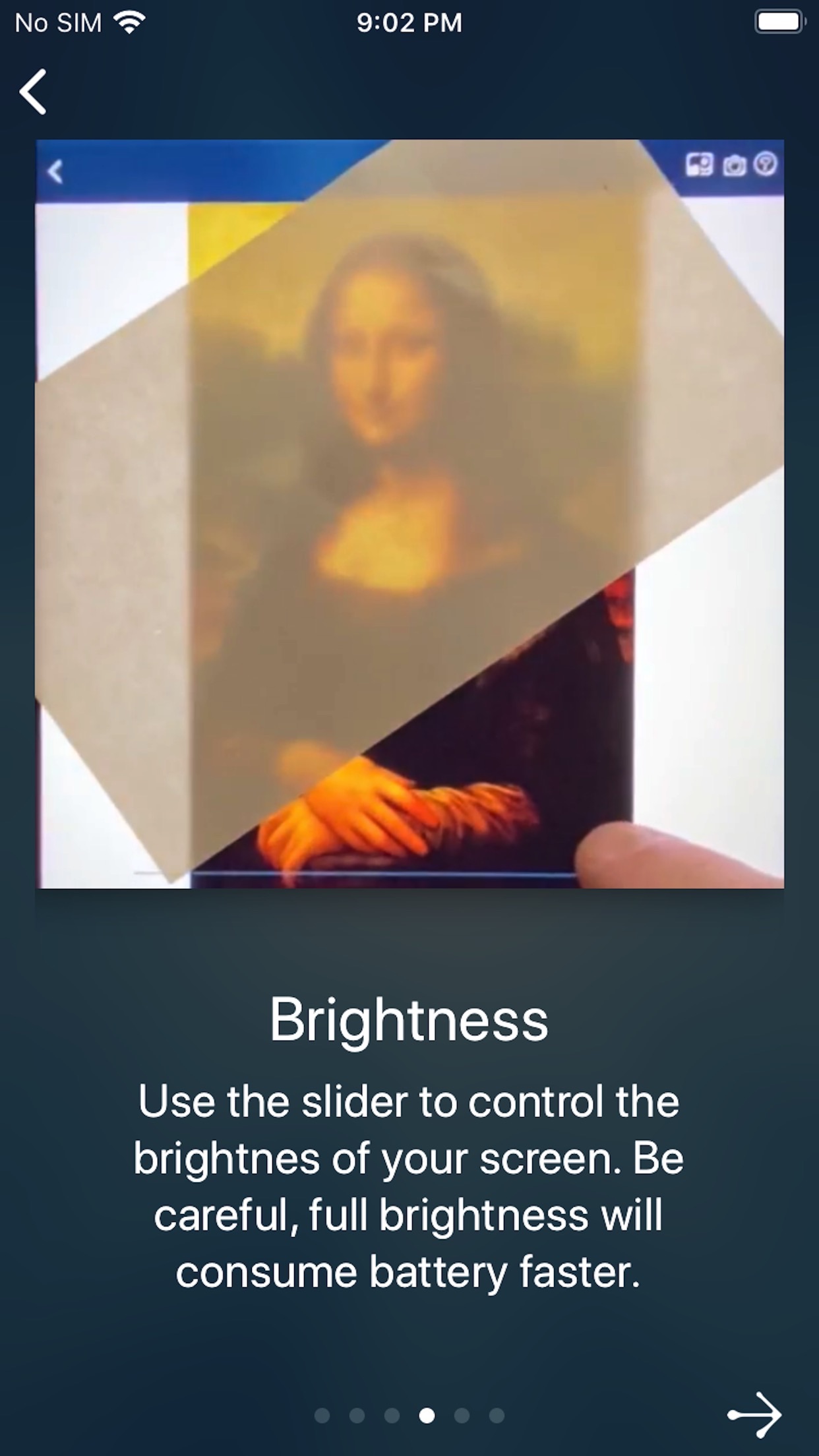
Tracing Projector is your personal portable drawing and composition tool. Having Tracing Projector is like always having a sheet of tracing paper with you! Choose any image you'd like to draw, take a photo, or choose from hundreds of images supplied in the app; then look at your screen while you trace the image on paper! - Learn to Draw! Learn proportions and important lines by tracing photos of anything! Use several filters to enhance your photo, making it easier to trace. - Make real one-of-a-kind artwork you can hang on your wall! Send unique greetings on social media! Friends and family will love to see your animated drawings! - Show off your skills! Record a video while you draw and share it on your favorite social network. Your friends will be amazed! Choose from time-lapse and regular speeds, and include a narrative if you want to. - Great for face painting or artistic makeup! - Great for school projects! Need to draw an image from a book on a poster? Trace it! - Kick-start your painting or portrait! Transfer your idea from a photo to your drawing canvas to get the proportions right. - Match the Composition! Transfer your plan from a sketch to the scrapbook page or photo wall! - Challenge yourself to sketch the essence of the image before the timer runs out! Focus on composition and structure. Freehand the fine details afterward, or disable Quick Sketch and trace them directly. (Disabling requires a one-time purchase.) Several tools make it really easy to trace your image: - Light Table - lock your screen, turn up the brightness, and trace the image from your screen directly! - Handheld Mode -- On supported devices, Augmented Reality keeps your tracing image steady while you hold your device at a comfortable angle. (demo video https://youtu.be/YJeK5Sjdi1Q). Requires iOS 11.3 or later on iPhone 6s/6s Plus or iPad Pro and later. Works best on stable horizontal and vertical surfaces with good light and some visible surface detail. - Lock the camera focus to keep the image steady while you trace. - Lock the canvas area to keep your layout and alignment while you zoom in to get a close look at your work in progress. - Several Filter modes enhance your image, increasing contrast to give you a better result. - Use the flashlight to light up your drawing. (requires Full Version) - Use the selfie camera and draw on your face. (requires Full Version) Other features make it fun and easy to share your creations with your friends. - Video recording in Time Lapse mode to make things smaller and faster and cooler. You can enable normal-speed and audio on the Settings screen. - The recorded video or snapshot includes a small thumbnail of the tracing image (with an option to turn that off). - Your videos and snapshots are stored automatically and available to share later from within the app, the Files app, or iTunes. - Sharing your videos and photos is easy with a preview screen and saved photos/videos! - Interrupted while recording your drawing? No problem - Combine multiple videos to create a single video for sharing! Use the Edit feature on the Saved Files screen: select two movies and tap Join. Tracing Projector is Enhanced For 3D Touch! Start right away from the camera or photo album from the home screen! Force-touch on the tracing image to peek at your progress while you draw! Notes: - For best results, stabilize your device above your drawing surface. A stack of books, drinking glass, or tripod works best. - The app requires access to your camera in order to present its overlay for drawing. - The app requires access to your photos in order to load an image to trace and to save the video of your drawing. - The app optionally uses your microphone when recording a video while you draw.
Screenshots




User Reviews
This was exactly what I wanted in an AR tracing app - no subscription, no user data collected, no useless features - just the features and flexibility I wanted and a reasonable one-time purchase price. Score! Exactly what I wanted This was exactly what I wanted in an AR tracing app - no subscription, no user data collected, no useless features - just the features and flexibility I wanted and a reasonable one-time purchase price. Score!
Great app at a great price with NO tracking/spying. Well thought out help pages. Easy to use. Very handy trace outlines setup. Thank you dev for your great work! Excellent Great app at a great price with NO tracking/spying. Well thought out help pages. Easy to use. Very handy trace outlines setup. Thank you dev for your great work!
I use this to speed up my drawing time. I trace the basics and add flourish to make drawings my own. Definitely worth purchasing the full app to not lose tracing time and set up. Awesome drawing tool I use this to speed up my drawing time. I trace the basics and add flourish to make drawings my own. Definitely worth purchasing the full app to not lose tracing time and set up.
This is awesome I drew a really good picture in 1 minute I highly suggest this app for drawing you can literally trace anything from your photos 5 stars Awesome drawing app This is awesome I drew a really good picture in 1 minute I highly suggest this app for drawing you can literally trace anything from your photos 5 stars
I love the app it shows the smallist of details 10/10 try it now best app Projecter app I love the app it shows the smallist of details 10/10 try it now best app
App Details
Developer
Photility
Platform
iosRating
Last Updated
10/29/2025