by TSD
Detailed Review
Key Features
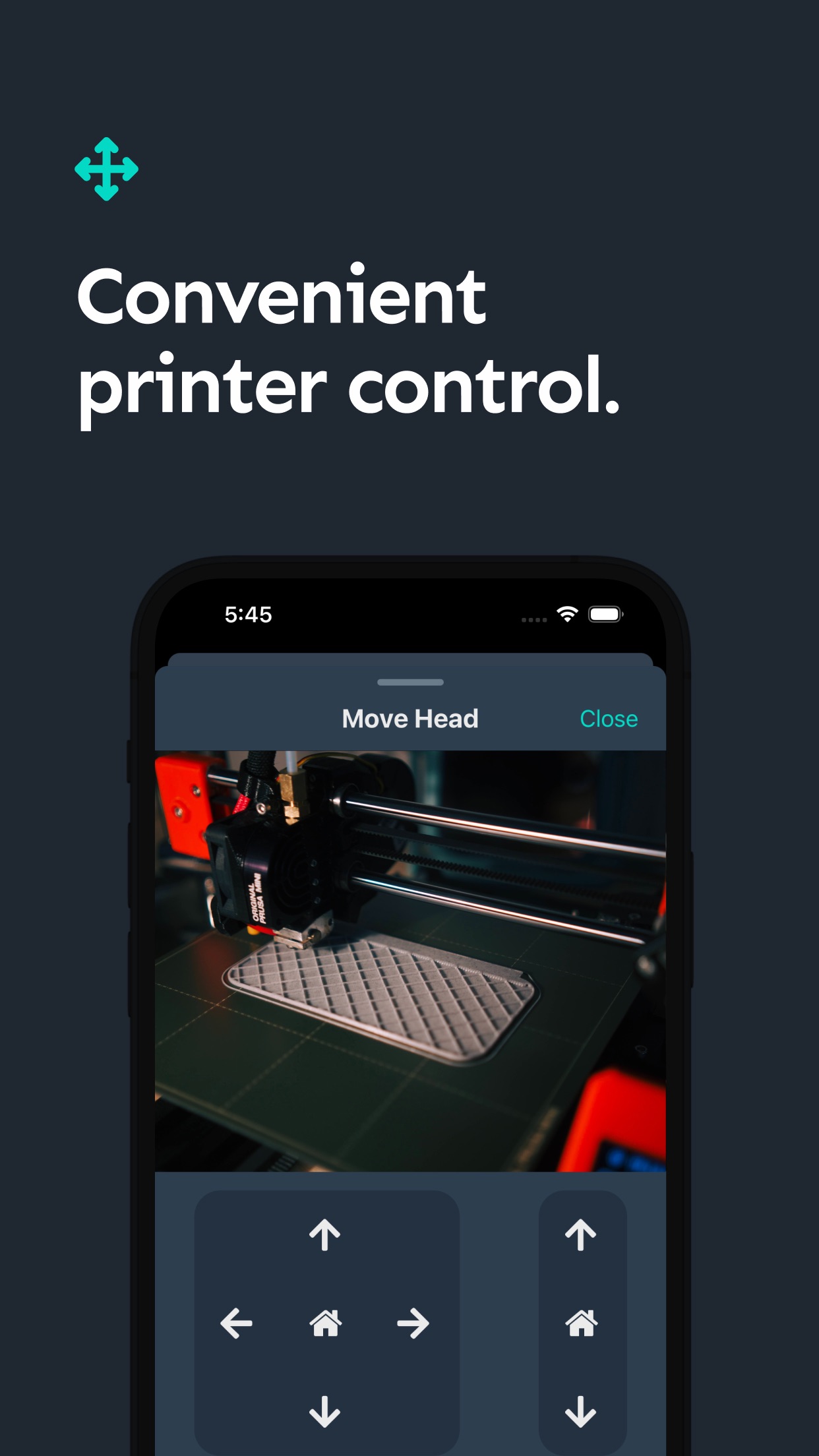
- •Live remote monitoring with a full-screen camera feed, allowing visual confirmation of print progress from any location with an internet connection.
- •Push notifications for print completion, failures, or alerts from the integrated Obico AI print failure detection system, providing peace of mind.
- •Direct printer control including start, pause, stop, and emergency halt functions, alongside manual temperature setting adjustments for the hotend and bed.
- •Detailed print job status display showing percentage complete, time elapsed, time remaining, and filament length used for precise tracking.
- •Seamless integration with the Obico cloud service (via plugin), which analyzes the camera stream for printing errors like spaghetti defects and layer shifts.
- •Support for multiple printer connections, enabling users with several machines to manage them all from a single, unified mobile dashboard.
Why Users Love It
Perfect for: This app is perfect for 3D printing hobbyists and professionals who use Klipper firmware or OctoPrint and require dependable remote monitoring and intervention capabilities.
Screenshots




Ranking History
Track Klipper | OctoPrint - Obico's performance in Developer Tools over the last 30 days
Current Rank
#33
Best Rank
#33
All-time high
Average Rank
#33
30-day average
User Reviews
In fact this might be the first one I’ve ever done on the App Store - I love this app for monitoring and managing my prints. I. Use it daily to manage my 2 printers. It’s super easy to setup once you have octoprint going , and the app and web interface work seamlessly. Love it !! I never write reviews but —- In fact this might be the first one I’ve ever done on the App Store - I love this app for monitoring and managing my prints. I. Use it daily to manage my 2 printers. It’s super easy to setup once you have octoprint going , and the app and web interface work seamlessly. Love it !!
I’ve had some webcam issues that may or may not be Obico’s fault, but I suggested via email that it may be due to their app, and their team was incredibly responsive, and they have been more helpful than I could have ever imagined a company being. The app just works amazingly well too, and even with this webcam issue that might be something else entirely, this is by far the best OctoPrint app out there. I’ve tried other top apps, and they all require you to install multiple apps and plugins and then connect them all and pay subscription fees to each app if you want all the benefits. This app is the only one stop shop that I’ve come across, and it’s been super easy to use. Highly recommend. Customer Service is second to none I’ve had some webcam issues that may or may not be Obico’s fault, but I suggested via email that it may be due to their app, and their team was incredibly responsive, and they have been more helpful than I could have ever imagined a company being. The app just works amazingly well too, and even with this webcam issue that might be something else entirely, this is by far the best OctoPrint app out there. I’ve tried other top apps, and they all require you to install multiple apps and plugins and then connect them all and pay subscription fees to each app if you want all the benefits. This app is the only one stop shop that I’ve come across, and it’s been super easy to use. Highly recommend.
Fantastic app, and only getting better. I used to only use OctoPod, but I've switched to this. Excellent Fantastic app, and only getting better. I used to only use OctoPod, but I've switched to this.
Even the free version of this app i great. The pro version also isn’t that much money for what you get. Amazing app, even the free version Even the free version of this app i great. The pro version also isn’t that much money for what you get.
With a raspberry pie and a mini camera you can view and control your a 3-D printer from anywhere in the world. It also has some features where it’ll watch while you’re not able to watch. Those are a work in progress. But they’re getting there. It’s kind of like speech to text and all types of AI. It’s not always right but it helps. Great app. Does what I want! With a raspberry pie and a mini camera you can view and control your a 3-D printer from anywhere in the world. It also has some features where it’ll watch while you’re not able to watch. Those are a work in progress. But they’re getting there.It’s kind of like speech to text and all types of AI. It’s not always right but it helps.
App Details
Developer
TSD
Platform
iosRating
Last Updated
12/26/2025