by Shenzhen Ultra Easy Technology Co., Ltd.
Detailed Review
Key Features
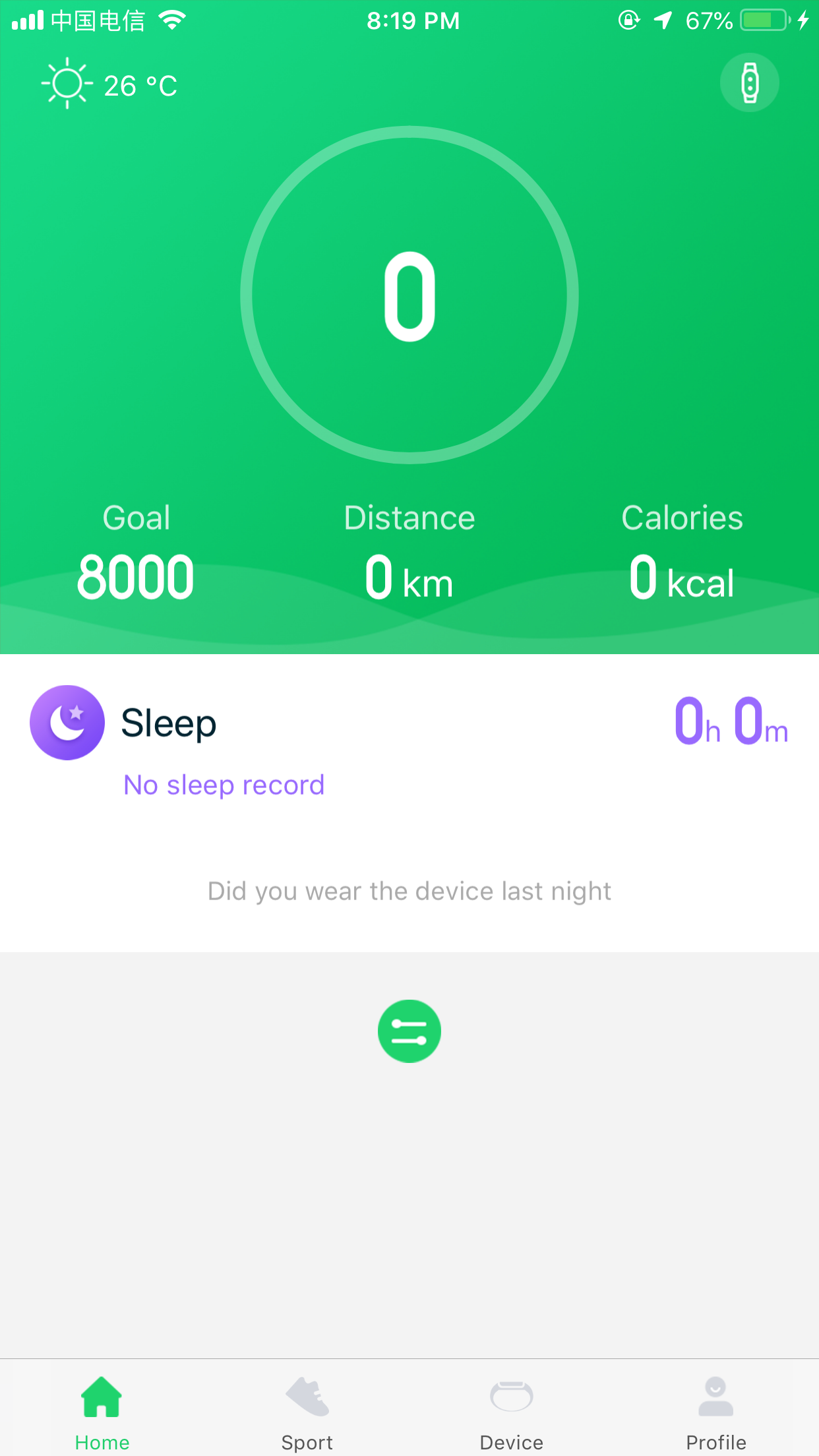
- •Comprehensive health tracking syncs steps, heart rate, sleep patterns, and blood oxygen data from your connected wearable device to a centralized iOS dashboard.
- •Smart notification mirroring displays incoming calls, SMS, and app alerts directly on the paired watch, keeping users informed without checking their phone.
- •Device management tools allow users to customize watch faces, set sedentary and hydration reminders, and configure alarms directly through the app.
- •Sleep analysis provides a breakdown of sleep stages, including light, deep, and awake times, along with a simple sleep quality score each morning.
- •Historical data review lets users scroll through past days and weeks of collected fitness metrics to observe trends and progress over time.
- •Bluetooth pairing and synchronization maintains a connection with the wearable, automatically uploading exercise and health data to the app for storage.
Why Users Love It
Perfect for: This app is perfect for owners of Ultra Easy smartwatches who want a no-frills hub to view their basic activity and health metrics.
Screenshots
Ranking History
Track GloryFit's performance in Health & Fitness over the last 30 days
Current Rank
#21
Best Rank
#21
All-time high
Average Rank
#21
30-day average
User Reviews
The app works great! I love it! But they need to add stuff. 1. They need to app texting on the messaging app - (e.g., Your mom says go down to do dishes, i don’t go on my phone and tell her it if i could text in my watch. 2. Make the font less robotic and make it more alive. - The font is just weird and too small. Overall it’s a great watch and great app. Good app but some recommendations The app works great! I love it! But they need to add stuff.1. They need to app texting on the messaging app- (e.g., Your mom says go down to do dishes, i don’t go on my phone and tell her it if i could text in my watch.2. Make the font less robotic and make it more alive.- The font is just weird and too small.Overall it’s a great watch and great app.
Overall great app, please have the option to make the messages font size bigger. The text is too small to read. Thank you. Font size Overall great app, please have the option to make the messages font size bigger. The text is too small to read. Thank you.
Needs lots of work very hard to use can’t find what they ask you to do. Says phone is Bluetooth connected but app says not. Will not update to correct day and time App Needs lots of work very hard to use can’t find what they ask you to do. Says phone is Bluetooth connected but app says not. Will not update to correct day and time
I got this app for my watch of course, and all the features work great. My biggest problem ( and probably by only one) is that even though you can have a custom face, you can not have multiple custom faces on the watch itself instead of having the default ones and a single custom face on the watch. You have to got to the app to change the custom one when you want a different one. You also can not have heart rate or the date or anything except your steps and time on there. It should definitely be more customizable. Most of it’s great though! Great, but could be improved I got this app for my watch of course, and all the features work great. My biggest problem ( and probably by only one) is that even though you can have a custom face, you can not have multiple custom faces on the watch itself instead of having the default ones and a single custom face on the watch. You have to got to the app to change the custom one when you want a different one. You also can not have heart rate or the date or anything except your steps and time on there. It should definitely be more customizable. Most of it’s great though!
You need to add iMessages for iPhones. It will not let me if I even press all. That’s the only thing bad about the watch. And app Need to add something You need to add iMessages for iPhones. It will not let me if I even press all. That’s the only thing bad about the watch. And app
App Details
Developer
Shenzhen Ultra Easy Technology Co., Ltd.
Platform
iosRating
Last Updated
12/25/2025