
Fonts for iPhones and iPad: Comprehensive Keyboard Customization Review
by Beijing Free Calculator Technology Co., Ltd.
This iOS keyboard extension enables users to apply 30+ specialized English fonts and 130 symbols across messaging platforms. The ad-free application targets social media users seeking personalized text styling without complex setup procedures.
Detailed Review
Fonts for iPhones and iPad positions itself as a straightforward keyboard customization tool for iOS devices, developed by Beijing Free Calculator Technology Co., Ltd. The application serves users seeking to enhance their digital communication through stylized text, operating as a third-party keyboard extension rather than a system-level font modifier. With a 4.36/5 rating, the app appears to meet basic expectations for font customization utilities in the competitive iOS accessories market.
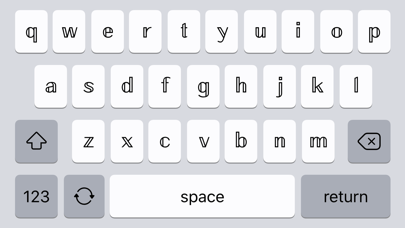
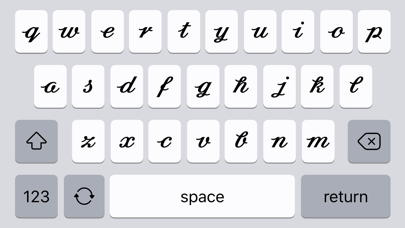
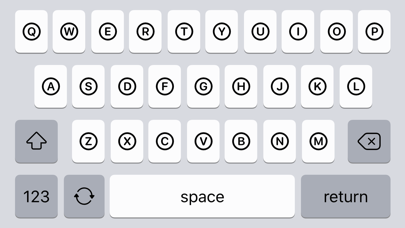
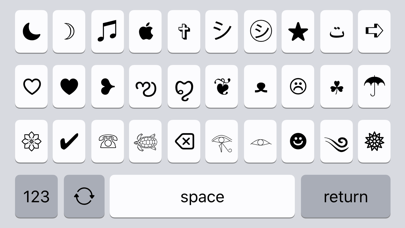
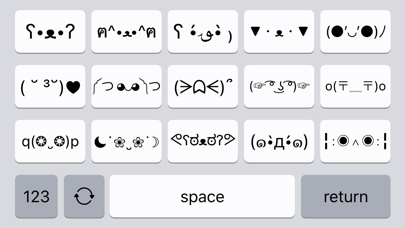
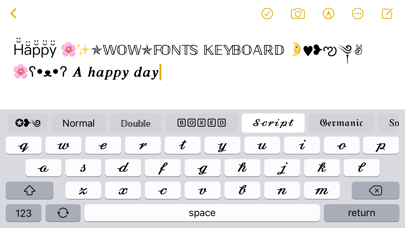
The core functionality revolves around thirty-plus specialized English typefaces ranging from cursive scripts to bold display fonts, alongside 130 symbolic characters and thirty emoji variations. These elements integrate directly into Apple's custom keyboard framework, allowing implementation across messaging applications, social platforms, and any text-input scenario supporting third-party keyboards. The subscription model unlocks all content, with pricing varying by region and automatic renewal features requiring manual management through Apple's subscription system.
User experience demonstrates notable simplicity through intuitive interface design and clear tutorial guidance. The installation process follows standard iOS keyboard protocols requiring permissions through Settings > General > Keyboard. Once enabled, users toggle between fonts through a carousel interface and insert characters through standard tapping mechanics. Real-world usage patterns suggest primary application in social messaging contexts where visual differentiation enhances communication, particularly among younger demographics engaging with platforms like Instagram, WhatsApp, and messaging apps.
No specific user reviews are available for detailed analysis of satisfaction trends or common pain points. The absence of visible feedback presents challenges for assessing real-world performance beyond developer claims. This gap in user testimony necessitates reliance on objective feature analysis rather than community-driven insights for evaluation purposes.
The application's primary strength lies in its focused specialization and clean implementation, though limitations include font applicability restricted to English characters and dependence on recipient device compatibility for proper rendering. Ideal use cases involve personal messaging enhancement rather than professional typography needs, with the subscription model providing reasonable value for frequent users despite lacking transparent pricing details prior to installation.
Key Features
- •Thirty-plus specialized English typefaces enable distinctive text styling across messaging platforms and social media applications
- •Integration of 130 symbolic characters expands creative expression beyond standard keyboard offerings
- •Thirty emoji variations provide additional visual elements compatible with most messaging systems
- •Ad-free operation maintains uninterrupted user experience without promotional content interference
- •Compact installation package minimizes storage footprint while delivering full functionality
- •Clear setup tutorials guide users through iOS keyboard permissions and basic operation steps
Why Users Love It
Specialized font variety
Clean ad-free interface
Perfect for: Social media users seeking personalized text styling
Screenshots
App Details
Developer
Beijing Free Calculator Technology Co., Ltd.
Platform
iosRating
★4.4
Last Updated
9/10/2025


