Drawing Pad Procreate Sketch: Comprehensive Review of iOS Drawing App
by Rohan Singh Rajput
Drawing Pad Procreate Sketch offers simplified digital drawing tools for iOS users seeking accessible creative expression. The app provides basic brushes, stickers, and sharing features suitable for casual users and beginners.
Detailed Review
Drawing Pad Procreate Sketch positions itself as an accessible digital drawing solution for iOS users seeking straightforward creative tools without professional complexity. Developed by Rohan Singh Rajput, the application delivers core drawing functionality through an intentionally simplified interface that prioritizes ease of use over advanced features.
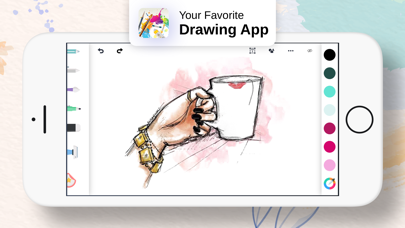
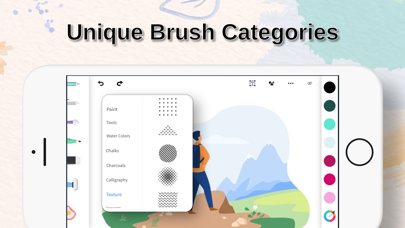
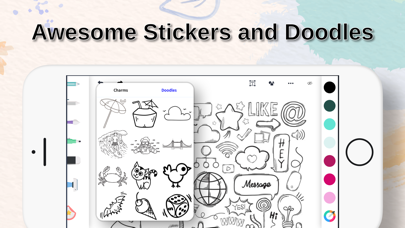
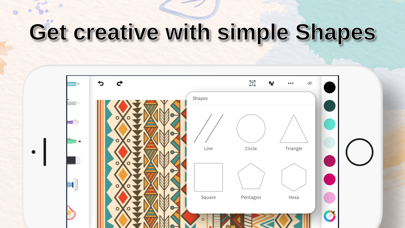
The application's feature set includes multiple brush types, pre-designed stickers, basic shape tools, and doodling capabilities. These tools operate through an uncomplicated toolbar system that allows users to quickly select drawing instruments, adjust basic settings like color and size, and create artwork without extensive learning curves. The sharing functionality enables users to export creations directly to social platforms or messaging applications, though export options appear limited to standard image formats without layer support or professional editing capabilities.
User experience analysis reveals an interface designed for immediate engagement rather than precision work. The touch-responsive controls accommodate finger drawing adequately, though lack pressure sensitivity or palm rejection features found in more sophisticated drawing applications. Real-world usage patterns suggest the app serves best for quick sketches, simple diagrams, or casual doodling rather than detailed artwork. The absence of layer management, advanced blending modes, or custom brush creation limits its utility for serious artists while making it approachable for beginners.
With no user reviews available at time of publication, the application's reception remains undocumented. The 4.12 rating suggests generally positive initial response, though the limited review count prevents comprehensive analysis of user satisfaction trends or common technical issues. Without verified user feedback, assessment relies solely on technical evaluation and comparative analysis with similar applications in the iOS drawing category.
The application's primary strength lies in its accessibility and immediate usability, making it suitable for children, casual users, or those seeking simple digital whiteboard functionality. Significant limitations include the absence of professional features, limited tool customization, and basic export options. Ideal use cases include quick visual note-taking, elementary digital art education, or casual creative expression rather than professional artwork or detailed design work.
Key Features
- •Multiple brush types including pencils and markers provide varied drawing textures and styles for different creative needs
- •Pre-designed stickers and shape tools enable quick element addition without manual drawing requirements
- •Simple color selection palette offers basic hue options with adjustable brush size for fundamental customization
- •Instant sharing functionality allows quick export of creations to social media platforms and messaging applications
- •Minimalist interface design reduces learning curve through clearly labeled tools and straightforward navigation
Why Users Love It
Extremely beginner-friendly interface
Quick sharing capabilities
Perfect for: Casual users and children seeking simple digital drawing tools
Screenshots

App Details
Developer
Rohan Singh Rajput
Platform
iosRating
★4.1
Last Updated
9/10/2025


