by Synthesia LLC
Detailed Review
Key Features
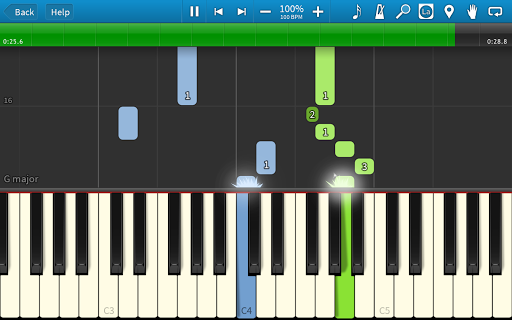
- •Visual Note Falling: Displays piano notes as colored bars that descend in sync with music, providing clear timing cues for learners to follow along easily.
- •MIDI File Support: Enables import of custom MIDI files, allowing users to expand the song library beyond pre-loaded tracks for personalized practice.
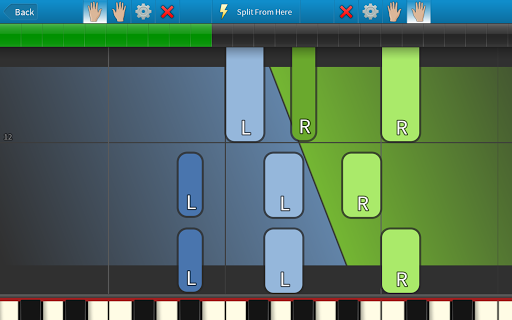
- •Adjustable Practice Modes: Includes speed control and hand separation tools to break down difficult passages, fostering gradual skill improvement.
- •Built-in Song Library: Offers a variety of pre-installed songs across genres, from Beethoven to contemporary hits, catering to diverse musical tastes.
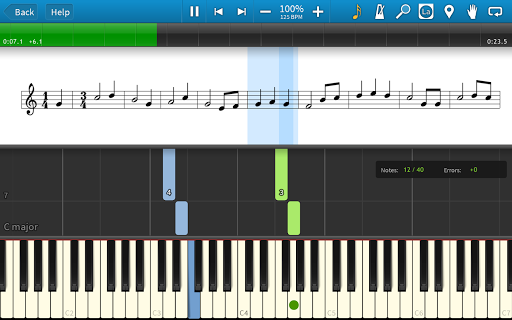
- •Progress Tracking: Monitors practice sessions and highlights accuracy rates, helping users identify weak spots for focused repetition.
- •Customization Options: Allows changes to note colors, keyboard size, and background themes, though some settings require menu digging to access.
Why Users Love It
Perfect for: Ideal for novice pianists and music hobbyists looking for a self-paced, visual alternative to traditional lessons.
Screenshots

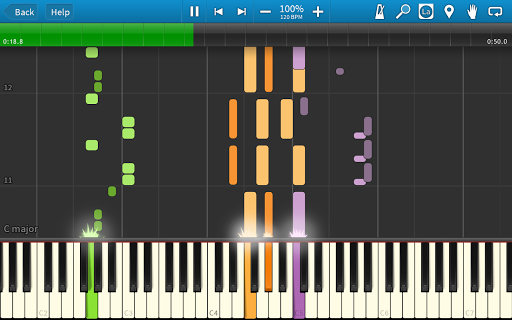
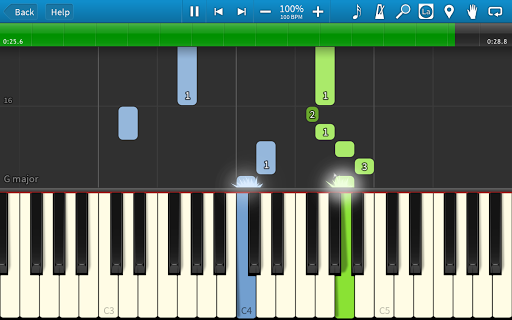
Ranking History
Track Synthesia's performance in Music & Audio over the last 30 days
Current Rank
#50
Best Rank
#50
All-time high
Average Rank
#50
30-day average
User Reviews
Very cool app. And full version cost only 8$ without subscribtion. You can learn notes, rythm. You have falling MIDI keys or you can add or switch to Notes reading. Totally great app. Using it already month and very happy about it. Some things could be fixed or added into app. * More songs into "build in songs" play list * Shortcut for hiding keyboard, so you can switch to notes reading easily Great app. Thank you And I can't remove songs from play list "move to trash" button is missing.
Very cool app. And full version cost only 8$ without subscribtion. You can learn notes, rythm. You have falling MIDI keys or you can add or switch to Notes reading. Totally great app. Using it already month and very happy about it. Some things could be fixed or added into app. * More songs into "build in songs" play list * Shortcut for hiding keyboard, so you can switch to notes reading easily Great app. Thank you And I can't remove songs from play list "move to trash" button is missing.
I have the desktop version of this, didn't know there was a mobile app. I'm using an old underpoweredChromebook tablet with my APC mini midi keyboard and just wanted to see if it would if it would actually work and it does! something cool and fun to do now when winding down for the day in bed. I advise paying to unlock the full festures, it's definitely worth it. I unlocked it years ago and forgot about it for a while but on my desktop I have many midi files uploaded. Very useful.
I have the desktop version of this, didn't know there was a mobile app. I'm using an old underpoweredChromebook tablet with my APC mini midi keyboard and just wanted to see if it would if it would actually work and it does! something cool and fun to do now when winding down for the day in bed. I advise paying to unlock the full festures, it's definitely worth it. I unlocked it years ago and forgot about it for a while but on my desktop I have many midi files uploaded. Very useful.
unbelievable direction is so big but i'm going to so later i like so much because it's so derful but i can do not download that i want to download please never before i like that back please weather
App Details
Developer
Synthesia LLC
Platform
androidRating
Last Updated
12/31/2025
Other Music & Audio Apps

JBL Headphones
Harman Consumer, Inc.

Spotify: Music and Podcasts
Spotify AB

Bose
Bose Corporation
Beat Maker Pro - DJ Drum Pad
MWM - AI Music and Creative Apps

Pandora - Music & Podcasts
Pandora

Pocket FM: Audio Series
Pocket FM Corp.