Smart Watch Faces Gallery App: A Deep Dive into Customization
by CEM SOFTWARE LTD
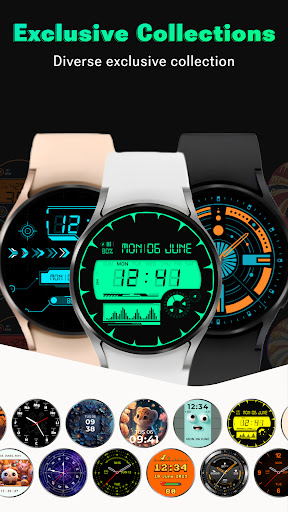
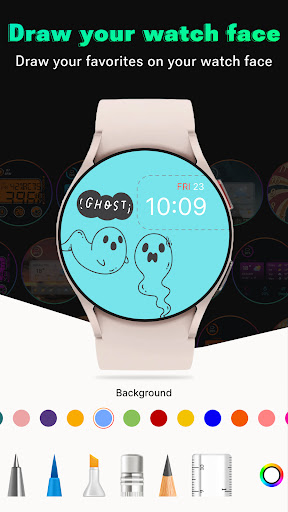
This app serves as a centralized gallery for discovering and applying watch faces across a wide range of Android-compatible smartwatches. Designed to help users personalize their wearable devices, it aggregates thousands of designs from various creators. A solid choice for anyone looking to refresh their watch's appearance without browsing multiple scattered sources.
Detailed Review
The Smart Watch Faces Gallery App by CEM SOFTWARE LTD operates as a dedicated catalog for watch face designs, aiming to streamline the process of finding and installing new interfaces for Wear OS and other Android-based smartwatches. Its market position is that of a curated aggregator, attempting to consolidate options from independent developers and larger studios into a single, searchable library. This approach addresses a common user pain point: the fragmentation of watch face sources across the Play Store and various standalone websites, which can make discovery a tedious process.
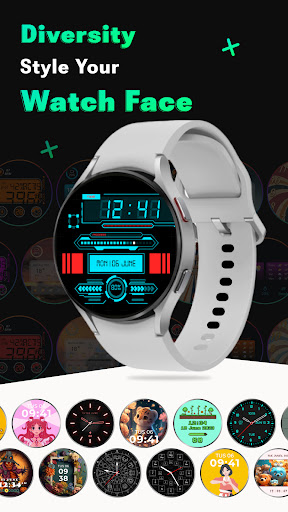
Core functionality revolves around browsing, previewing, and installing faces directly to a paired watch. The app categorizes faces by style, such as analog, digital, fitness-focused, or minimalist, and allows filtering by compatibility with specific watch models. A key feature is the in-app preview, which simulates how a design will look on a watch screen, including ambient mode displays. Installation is typically handled via a deep link to the Google Play Store listing for the selected watch face, requiring the watch to have the companion Watchmaker or Facer app installed for many third-party designs. The library is updated regularly, though the exact frequency of new additions isn't always transparent.
In real-world usage, the app simplifies discovery but introduces a dependency on other platforms. A user might find a perfect, information-dense face for their Fossil Gen 6 within the gallery, but applying it requires several steps: confirming compatibility, navigating to the Play Store, installing the face package on the phone, and then syncing it to the watch. The experience is generally smooth on modern devices, though occasional lag can occur when loading high-resolution previews. The app's own interface is functional but not particularly polished, adhering to standard Android design conventions without much flair.
While no direct user reviews are available for this specific app, patterns from similar gallery applications indicate common feedback. Users generally appreciate the convenience of a dedicated browsing hub and the breadth of options. However, criticisms often point to the intermediary nature of the app—it doesn't always host the faces itself, leading to potential issues if a linked Play Store listing is removed or becomes outdated. Some users of comparable apps report desires for more advanced filtering, such as by color or specific complications.
Overall, the Smart Watch Faces Gallery App fulfills a specific niche effectively. Its primary strength is curating a vast selection into a more navigable format than the open Play Store. The main limitation is that it doesn't eliminate the multi-step installation process inherent to Android watch faces. For dedicated watch enthusiasts who enjoy frequently changing their device's look, the app saves considerable time in the discovery phase. Casual users, however, might find the process still slightly cumbersome compared to using a watch maker's first-party gallery.
Key Features
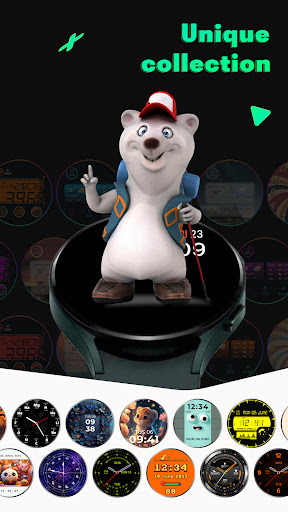
- •Extensive categorized library: Browse thousands of watch faces sorted by style, popularity, and compatibility with specific smartwatch models for targeted discovery.
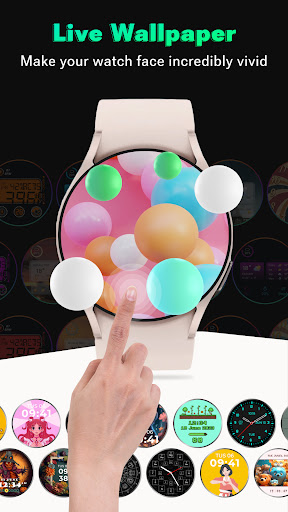
- •Live preview functionality: See a detailed simulation of how each watch face will appear in both active and ambient modes before installing.
- •Direct installation links: Tap to seamlessly navigate to the correct Google Play Store listing for the chosen watch face package.
- •Regular content updates: The catalog receives new designs from developers, though the update schedule isn't explicitly detailed within the app.
- •Favorites and collections: Bookmark interesting faces for later review, creating a personalized list of potential designs.
- •Basic search and filters: Find faces by keyword or filter results by category to narrow down options quickly.
Why Users Love It
Centralized discovery hub
Accurate preview system
Perfect for: Android smartwatch owners who regularly customize their device and want a more efficient way to browse new face designs.
Screenshots

App Preview
Ranking History
Track Smart Watch Faces Gallery App's performance in Watch Face over the last 30 days
Top 5
Top 10
Top 15
Below 15
Current Rank
#49
→
Best Rank
#49
All-time high
Average Rank
#50
30-day average
App Details
Developer
CEM SOFTWARE LTD
Platform
androidRating
★4.3
Last Updated
1/20/2026
Other Watch Face Apps
WatchMaker Watch Faces
androidslide
ANDROID 3.9
#2
InBody
InBody
ANDROID 4.5
#2
DIGI Halloween RZ02 Watch face
RedZone Studio
ANDROID 5.0
#3
PER009 Sport Watch Face Mesa
PERSONA Watch Face
ANDROID 4.5
#3
Analog Classic - Luxsank
App Comin (Luxsam)
ANDROID 4.5
#4
PER015 Luna Sport Watch Face
PERSONA Watch Face
ANDROID 4.3
#5