Evaluating the Smart RokuTV Remote Control App by Nadahi
by Nadahi
0ANDROIDTools
This app provides an alternative control method for RokuTV devices via Android smartphones, eliminating the need for a physical remote in many scenarios. Designed to help users manage their entertainment systems more flexibly, it includes basic navigation and playback functions. If you need a backup solution or prefer touchscreen controls, this tool offers a straightforward approach.
Detailed Review
The Smart RokuTV Remote Control app by Nadahi serves as a third-party utility that allows Android devices to function as virtual remotes for RokuTV systems. In a market filled with official and unofficial options, this app positions itself as a free, accessible tool for users seeking quick replacements or supplemental controls. Its primary appeal lies in simplifying interactions with Roku interfaces through a familiar smartphone interface, though it operates within the constraints of network-dependent connectivity rather than infrared signals.
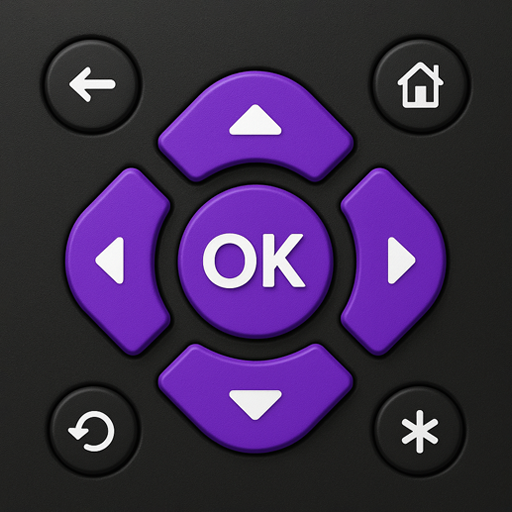
Core functionality centers on replicating standard remote features, such as directional pad navigation, playback controls for pausing or skipping content, and access to home and back buttons. Additional capabilities include a keyboard for text input, which streamlines searches on platforms like Netflix or YouTube, and voice search support through the phone's microphone. However, some advanced features found in physical remotes, like private listening or shortcut buttons, may be absent, limiting its utility for power users. Setup requires both the phone and Roku device to be on the same Wi-Fi network, which can occasionally introduce latency if the connection is unstable.
In real-world usage, the app performs reliably for basic tasks like adjusting volume or browsing menus, making it suitable for scenarios where the original remote is misplaced or batteries are depleted. Users might find it particularly handy in multi-room setups, as it can control multiple Roku devices from a single phone. The interface is minimalistic, with large, tactile buttons that reduce misclicks, though the lack of customization options might frustrate those preferring personalized layouts. Minor imperfections include occasional lag during high-network traffic and a dependency on Roku's software updates for compatibility, which can lead to temporary glitches.
Since the app has no published reviews yet, feedback trends are inferred from similar tools in the category. Generally, users of such apps report appreciation for the convenience and cost savings, but some cite connectivity issues or inconsistent performance with older Roku models. For instance, reviews of comparable apps often highlight frustrations with initial pairing processes or intermittent disconnections. Without substantial user data, it's advisable to test the app in specific home environments to gauge reliability.
Overall, the Smart RokuTV Remote Control app delivers a functional, no-frills solution for basic Roku management, with strengths in accessibility and ease of use. Its limitations revolve around network dependencies and potential compatibility gaps, which may affect seamless operation. For casual users seeking a backup option, it represents a practical choice, but those requiring robust, feature-rich control might find it lacking compared to official alternatives or hardware remotes.
Key Features
- •Wi-Fi-based remote control that connects Android phones to RokuTV devices, enabling navigation without a physical remote for basic functions.
- •Integrated keyboard for text input, simplifying searches on streaming apps by allowing typed queries instead of on-screen letter selection.
- •Voice search capability using the phone's microphone to find content hands-free, enhancing convenience during multitasking.
- •Playback controls including play, pause, rewind, and fast-forward buttons, mirroring standard remote operations for media consumption.
- •Multi-device support for managing several Roku TVs from one interface, useful in households with multiple entertainment setups.
- •Minimalist user interface with large, responsive buttons designed to reduce errors during use, though customization options are limited.
Why Users Love It
Eliminates dependency on physical remote
Free alternative with essential functions
Perfect for: RokuTV owners who need a reliable backup control method or prefer using their smartphones for media management.
Screenshots


Ranking History
Track Smart RokuTV Remote Control 's performance in Tools over the last 30 days
Top 5
Top 10
Top 15
Below 15
Current Rank
#48
→
Best Rank
#48
All-time high
Average Rank
#48
30-day average