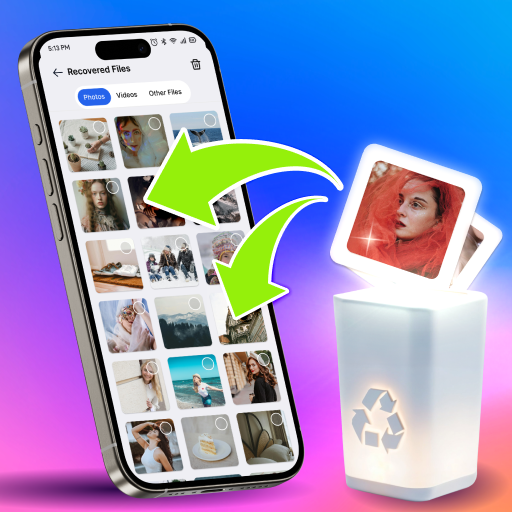
Simple Cleaner by Tusia Gaming: A Hands-On Review of the Streamlined Cleaning Utility
by Tusia Gaming
A streamlined utility for Android devices, Simple Cleaner focuses on reclaiming storage space and optimizing performance with minimal fuss. This app targets users overwhelmed by complex system tools, offering a straightforward alternative. It provides a quick snapshot of device health and executes essential cleanup tasks in a few taps.
Detailed Review
In a category saturated with feature-bloated utilities, Simple Cleaner by Tusia Gaming stakes its claim on simplicity and directness. The app positions itself as a no-nonsense tool for the average user who needs to clear cached data, remove residual files, and manage apps without navigating labyrinthine menus. Its 4.5-star rating, despite a nascent review count, suggests it delivers effectively on this core promise for its initial user base.
The core functionality revolves around a central dashboard that displays used and available storage, along with clear categories for Junk Files, App Management, and Duplicate Files. The junk cleaner scans for temporary files and cache across the system and user applications, presenting a deletable list with a total size. The app manager section is notably useful, sorting applications by size or last used date to facilitate bulk uninstallation of space-hogging or forgotten apps. A dedicated duplicate files finder, while basic, scans for identical photos and documents, a common source of storage bloat.
User experience is defined by speed and a clean, ad-minimal interface during key operations. Scans complete within seconds on mid-range devices, and cleanup actions require only a confirmation before execution. This makes it practical for quick maintenance before downloading large files or installing system updates. However, the simplicity has boundaries; the app lacks more advanced features like scheduled cleanups, detailed file explorers, or deep social media cache management that power users might seek.
As a newer application, extensive user feedback is still accumulating. The high initial rating indicates early adopters appreciate the focused approach and absence of overly aggressive notifications. Reviews from similar apps in the space often cite frustration with misleading 'security scan' alerts or demands for excessive permissions, areas where Simple Cleaner's restrained design likely avoids common pitfalls. Some users of comparable tools report a desire for more granular control over what constitutes 'junk,' a consideration for this app's future development.
Overall, Simple Cleaner is a competent, focused tool that excels at its primary tasks without complicating the process. Its strength lies in its self-evident design and operational speed, making device maintenance a brief chore rather than a technical undertaking. The main limitation is its scope; it is a cleaner, not a comprehensive device management suite. For users seeking a straightforward solution to periodic storage pressure, it is a compelling option, though those needing automation or deeper system analysis may find it too basic.
Key Features
- •**One-Tap Junk Clean:** Scans for temporary and cache files system-wide, allowing users to review and delete accumulated data with a single action to free up space.
- •**App Size Management:** Lists installed applications sorted by storage consumption or last use date, enabling quick identification and bulk removal of large, unused apps.
- • **Duplicate File Finder:** Identifies identical photos and documents stored in multiple locations, helping to eliminate redundant copies that waste storage capacity.
- • **Storage Analysis Dashboard:** Presents a clear visual overview of used and available space, breaking down storage allocation for immediate awareness of capacity issues.
- • **Lightweight and Fast:** Operates with minimal system impact, performing scans and cleanups rapidly even on older or less powerful Android hardware.
- • **Ad-Minimal Interface:** Maintains a clean user experience during core cleaning functions, reducing intrusive ad placements that can disrupt the workflow.
Why Users Love It
Extremely fast and intuitive operation
No aggressive notifications or fake threats
Perfect for: Perfect for Android users who want a straightforward, no-fuss tool to periodically clear cache and manage app storage without advanced features.
Screenshots


App Details
Developer
Tusia Gaming
Platform
androidRating
★4.5
Last Updated
12/5/2025