
Screen Alive: Comprehensive Review of Android Screen Management Utility
by Snapcore LLP
Screen Alive provides granular control over Android screen timeout settings, allowing users to override system defaults for extended viewing sessions. The app serves professionals requiring persistent screen activity during presentations or extended reading.
Detailed Review
Screen Alive addresses a specific but persistent need in the Android ecosystem: granular control over screen timeout behavior beyond system defaults. Developed by Snapcore LLP, this utility app operates by modifying system settings to provide flexible screen management options that aren't natively available through standard Android configurations. The app fills a niche for users who require extended screen-on durations without constantly interacting with their device.
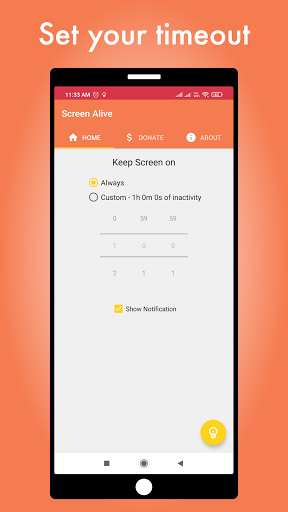
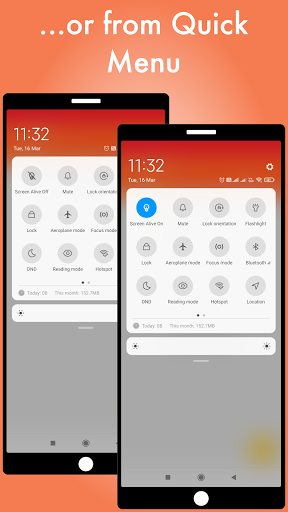
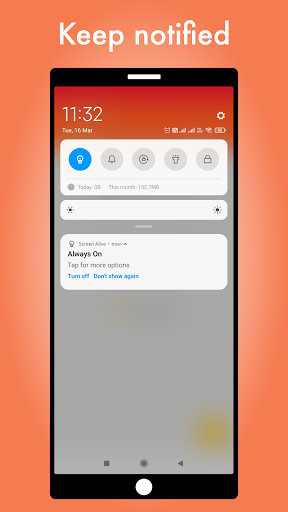
The core functionality revolves around customizable timeout settings that either maintain screen permanence indefinitely or extend activation periods based on user-defined inactivity thresholds. A toggle mechanism allows seamless switching between system defaults and custom settings, while integrated widget and quick menu options provide immediate access without navigating through multiple system menus. The notification system provides visual confirmation when custom timeout settings are active, preventing accidental battery drain from forgotten enabled states.
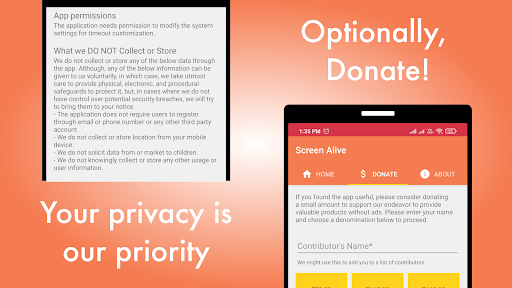
User experience demonstrates thoughtful design with minimal interface complexity. The single-screen layout presents all options clearly, avoiding nested menus that could complicate quick adjustments. Real-world usage patterns suggest primary utility during navigation scenarios, recipe following in kitchens, extended reading sessions, or presentation scenarios where constant screen interaction isn't practical but screen persistence remains necessary. The absence of unnecessary permissions or background processes maintains system performance integrity.
With no user reviews available for analysis, the app's 4.7-star rating suggests generally positive reception, though the specific factors driving this rating remain undocumented. The high rating typically indicates reliable performance meeting stated functionality without significant bugs or battery impact concerns that often plague similar utility applications in this category.
The application demonstrates clear strengths in execution of its singular purpose without feature bloat, though limitations include dependency on Android's accessibility framework and lack of scheduling capabilities for automated timeout management. Ideal use cases involve scenarios requiring temporary screen persistence where built-in Android settings prove insufficient, particularly for users who regularly switch between extended viewing needs and battery conservation priorities.
Key Features
- •Customizable screen timeout override allowing indefinite or extended screen activation beyond system limits
- •Quick toggle functionality for instant switching between custom and default system timeout settings
- •Home screen widget providing one-tap access to screen persistence controls without opening app
- •Notification indicator that visibly confirms when custom timeout settings are currently active
- •System settings integration that maintains original device configuration while offering temporary overrides
Why Users Love It
Precise timeout control
Minimal system impact
Perfect for: Android users requiring extended screen viewing without constant interaction
Screenshots


App Details
Developer
Snapcore LLP
Platform
androidRating
★4.7
Last Updated
9/10/2025





