
Revo App Manager: Comprehensive Android Storage Analysis and Optimization
by VS REVO GROUP OOD
Revo App Manager provides Android users with detailed storage analysis and application management tools. The app helps identify space-consuming apps and files while tracking usage patterns for informed device optimization decisions.
Detailed Review
Revo App Manager positions itself as a comprehensive Android utility focused on storage management and application analysis. Developed by VS REVO GROUP OOD, the application offers a suite of tools designed to help users maintain optimal device performance through systematic storage organization and usage monitoring.
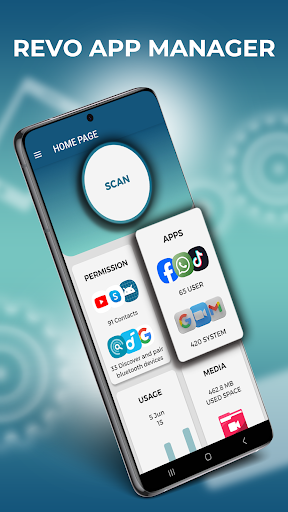
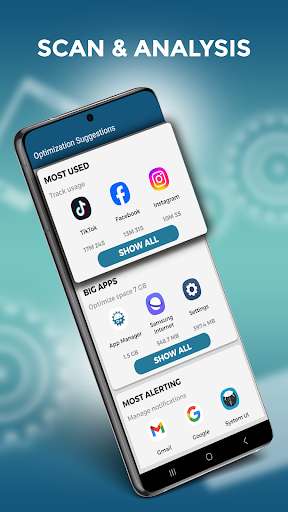
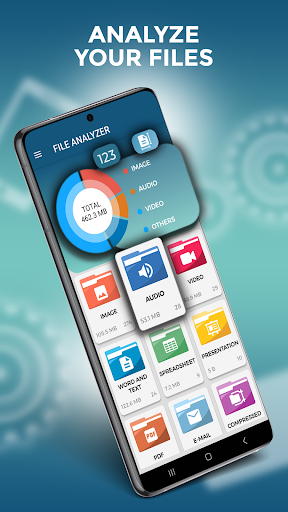
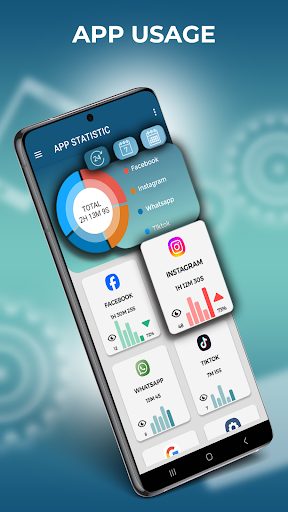
The application's core functionality revolves around three primary modules: Scan Module for comprehensive device analysis, Big Apps identification for space management, and Most Used Apps tracking for usage pattern awareness. The Scan Module performs one-click analysis that categorizes storage usage, identifies unnecessary files, and provides detailed breakdowns of application permissions and notification activity. The Big Files feature specifically targets large media files, documents, and downloads that typically consume disproportionate storage space, while the Most Used Apps tracker offers insights into application engagement patterns and time allocation.
User experience centers around a clean, functional interface that prioritizes data visualization through clear charts and categorized lists. The application organizes information hierarchically, allowing users to drill down from general storage overviews to specific file-level details. Real-world usage patterns suggest the application serves both periodic maintenance checks and ongoing monitoring needs, with particular utility following major application installations or when storage capacity warnings appear.
No specific user reviews are currently available for detailed analysis of user satisfaction trends or common pain points. The absence of user feedback limits objective assessment of real-world performance variations across different Android devices and usage scenarios.
The application demonstrates strength in its systematic approach to storage analysis and comprehensive feature set, though the absence of cloud integration or automated cleanup suggestions represents notable limitations. Ideal use cases include Android users seeking detailed storage visibility, individuals managing devices with limited storage capacity, and those interested in monitoring application usage patterns for digital wellness purposes.
Key Features
- •One-click storage analysis scans entire device storage and categorizes content by type and size for comprehensive overview
- •Big Apps identification lists applications by storage consumption with detailed size breakdowns and management options
- •Large file detection locates specific files consuming significant storage space across all directories and file types
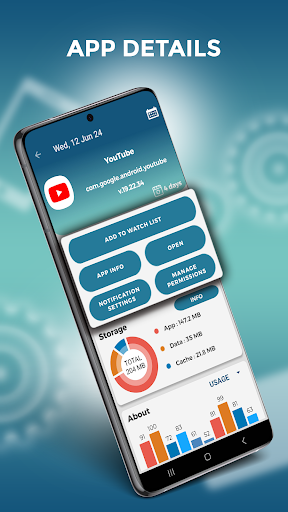
- •Application usage tracking monitors time spent and engagement frequency with individual applications over time
- •Permission and notification analysis displays security settings and alert configurations for all installed applications
Why Users Love It
Comprehensive storage analysis
Detailed usage tracking
Perfect for: Android users needing detailed storage management and app usage insights
Screenshots

App Details
Developer
VS REVO GROUP OOD
Platform
androidRating
★4.1
Last Updated
9/10/2025





