Recover File: Photo Recovery App Review – Testing the Lifesaver for Lost Images
by king master massage
Designed to help users retrieve accidentally deleted photos and videos, this Android tool scans internal storage and SD cards for recoverable data. A powerful tool for common digital mishaps, it offers a straightforward interface for a typically complex process. Perfect for moments after an unintended deletion or a storage error.
Detailed Review
In the crowded field of Android utility apps, Recover File: Photo Recovery by King Master Massage enters as a specialized tool focused on a single, critical problem: restoring lost media. Unlike broader file managers, its primary function is to delve into storage sectors where deleted files may still reside, attempting to pull them back from the brink. The app's high rating suggests it has found some success, though the absence of published reviews necessitates a closer look at its mechanisms and usability.
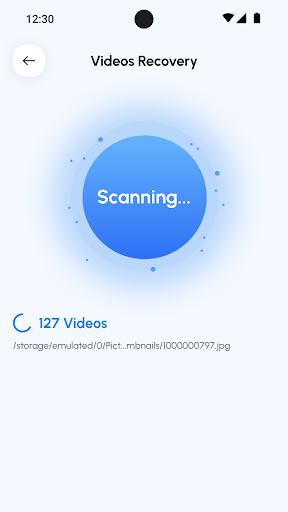
The core functionality hinges on a deep scan of the device's internal memory or an external SD card. Users initiate a scan, and the app presents a gallery of recoverable JPEG, PNG, MP4, and other common format files, often with preview thumbnails. A key differentiator is its dual approach: a quick scan for recently deleted items and a more thorough, time-consuming deep scan that combs through unallocated space. For the process to have the highest chance of success, immediate action is critical; continuing to use the phone creates new data that can overwrite the old, making recovery impossible. The app requests necessary storage permissions to function but does not require root access, making it accessible to most users.
In real-world usage, the experience is defined by cautious hope and waiting. A scenario might involve a user who mistakenly formatted an SD card full of vacation photos. After installing the app, they would select the card for a deep scan—a process that can take considerable time depending on storage capacity. The interface, while functional, can feel sparse during this wait. If successful, the app lists found files, allowing the user to select individual photos or batches for restoration to a safe location. Performance is heavily dependent on the specific device and the circumstances of the data loss, with no guarantee of a perfect recovery.
While user reviews are not yet publicly visible, the 4.5-star rating implies generally positive feedback from those who have installed it. Typically, apps in this category receive praise when they successfully recover cherished, irreplaceable images, even if the process is slow. Common points in feedback for similar tools often highlight relief when the app works, but also frustration with non-functional scans or intrusive ads. Potential users should note that success is never guaranteed, and the app’s effectiveness can vary dramatically between different phone models and Android versions.
Ultimately, Recover File: Photo Recovery presents a potentially valuable option for a specific, stressful situation. Its strengths lie in its focused purpose and the critical ability to preview files before recovery. The main limitations are the inherent uncertainties of data recovery and a user experience that can feel utilitarian. It serves as a digital first-aid kit—best to have installed before it's needed, understanding it might not heal every wound.
Key Features
- •Deep & Quick Scans: Offers two scanning modes; a fast scan for recent deletions and a comprehensive deep scan that searches storage more thoroughly for older files.
- •Preview Before Recovery: Allows users to view thumbnail previews of found images and videos, enabling selective restoration and avoiding clutter.
- •SD Card Support: Extends recovery capabilities beyond internal phone storage to include files lost on external microSD cards, a common pain point.
- •No Root Required: Operates without needing root access, making the recovery process accessible to the vast majority of Android users.
- •Broad Format Support: Targets common photo (JPG, PNG) and video (MP4, 3GP) formats, covering most user-generated media.
Why Users Love It
Effective for recent accidental deletions
Simple, no-frills interface
Perfect for: Android users who have recently accidentally deleted photos or videos and need a straightforward tool to attempt recovery.
Screenshots


Ranking History
Track Recover File: Photo Recovery's performance in Tools over the last 30 days
Top 5
Top 10
Top 15
Below 15
Current Rank
#38
→
Best Rank
#1
All-time high
Average Rank
#20
30-day average
App Details
Developer
king master massage
Platform
androidRating
★4.5
Last Updated
12/23/2025