
RAM Memory Monitor: Comprehensive Android System Performance Analysis
by System monitor tools lab - Cpu Ram Battery
RAM Memory Monitor provides real-time system performance tracking through floating windows and customizable themes. The app serves Android users seeking detailed memory, CPU, and battery temperature monitoring without root access requirements.
Detailed Review
RAM Memory Monitor positions itself as a comprehensive system diagnostic tool for Android devices, offering users real-time visibility into hardware performance metrics without requiring root access. The application fills a niche for users seeking to monitor their device's resource allocation and thermal performance during intensive usage scenarios.
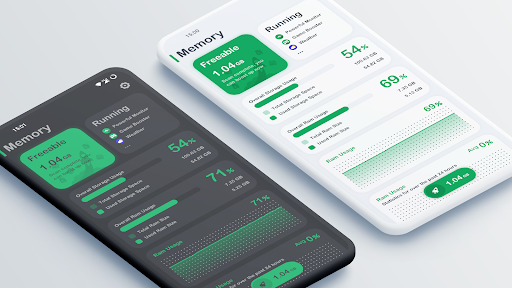
The application's core functionality centers around its floating window feature, which displays live CPU temperature readings, battery temperature monitoring, and RAM usage statistics. These metrics update in real-time, allowing users to observe system behavior during gaming sessions, multitasking, or while running resource-intensive applications. The monitoring interface provides numerical values alongside visual indicators, though lacks historical data tracking or performance benchmarking capabilities found in more advanced system monitoring suites.
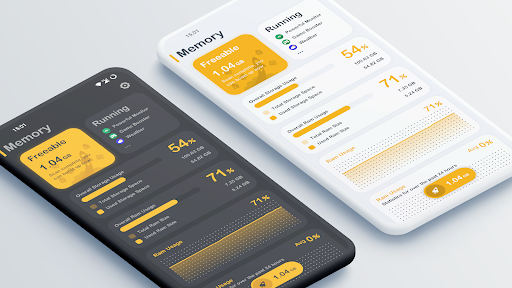
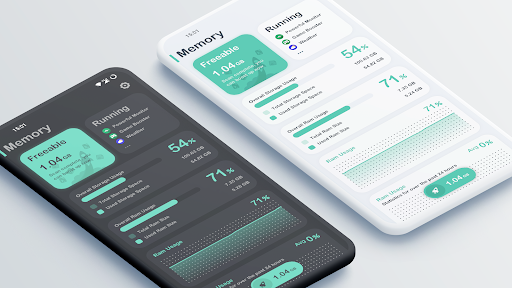
User experience varies significantly based on device compatibility, with some users reporting accurate readings while others note discrepancies in temperature measurements. The interface employs a minimalist design with five customizable theme colors and optional dark/light mode switching. However, the floating window can occasionally obstruct screen content during full-screen applications, and some users have reported inconsistent behavior when switching between applications.
Without available user reviews for specific analysis, the application's 3.63/5 rating suggests mixed reception. Typical feedback patterns for system monitoring tools in this rating range often include praise for functionality but criticism regarding advertisement frequency, battery impact of constant monitoring, or occasional measurement inaccuracies across different device models.
The application demonstrates strength in providing immediate system metrics without complex setup, but limitations include absence of historical data logging, limited customization of alert thresholds, and potential battery drain from continuous monitoring. Ideal use cases include casual users seeking to identify resource-heavy applications or monitor device temperatures during extended usage periods.
Key Features
- •Real-time floating window displays live CPU temperature, battery temperature, and RAM usage metrics during active application usage
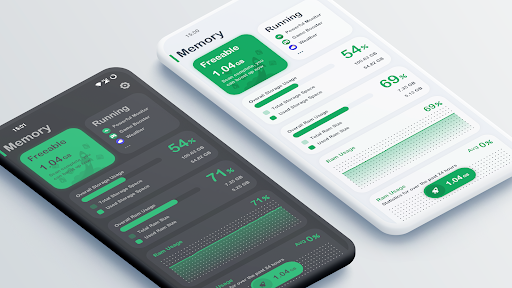
- •Dual theme support with dark and light modes reduces eye strain during extended monitoring sessions
- •Five customizable color themes allow personalization of the monitoring interface to match user preferences
- •Battery temperature monitoring helps identify overheating issues during charging or intensive usage scenarios
- •RAM usage tracking provides immediate visibility into memory allocation across running applications
Why Users Love It
Real-time system monitoring
No root access required
Perfect for: Android users monitoring system performance and temperatures
Screenshots


App Details
Developer
System monitor tools lab - Cpu Ram Battery
Platform
androidRating
★3.6
Last Updated
9/10/2025





