
Permission Manager Dashboard: Comprehensive Android Privacy Analysis
by Little Angel
Permission Manager Dashboard provides Android users with granular visibility into app permissions. The tool enables systematic monitoring of data access patterns and security management for privacy-conscious mobile device users.
Detailed Review
Permission Manager Dashboard by Little Angel addresses growing concerns about mobile privacy by providing comprehensive visibility into application permissions on Android devices. The app positions itself as a security utility for users seeking greater transparency about how installed applications access their personal data and device resources. With increasing scrutiny on data collection practices, this tool meets a demonstrated market need for permission management solutions.
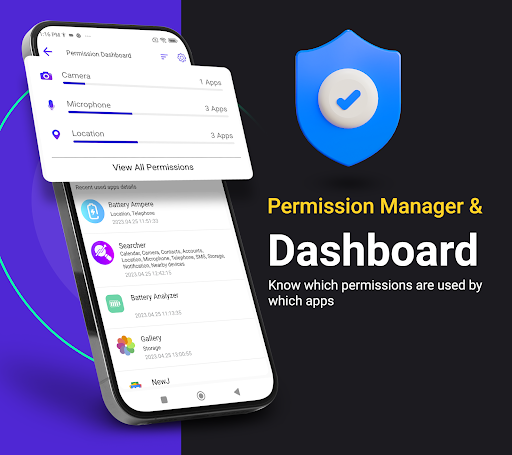
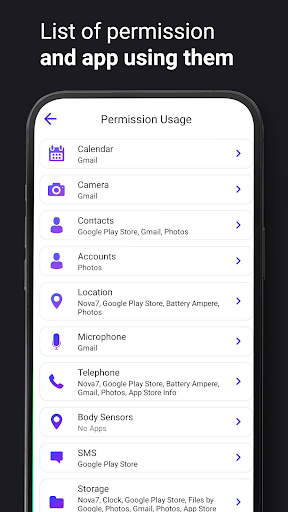
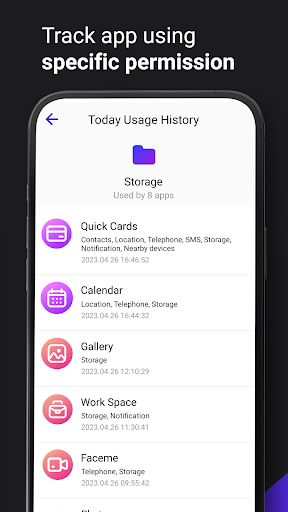
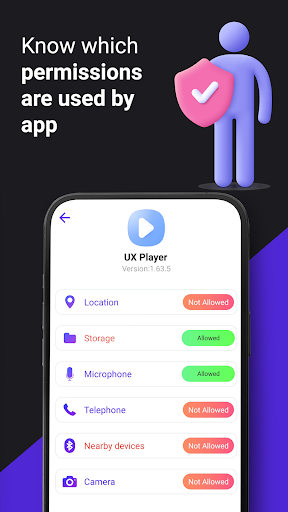
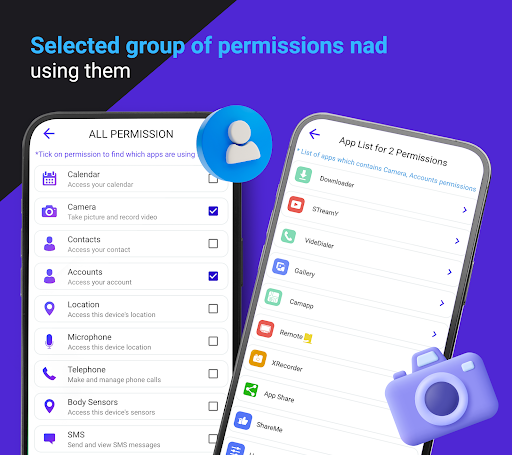
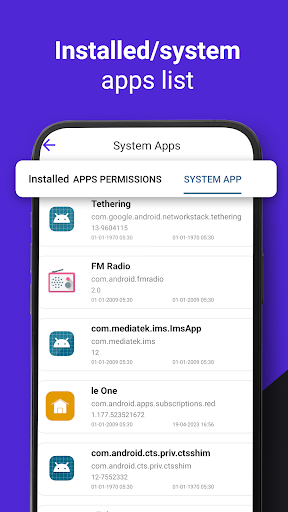
The core functionality centers on two primary features: complete enumeration of all installed applications (including system apps) with their associated permissions, and the ability to filter applications by specific permission categories. Users can examine which applications have access to sensitive data like contacts, location, microphone, or camera. The permission grouping feature allows targeted analysis—for example, identifying all applications with SMS access permissions or those capable of making phone calls. This systematic approach enables methodical security audits of device permissions.
User experience revolves around a straightforward interface that presents information in organized lists and categories. The dashboard design prioritizes clarity over advanced features, making permission information accessible without technical expertise. Real-world usage patterns suggest most users employ the app for periodic security checkups rather than continuous monitoring. The absence of automated permission management or blocking capabilities means users must manually adjust permissions through Android's native settings after identifying concerning applications.
No user reviews are currently available for analysis, making independent verification of real-world performance challenging. The 3.73 rating suggests generally positive reception but prevents detailed assessment of common user experiences or recurring issues. Without user feedback, potential pain points or exceptional features remain undocumented from the consumer perspective.
The application's primary strength lies in its comprehensive permission visibility, though it functions more as an informational tool than an active management solution. Limitations include the inability to modify permissions directly within the app and lack of automated monitoring alerts. Ideal use cases involve security-conscious users conducting manual audits or individuals troubleshooting suspicious application behavior. The utility serves best as a diagnostic tool rather than an active protection system.
Key Features
- •Complete inventory of all installed applications with detailed permission listings, enabling comprehensive security audits of device access patterns
- •Permission-based filtering system that groups applications by specific access types, allowing targeted analysis of data usage categories
- •Inclusion of system applications in permission scans, providing visibility into pre-installed software behavior often overlooked by users
- •Straightforward interface presenting complex permission data in accessible formats, reducing technical barriers for non-expert users
- •Offline functionality that operates without internet connection, ensuring permission analysis doesn't create additional privacy exposure
Why Users Love It
Comprehensive permission visibility
Straightforward interface design
Perfect for: Privacy-conscious Android users seeking application transparency
Screenshots
App Details
Developer
Little Angel
Platform
androidRating
★3.7
Last Updated
9/10/2025





