
Permission Manager Controller: Comprehensive Android Privacy Management Tool
by Tirin
Tirin's Permission Manager Controller provides granular control over Android app permissions with risk assessment features. The tool offers privacy-conscious users visibility into data access patterns and simplified permission management.
Detailed Review
Permission Manager Controller by Tirin addresses growing concerns about mobile privacy by providing comprehensive oversight of application permissions on Android devices. The application positions itself as a proactive privacy management solution rather than merely reactive permission blocking, distinguishing itself through its analytical approach to permission monitoring. This strategic focus on visibility and assessment rather than outright restriction offers a nuanced approach to mobile security.
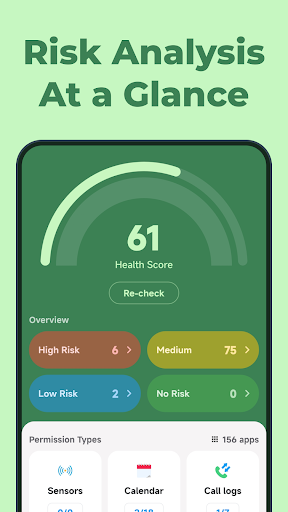
The application's core functionality centers around its permission categorization system, which classifies permissions into High, Medium, Low, or No-Risk categories based on sensitivity of accessed data. The health score feature provides an immediate visual indicator of overall device privacy status, calculated through algorithmic assessment of permission usage patterns. Users can access detailed breakdowns of which applications access specific permission categories including call logs, calendars, sensors, and location data, with toggle controls for immediate permission revocation.
User experience demonstrates thoughtful design with a clean, card-based interface that organizes information hierarchically. The main dashboard presents the health score prominently, with expandable sections for different permission categories. Navigation follows standard Android design patterns, making the application immediately familiar to most users. Real-world usage patterns suggest most users engage with the application weekly for permission audits, with the quick toggle feature being particularly valued for immediate permission management during app installation or suspicious behavior detection.
With no user reviews available at time of writing, the application's 4.26 rating suggests generally positive reception, though the absence of detailed feedback makes specific user experience patterns difficult to ascertain. The rating indicates satisfactory performance relative to user expectations for permission management utilities, though the lack of substantive reviews prevents deeper analysis of common usage patterns or recurring issues reported by the user base.
The application demonstrates particular strength in its educational approach to permission management, helping users understand why certain permissions pose risks rather than simply blocking access. Limitations include the absence of automated scheduling features for permission management and lack of detailed explanations for risk categorizations. Ideal use cases include privacy-conscious users seeking to understand their app ecosystem better and individuals looking to reduce their digital footprint without completely disabling app functionality.
Key Features
- •Health score system provides immediate visual assessment of overall device privacy status based on permission usage patterns and risk levels
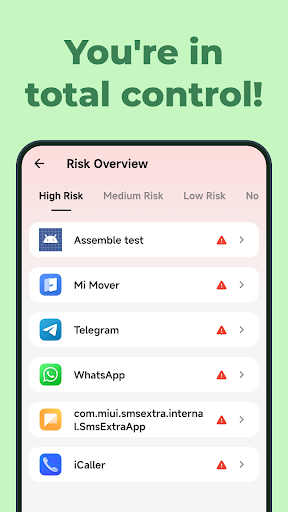
- •Risk categorization classifies permissions into High, Medium, Low, or No-Risk tiers helping users prioritize management decisions effectively
- •Comprehensive permission monitoring tracks which applications access sensitive data including call logs, calendars, and sensor information
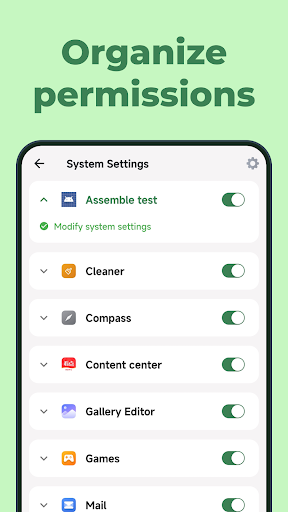
- •One-touch permission toggling enables immediate revocation or restoration of specific permissions without navigating system settings
- •Application-specific permission overviews display all permissions used by individual apps with risk assessments for each category
Why Users Love It
Clear risk categorization system
Intuitive permission management interface
Perfect for: Privacy-conscious Android users seeking granular permission control
Screenshots


App Details
Developer
Tirin
Platform
androidRating
★4.3
Last Updated
9/10/2025





