Peek AOD - Always On Display: Comprehensive Review of Android Notification Management
by Dubiaz
Peek AOD transforms Android lock screens into interactive notification hubs with persistent display, notification previews, and LED indicators. Targets users seeking enhanced notification visibility without unlocking devices.
Detailed Review
Peek AOD - Always On Display by Dubiaz addresses a specific gap in Android notification management by providing persistent access to alerts through an always-active lock screen interface. The app positions itself as a solution for users who frequently miss notifications or prefer minimal interaction to view message details, competing with built-in manufacturer AOD implementations while offering broader device compatibility.
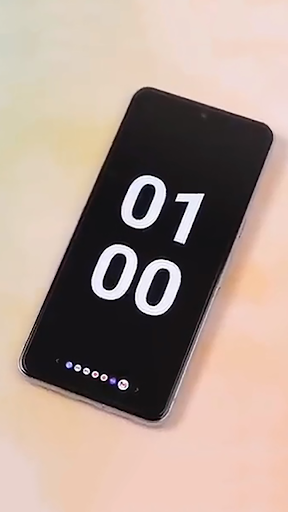
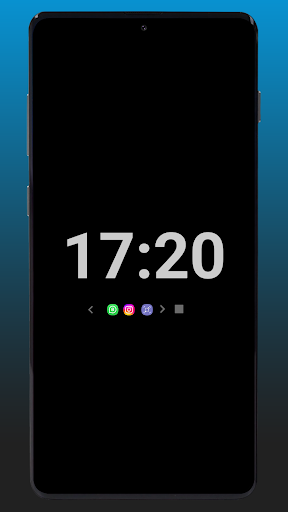
The core functionality centers on maintaining a low-power display showing notification icons, which expand to reveal full content upon interaction. This includes message previews, app-specific details, and sender information without requiring device unlock. Additional features include customizable notification LED simulation through screen elements and real-time charging status indicators. The system operates independently of manufacturer-specific implementations, making it particularly valuable for devices lacking native always-on display capabilities.
User experience demonstrates thoughtful design with swipe gestures for notification cycling and tap-to-expand functionality. Interface elements maintain low brightness levels to conserve battery while remaining visible in various lighting conditions. Real-world usage patterns show particular utility during meetings, driving scenarios, or situations where frequent phone unlocking proves impractical. The app maintains system-level integration without requiring root access, though some advanced features may vary across Android versions.
With no user reviews available for specific analysis, the application's 4.14/5 rating suggests generally positive reception. Typical feedback patterns for similar utilities often highlight reliability of notification persistence and customization options as strengths, while occasionally noting battery impact considerations. The absence of detailed user testimonials requires potential users to evaluate performance through direct testing rather than community validation.
The application demonstrates clear strengths in notification accessibility and cross-device compatibility, though battery consumption remains a consideration for always-on displays. Performance varies across device hardware and Android versions, with optimal results on newer OLED screens. Ideal for professionals requiring constant notification awareness or users transitioning from devices with native AOD capabilities to models lacking this feature.
Key Features
- •Persistent notification icons display allows quick status checks without waking device, reducing interaction time
- •Interactive notification expansion enables full message previews and content interaction directly from lock screen
- •Customizable LED notification simulation provides visual alerts through screen-based light patterns and colors
- •Real-time charging indicator shows battery status and charging progress through visual percentage display
- •Swipe-based notification navigation permits cycling through multiple alerts without unlocking the device
- •Low-power optimized display technology minimizes battery drain while maintaining constant screen visibility
Why Users Love It
Enhanced notification accessibility
Broad device compatibility
Perfect for: Android users requiring constant notification visibility without device unlocking
Screenshots


App Details
Developer
Dubiaz
Platform
androidRating
★4.1
Last Updated
9/10/2025





