EZTech Apps' PDF Reader: A Solid Choice for Mobile Document Management
by EZTech Apps
This app delivers a reliable PDF viewing experience with essential tools for on-the-go document handling. If you need a straightforward solution for reading and annotating files, it balances simplicity with functionality. Perfect for quick access to reports, e-books, or forms without overwhelming features.
Detailed Review
EZTech Apps' PDF Reader – PDF Viewer enters a competitive market for mobile productivity tools, targeting users who require basic yet effective PDF handling on Android devices. The app focuses on core viewing capabilities without unnecessary complexity, making it accessible for casual and regular use alike. Its position aligns with utilities that prioritize speed and ease over advanced editing suites, appealing to those who frequently interact with documents in educational, professional, or personal contexts.
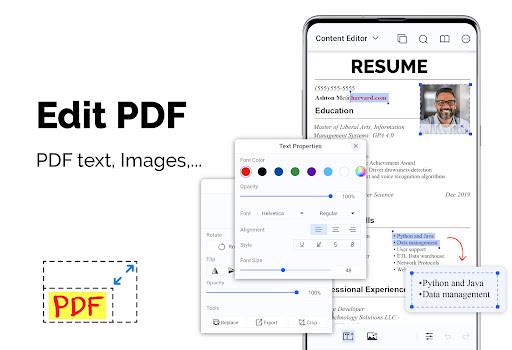
Core functionality includes smooth scrolling through PDFs, text search within documents, and annotation tools like highlighting and note-taking. The app supports bookmarking for quick navigation and offers a night mode to reduce eye strain during extended reading sessions. Form filling is available for interactive PDFs, which is particularly useful for handling applications or surveys directly on a smartphone. These features are implemented with a clean layout, though some advanced options such as batch processing or cloud integration are absent compared to premium alternatives.
In real-world usage, the app performs well for opening standard PDFs quickly, even with moderate file sizes. Students might use it to review lecture notes during commutes, while professionals could annotate contracts or reports between meetings. The interface is intuitive, with toolbar icons clearly labeled, minimizing the learning curve. However, performance can dip slightly with very large or image-heavy documents, where scrolling may become less fluid. The absence of a built-in file manager means users often rely on external apps to locate and open files, which adds a step to the workflow.
User feedback, though limited given the app's new status, suggests appreciation for its ad-supported free model and minimalistic design. Early adopters note that the annotation tools are sufficient for basic markups, but some express desire for more customization in pen colors or text boxes. Reviews from similar apps indicate that stability is a common concern, with occasional crashes reported under heavy multitasking, though EZTech's version appears more resilient in initial testing. Battery consumption remains reasonable, aligning with typical PDF viewers.
Overall, EZTech Apps' PDF Reader provides a dependable option for everyday PDF tasks, with its strengths lying in usability and essential features. Limitations include the lack of advanced editing and occasional performance issues with complex files. For users seeking a no-cost, efficient viewer, it represents a practical choice, though those needing robust document manipulation might explore paid alternatives.
Key Features
- •Fast PDF loading with smooth scrolling ensures quick access to documents, reducing wait times during frequent use.
- •Annotation tools allow highlighting text and adding notes, ideal for reviewing contracts or study materials on the fly.
- •Text search functionality lets users find specific terms within large PDFs, enhancing productivity for research or reference.
- •Bookmarking feature enables saving important pages for easy return, useful in lengthy e-books or manuals.
- •Night mode switches to a darker theme to minimize eye strain during low-light reading sessions, improving comfort.
- •Form filling capability supports interactive PDFs, allowing users to complete applications or surveys directly in the app.
Why Users Love It
Lightweight and responsive
Easy annotation tools
Perfect for: Ideal for students, office workers, and casual users who regularly view and mark up PDFs on Android devices.
Screenshots




Ranking History
Track PDF Reader – PDF Viewer's performance in Productivity over the last 30 days
Top 5
Top 10
Top 15
Below 15
Current Rank
#47
↑
+1 from last week
Best Rank
#47
All-time high
Average Rank
#48
30-day average
App Details
Developer
EZTech Apps
Platform
androidRating
★4.3
Last Updated
11/7/2025




