
One Click Lock Screen: Streamlined Android Security Utility Review
by Rushikesh Kamewar
One Click Lock Screen provides Android users with instant screen locking through multiple activation methods. The minimalist utility operates without unnecessary permissions, targeting users seeking efficient device security solutions.
Detailed Review
One Click Lock Screen addresses a specific Android functionality gap by providing immediate screen locking through multiple activation methods. Developed by Rushikesh Kamewar, this utility app fills a niche for users seeking quicker alternatives to physical button combinations or delayed automatic locking. The application maintains a focused approach, avoiding feature bloat while delivering its core functionality reliably across compatible Android devices.
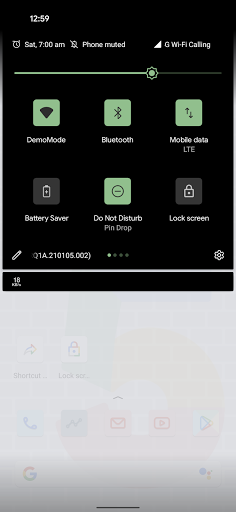
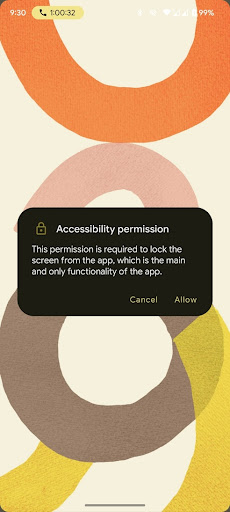
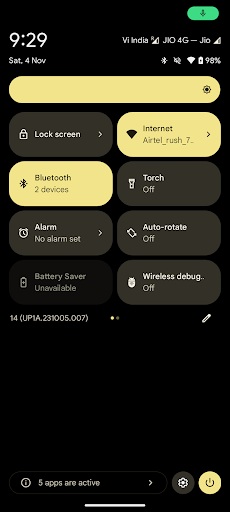
The application's primary functionality centers around three activation methods: direct app icon tapping, quick settings panel integration, and home button/gesture long-press triggering. These methods utilize Android's accessibility services to simulate the lock screen command, requiring only the necessary accessibility permission rather than extensive device access. The implementation follows Google's documented accessibility guidelines, ensuring compliance with standard Android security protocols while maintaining system stability.
User experience demonstrates notable efficiency gains, particularly for devices without dedicated physical lock buttons or those using gesture navigation systems. The interface remains deliberately minimalistic, presenting no persistent UI elements beyond the configuration options. Real-world usage patterns show particular utility for users frequently locking their devices in professional environments, during commutes, or when handling devices with physically worn power buttons. The absence of background processes or unnecessary permissions contributes to minimal battery impact during operation.
No user reviews are currently available for analysis, making direct user sentiment assessment impossible. This absence of feedback presents both a limitation for prospective users evaluating real-world performance and an opportunity for early adopters to establish the application's reputation through initial usage experiences.
The application's strengths include its singular focus on screen locking efficiency and permission-minimal approach, though limitations involve dependency on accessibility services that some users may hesitate to enable. Ideal use cases include devices with malfunctioning physical buttons, users preferring software-based locking solutions, or situations requiring rapid device securing without navigating through multiple system menus. The utility serves its intended purpose effectively within its defined scope, though broader device management features remain outside its design parameters.
Key Features
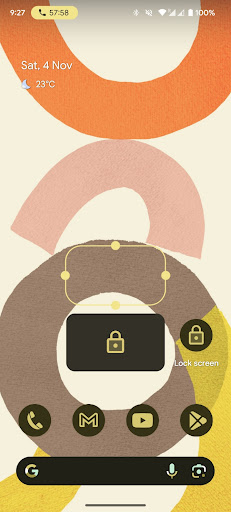
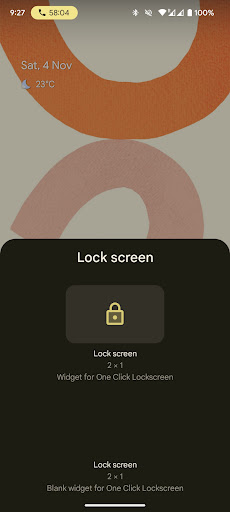
- •Instant screen locking through single app icon tap eliminates multiple button presses, saving time and physical wear on device buttons
- •Quick settings panel integration provides system-level access to locking functionality without launching separate applications
- •Home button/gesture long-press activation offers alternative triggering method compatible with various navigation systems
- •Minimal permission requirements limited to accessibility services ensure reduced security concerns compared to broader utility apps
- •No persistent user interface maintains device aesthetics while providing functionality through system integration points
Why Users Love It
Minimal permission requirements
Multiple activation methods
Perfect for: Android users seeking efficient screen locking alternatives
Screenshots
App Details
Developer
Rushikesh Kamewar
Platform
androidRating
★4.3
Last Updated
9/10/2025





