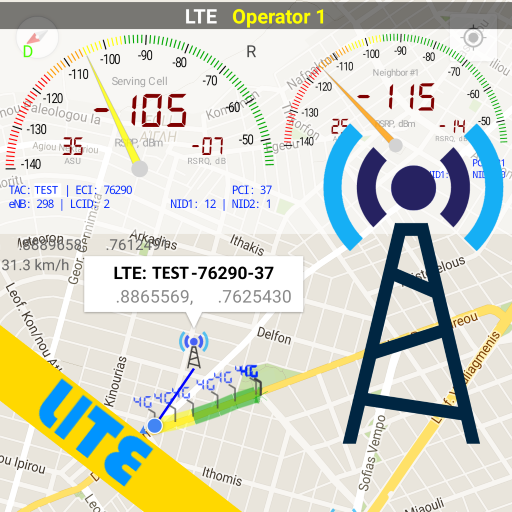
Network Cell Info Lite: Comprehensive Mobile Network Analysis Tool
by M2Catalyst, LLC.
Network Cell Info Lite provides detailed cellular and Wi-Fi diagnostics for Android users. The app helps identify signal strengths, tower connections, and network parameters to optimize connectivity performance for mobile professionals and enthusiasts.
Detailed Review
Network Cell Info Lite positions itself as a comprehensive network diagnostic tool for Android devices, offering real-time monitoring of cellular and Wi-Fi connections across various network technologies including 5G, LTE+, and legacy standards. The application serves both technical users and general consumers seeking to understand and improve their mobile connectivity experience through detailed signal metrics and tower information.
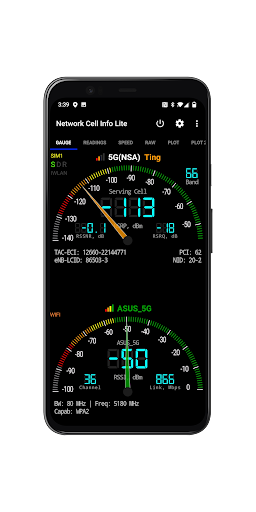
The application's core functionality revolves around displaying precise signal measurements including RSRP, RSRQ, and SINR for cellular networks alongside Wi-Fi signal strength indicators. It provides tower identification data showing which cellular tower the device is connected to, including cell ID, location area code, and tracking area code. Additional features include historical data logging, network type detection, and real-time signal strength mapping through color-coded visual indicators that help users identify optimal positioning for connectivity.
User experience centers around a dashboard-style interface with multiple view modes including classic, map, and graph displays. The interface presents technical data in both numerical and visual formats, making it accessible to users with varying technical expertise. Real-world usage patterns show the application being used for troubleshooting poor reception areas, identifying the strongest signal locations within buildings, and verifying network coverage claims from cellular providers through empirical data collection.
While specific user reviews are unavailable for citation, the application's 4.09/5 rating suggests generally positive reception among its user base. Typical feedback patterns from similar network tools indicate appreciation for detailed technical data while sometimes noting the learning curve for interpreting advanced metrics. The absence of negative review data prevents comprehensive analysis of common pain points or recurring issues reported by users.
The application demonstrates clear strengths in providing detailed network diagnostics and tower connection information, though its technical nature may present accessibility challenges for casual users. Limitations include the absence of iOS availability and potential battery impact during prolonged monitoring sessions. Ideal use cases include network troubleshooting, coverage mapping, and educational purposes for telecommunications students or professionals requiring precise signal measurement capabilities.
Key Features
- •Real-time cellular signal measurement displaying RSRP, RSRQ and SINR metrics for precise network quality assessment
- •Tower identification system showing connected cell ID, location area code and serving cell information
- •Wi-Fi network analyzer providing signal strength, channel data and access point information
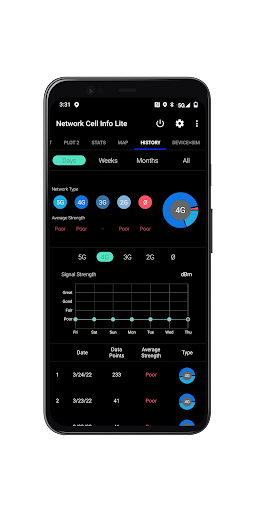
- •Historical data logging capability tracking signal strength variations over time for analysis
- •Multiple view modes including map display showing tower locations and signal coverage areas
- •Network technology detection supporting 5G, LTE, CDMA and GSM standards with detailed parameters
Why Users Love It
Comprehensive network diagnostics
Detailed tower information
Perfect for: Network professionals and mobile users seeking connectivity optimization
Screenshots



App Details
Developer
M2Catalyst, LLC.
Platform
androidRating
★4.1
Last Updated
9/10/2025





