NetSpeed Indicator: Comprehensive Android Network Monitoring Tool Review
by Nisarg Jhaveri
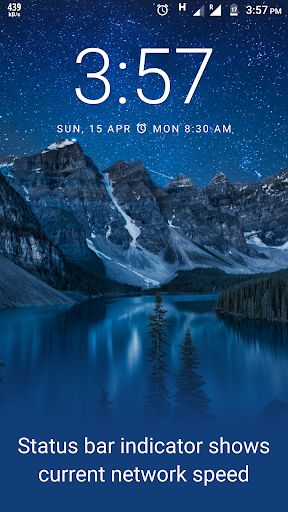
NetSpeed Indicator provides real-time network speed monitoring directly in Android's status bar. The app offers unobtrusive data tracking for users requiring constant visibility of their internet connection performance and data usage patterns.
Detailed Review
NetSpeed Indicator addresses a specific need in the Android ecosystem by providing persistent, real-time network speed monitoring directly within the device's status bar. Developed by Nisarg Jhaveri, this utility app positions itself as a minimalist solution for users who require constant visibility into their network performance without interrupting their workflow or device usage patterns.
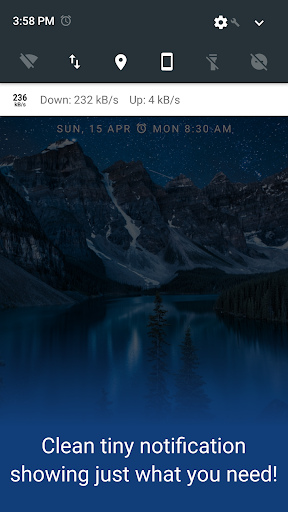
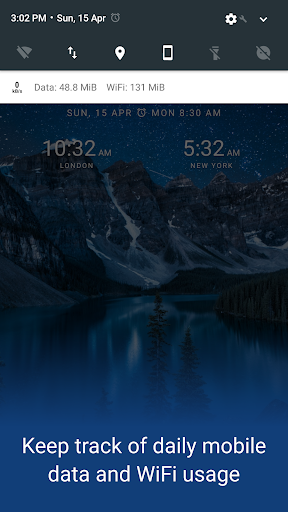
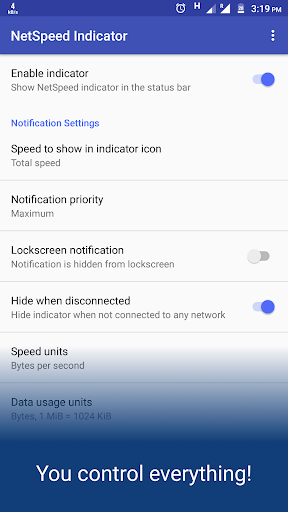
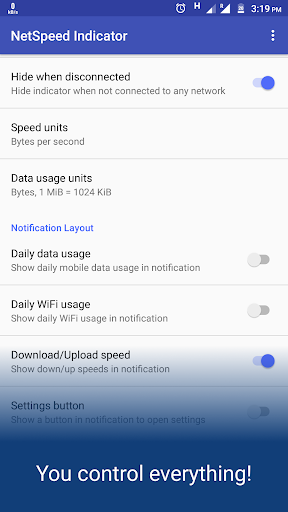
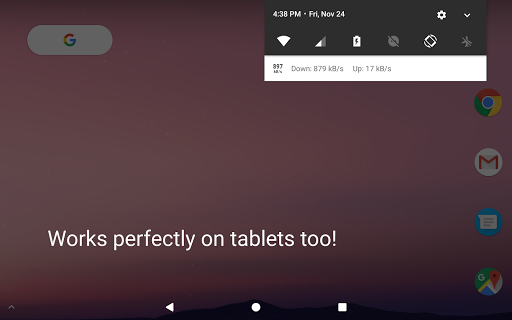
The application's core functionality revolves around displaying real-time upload and download speeds in the status bar, while the notification panel provides expanded details including daily data consumption across both mobile data and WiFi connections. The implementation allows for extensive customization, enabling users to adjust display formats, measurement units, and notification persistence according to their preferences. The monitoring occurs at the system level, providing accurate readings without requiring constant app interaction or foreground operation.
User experience centers around the app's unobtrusive design philosophy. The status bar indicator maintains minimal visual footprint while remaining legible, and the notification can be configured to either persist or collapse based on user preference. Real-world usage scenarios include monitoring network stability during video calls, tracking data consumption while tethering, or simply maintaining awareness of background data usage patterns. The interface follows Material Design guidelines, ensuring consistency with the Android ecosystem.
Without available user reviews for specific analysis, the application's 4.2-star rating suggests generally positive reception. Typically, network monitoring tools receive feedback regarding accuracy of readings, battery impact, and customization options. The absence of detailed user testimonials prevents specific commentary on common praise or criticism patterns that might emerge from extended usage across diverse device configurations and Android versions.
The application demonstrates clear strengths in its specialized focus and customization capabilities, though the lack of detailed user feedback makes comprehensive assessment challenging. Potential limitations might include varying accuracy across different Android implementations and the inherent battery impact of constant network monitoring. Ideal use cases include technical professionals requiring network diagnostics, data-conscious users monitoring consumption, and individuals in areas with unstable network connections seeking visual confirmation of connectivity quality.
Key Features
- •Real-time status bar display shows current upload/download speeds without requiring notification panel access
- •Daily data usage tracking provides separate counters for mobile data and WiFi consumption patterns
- •Highly customizable interface allows adjustment of measurement units, refresh rates, and visual presentation
- •Minimal notification design maintains functionality without occupying significant screen space
- •Background operation enables continuous monitoring without requiring active application usage
Why Users Love It
Minimal interface footprint
Extensive customization options
Perfect for: Android users requiring constant network performance visibility
Screenshots
App Details
Developer
Nisarg Jhaveri
Platform
androidRating
★4.2
Last Updated
9/10/2025





