My Verizon icon
My Verizon App Review: A Deep Dive on Features and Usability

by Verizon Consumer Group

4.6
ANDROIDLifestyle
For Verizon customers, this app consolidates account management into a single, mobile interface. Designed to help users monitor data, pay bills, and upgrade devices, it aims to replace website visits and customer service calls. A powerful tool for self-service, it handles the majority of common account-related tasks efficiently.

Detailed Review

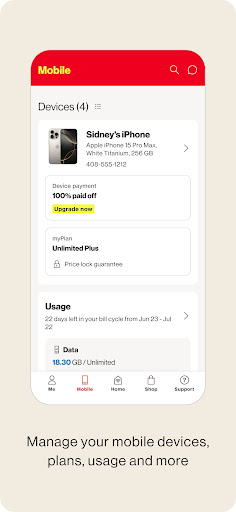
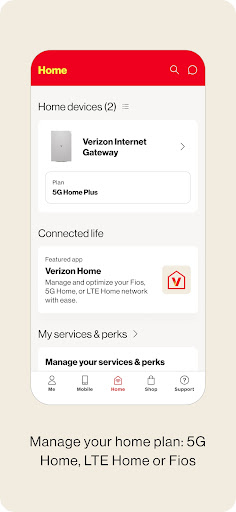
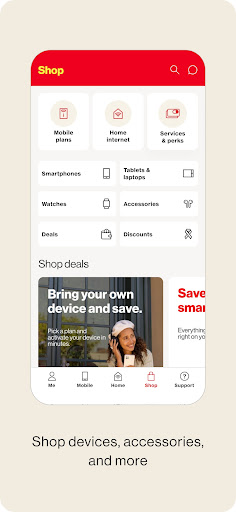
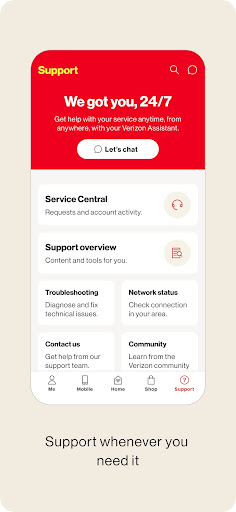
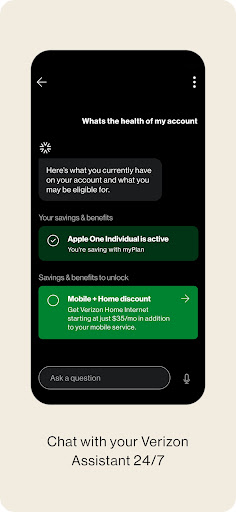
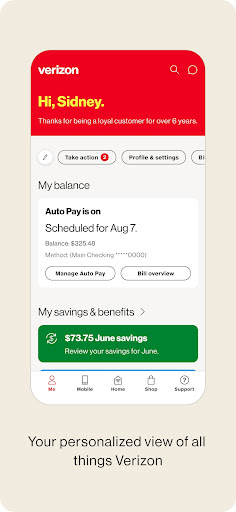
The My Verizon app serves as the primary digital touchpoint for subscribers to manage their wireless accounts directly from their smartphones. Positioned as a essential utility for over 100 million customers, it attempts to streamline the often cumbersome processes of telecom administration. Its success hinges on reducing friction for everyday account interactions, from checking data allowances to troubleshooting network issues. Core functionality is comprehensive, centered on bill payment, usage tracking, and device support. Users can view detailed, real-time breakdowns of data consumption by line, which is particularly useful for families sharing a plan nearing its monthly limit. The app facilitates one-touch bill payments with saved payment methods and provides downloadable PDF statements. Beyond billing, it integrates with Verizon’s upgrade programs, allowing eligible users to check upgrade status, order new devices, and track shipments without leaving the app. Support features include steps for device troubleshooting, activating new lines, and managing add-ons like international travel passes. In real-world use, the app’s value is most apparent for routine monitoring and quick transactions. A parent can swiftly check if a child’s line has used its high-speed data allocation while standing in line at a coffee shop. Similarly, a user receiving a data limit alert can immediately purchase an additional data boost to avoid throttling. The interface is generally logical, with a bottom navigation bar granting quick access to the account overview, shop, support, and more tabs. However, some menu structures can feel nested, requiring multiple taps to reach less common settings like call filter management. User feedback trends highlight appreciation for the convenience of mobile bill pay and instant usage stats. Reviews frequently indicate that the app performs well for these fundamental tasks, saving time compared to calling support. Specific critiques often point to occasional bugs after major updates, such as notification glitches or login hiccups. Some users on older Android devices report slower performance or sporadic crashes. The app’s permissions and data collection practices, common for carrier apps, are sometimes noted in reviews as a privacy consideration. Overall, the My Verizon app is a competent and largely reliable portal for account management, earning its high rating through consistent performance in core areas. Its primary strength is consolidating essential functions into a usable mobile format, though it is not without minor technical flaws. For the vast majority of Verizon subscribers, it successfully reduces the need for alternative support channels, making it a practical staple on the home screen, even if its design isn’t particularly flashy.

Key Features

  • Real-time data tracking: Monitors data, talk, and text usage for each line on the account with customizable alerts to prevent overages.
  • Integrated bill pay and analysis: View current bills, make secure payments, and examine past statements with detailed cost breakdowns.
  • Device and plan management: Check upgrade eligibility, order new devices, and change plan features or add-ons directly within the app.
  • Network support tools: Run speed tests, activate TravelPass for international trips, and access troubleshooting guides for connectivity issues.
  • Profile and security controls: Manage account PINs, set up data usage permissions for specific lines, and control spam call blocking.

Why Users Love It

Centralizes most account tasks in one place
Provides immediate usage data and alerts

Perfect for: Perfect for existing Verizon wireless subscribers who prefer self-service account management over phone calls or desktop visits.

Screenshots
My Verizon screenshot 1My Verizon screenshot 2My Verizon screenshot 3My Verizon screenshot 4My Verizon screenshot 5My Verizon screenshot 6

Ranking History

Track My Verizon's performance in Lifestyle over the last 30 days

Top 5
Top 10
Top 15
Below 15

Current Rank

#28

Best Rank

#28

All-time high

Average Rank

#28

30-day average

User Reviews

Shawna K.
Dec 17, 2025

I have been a Verizon customer for over 10 years! That in itself says enough. The app is easy to use and they help me maximize savings on my bill every month. Verizon is the GOAT.

William Houser
Dec 19, 2025

for the most part, the app does what it's supposed to. I've not had any serious problems. there is some weirdness every now and then but for the most part it's fine

Joseph Goss
Dec 19, 2025

A must have for Verizon customers. Easiest way to review your Verizon plan, phone and adjust settings. No issues with viewing plans or purchasing services.

Tracey P
Dec 18, 2025

Had this service for a year now and it's hasn't given me any problems I have service when others don't specifically iPhones. I have an Android Google pixel9 no complaints. I love it! just have to dive deeper into the features of this phone. haven't used all features yet, but the Verizon app is great.

Serena Ochoa
Dec 18, 2025

the service is just excellent and the are pretty good about whatever you need help with. the phones they have pretty great deals and you definitely don't pay it on the spot you make payments.

App Details

Developer

Verizon Consumer Group

Platform

android

Rating

4.6

Last Updated

12/21/2025