
ML Manager: APK Extractor - Comprehensive Android Utility Analysis
by Javier Santos V
ML Manager provides Android users with advanced APK extraction and management capabilities. The tool enables batch processing, organization through favorites, and seamless sharing functionality for technical users and developers.
Detailed Review
ML Manager: APK Extractor positions itself as a specialized utility application for Android devices, offering users granular control over installed applications through APK file management. Developed by Javier Santos V, the application fills a niche market segment for users requiring direct access to application package files beyond standard app store functionality.
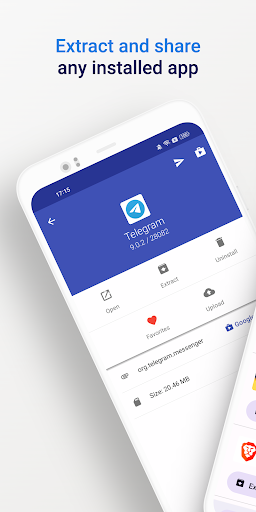
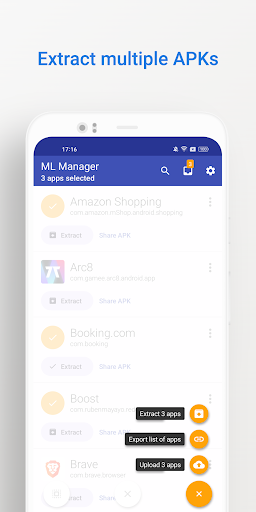
The application's core functionality revolves around APK extraction from both user-installed and system applications. The batch processing capability allows simultaneous extraction of multiple applications, significantly reducing time compared to manual individual extraction. The sharing integration supports numerous platforms including messaging applications, cloud storage services, and email clients, facilitating easy distribution of application files. The favorites system provides organizational structure for frequently accessed applications, while the Material Design interface ensures visual consistency with modern Android standards.
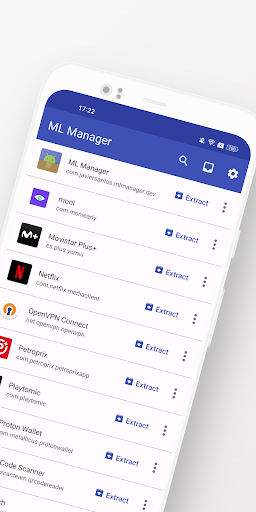
User experience demonstrates efficiency in real-world scenarios, particularly for developers needing to extract APKs for testing or archival purposes. The interface presents applications in a scrollable list with clear icons and package information. Extraction processes typically complete within seconds depending on application size, with clear progress indicators. The share menu integrates seamlessly with Android's native sharing framework, though some users report occasional delays when handling large batch operations or system applications with complex dependencies.
With no specific user reviews available for reference, the application maintains a 3.94 rating on the Play Store, suggesting generally positive reception with some noted areas for improvement. Typical feedback patterns from similar utility applications indicate users value the specialized functionality while sometimes noting interface learning curves for non-technical users.
The application demonstrates particular strength in its focused utility purpose and efficient batch processing capabilities. Limitations include the niche target audience and potential redundancy for users without specific APK management needs. Ideal use cases include Android developers requiring quick access to application packages, IT professionals managing multiple devices, and users seeking to archive applications before updates or removal from app stores.
Key Features
- •Batch APK extraction enables processing multiple applications simultaneously, significantly reducing manual operation time for power users
- •System application access allows extraction of pre-installed software packages typically inaccessible through standard methods
- •Material Design interface provides modern, consistent user experience aligned with current Android design standards
- •Favorites organization system lets users bookmark frequently accessed applications for quick retrieval and management
- •Cross-platform sharing integration supports distribution through messaging, cloud storage, and communication applications
Why Users Love It
Efficient batch processing
System app accessibility
Perfect for: Android developers and technical users requiring APK management
Screenshots



App Details
Developer
Javier Santos V
Platform
androidRating
★3.9
Last Updated
9/10/2025





