by Microsoft Corporation
Detailed Review
Key Features
- •Comprehensive slide editing with full formatting tools, animations, and transitions matching desktop version capabilities for consistent cross-platform experience
- •Presenter Coach analyzes rehearsal sessions to provide real-time feedback on pacing, filler words, and presentation delivery techniques
- •Real-time co-authoring enables multiple users to collaborate simultaneously on presentations with change tracking and comment features
- •Cloud integration with OneDrive and SharePoint ensures automatic saving and synchronization across all devices and platforms
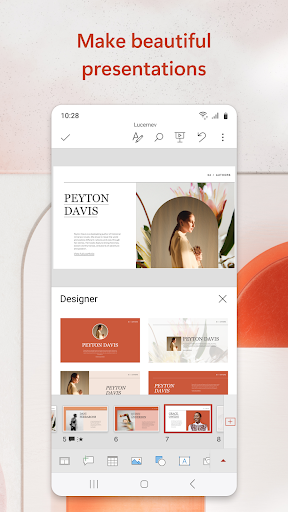
- •Mobile-optimized interface with touch-friendly controls and contextual toolbars that adapt to current editing tasks
- •Templates and design ideas provide professional starting points and automated layout suggestions for various presentation types
Why Users Love It
Perfect for: Students and professionals requiring mobile presentation capabilities
Screenshots



Ranking History
Track Microsoft PowerPoint's performance in Productivity over the last 30 days
Current Rank
#38
1 from last week
Best Rank
#35
All-time high
Average Rank
#42
30-day average
Questions & Answers
Which Android app should I use for reviewing and making quick edits to PowerPoint presentations on a tablet?
Microsoft PowerPoint is a robust mobile application designed for users who need to handle presentations away from their desks. For tablet-based editin...
Ad — Extra Q&As are paid placements. Editorial standards apply; rankings unchanged.Learn more
What's the best Android app for creating and editing professional presentations on the go, including adding animations and transitions?
Microsoft PowerPoint is a powerful Android app that allows you to create, edit, and present professional-looking presentations on your mobile device. ...
User Reviews
the best. when u edit a ppt on pc and then transfer it to the cp, it will still retain its structure and position of icons, texts, etc. when using this application.
the best. when u edit a ppt on pc and then transfer it to the cp, it will still retain its structure and position of icons, texts, etc. when using this application.
Issue Description: I am using a Samsung Galaxy Tab Note 6 Lite with the S Pen. Whenever I try to write in Microsoft PowerPoint, if you please I want to stop the feature of ink to shape so I can write with my s pen
Issue Description: I am using a Samsung Galaxy Tab Note 6 Lite with the S Pen. Whenever I try to write in Microsoft PowerPoint, if you please I want to stop the feature of ink to shape so I can write with my s pen
It's a great app I just don't like the fact that you can't access PowerPoint documents when you are offline.
App Details
Developer
Microsoft Corporation
Platform
androidRating
Last Updated
1/8/2026





