
Evaluating the Messages App for Android: A Comprehensive Look
by Messages - SMS Messenger
This app serves as a default SMS and messaging solution for Android devices, integrating both traditional texting and modern RCS capabilities. If you need a straightforward way to handle everyday communications with added features like read receipts and group chats, it covers the basics well. Designed to help users manage texts without unnecessary complexity, it balances simplicity with functionality.
Detailed Review
The Messages app by Messages - SMS Messenger functions as a core communication tool pre-installed on many Android devices, positioning itself as a reliable option for SMS and MMS messaging. It competes in a crowded market by emphasizing compatibility with carrier-based RCS (Rich Communication Services), which enhances texting with features typically found in internet-based apps. This integration allows for a more unified messaging experience without requiring users to switch between multiple applications, making it a practical choice for those who prioritize convenience and broad accessibility.
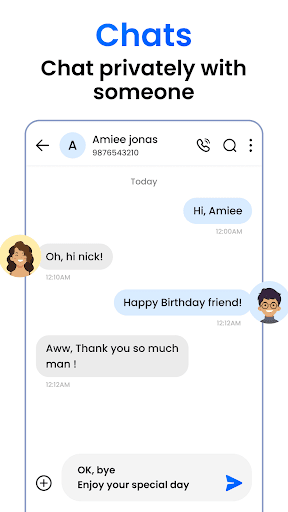
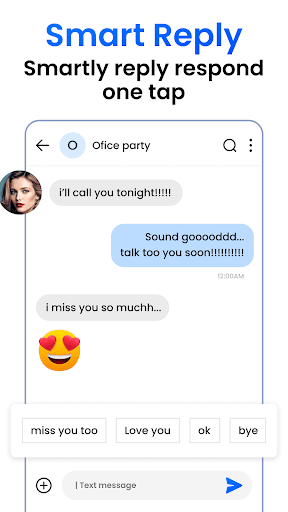
Core features include support for RCS chats, which enable read receipts, typing indicators, and high-quality media sharing when both parties use compatible devices and carriers. Group messaging allows up to 100 participants with options for naming groups and sharing locations, while the spam protection feature automatically filters suspicious messages based on carrier databases. Media sharing is streamlined, permitting users to send photos, videos, and files up to 100MB in size, and the app includes a search function to quickly locate past conversations or specific messages. These functionalities are accessible through a clean interface that minimizes clutter, though some advanced customization options are limited compared to third-party alternatives.
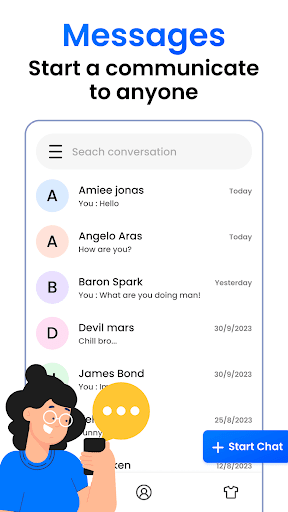
In real-world usage, the app performs reliably for daily texting scenarios, such as coordinating with family or handling work-related communications where SMS is still prevalent. The setup is straightforward, with automatic detection of RCS availability, but users in areas with inconsistent carrier support might experience fallbacks to standard SMS, leading to occasional delays in message delivery. The interface uses a card-based design that groups conversations intuitively, and performance remains smooth even on older Android devices, though some minor lag can occur when loading large media files or during initial sync.
User feedback trends highlight appreciation for the seamless RCS integration, with many noting that features like read receipts improve communication clarity in personal and professional contexts. However, reviews indicate occasional frustrations with RCS activation issues or carrier dependencies, which can lead to inconsistent experiences. For instance, some users report that group chats sometimes revert to MMS without warning, causing media compression. Overall, the app receives positive marks for its no-fuss approach, but these quirks remind users that it's not without its flaws.
A balanced assessment shows that the Messages app excels in providing a dependable, integrated messaging experience for Android users, particularly those who value simplicity and carrier-based features. Its strengths lie in RCS support and ease of use, but limitations include reliance on carrier infrastructure and fewer customization options than competing apps. This makes it a solid default choice, though power users might seek additional features elsewhere.
Key Features
- •RCS chat support enables read receipts and typing indicators for enhanced communication when both parties have compatible devices and carriers.
- •Group messaging allows up to 100 participants with options to name groups and share locations or media seamlessly.
- •Spam protection automatically filters unwanted messages using carrier databases to reduce clutter and security risks.
- •Media sharing supports photos, videos, and files up to 100MB, integrated directly into conversations for easy access.
- •Search functionality lets users quickly find specific messages or contacts within past conversations, improving efficiency.
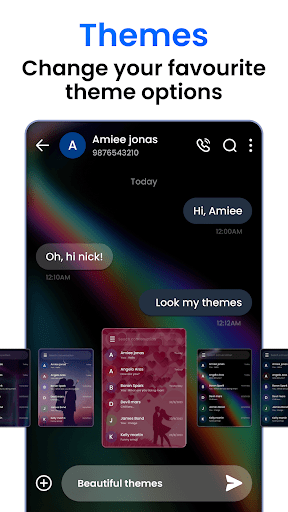
- •Customizable notifications and themes offer basic personalization, though options are more limited than in third-party apps.
Why Users Love It
Seamless RCS integration
Simple, intuitive interface
Perfect for: Android users looking for a built-in SMS app with reliable RCS features and minimal setup.
Screenshots


User Reviews
Stephanie Mapa
Oct 18, 2025★★★★★
Just what I need for an sms app. Simple but helpful. I can choose theme and I can customize the message tone 🥰🥰🥰
Stephanie Mapa
Oct 18, 2025★★★★★
Just what I need for an sms app. Simple but helpful. I can choose theme and I can customize the message tone 🥰🥰🥰
Stephanie Mapa
Oct 18, 2025★★★★★
Just what I need for an sms app. Simple but helpful. I can choose theme and I can customize the message tone 🥰🥰🥰
Stephanie Mapa
Oct 18, 2025★★★★★
Just what I need for an sms app. Simple but helpful. I can choose theme and I can customize the message tone 🥰🥰🥰
Stephanie Mapa
Oct 18, 2025★★★★★
Just what I need for an sms app. Simple but helpful. I can choose theme and I can customize the message tone 🥰🥰🥰
App Details
Developer
Messages - SMS Messenger
Platform
androidRating
★4.2
Last Updated
10/28/2025