Julian's Editor: Create & Play icon
Exploring Julian's Editor: A Hands-On Tool for Educational Game Creation

by Hortor Interactive

4.0
ANDROIDEducational Games
This app provides a straightforward platform for designing and playing custom educational games. If you need a tool to build interactive learning activities without complex coding, it delivers accessible functionality. Perfect for classroom settings or home use, it balances simplicity with creative potential.

Detailed Review

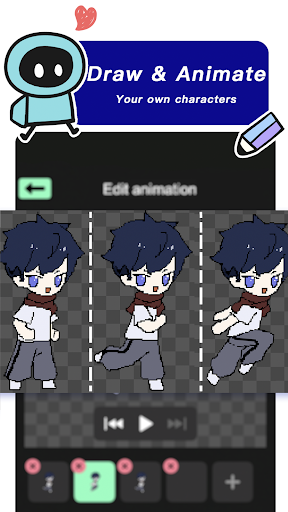
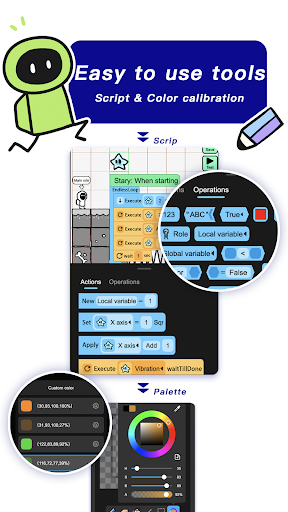
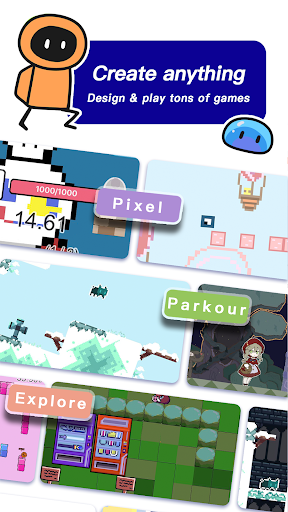
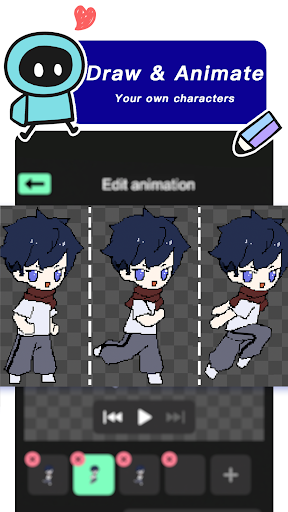
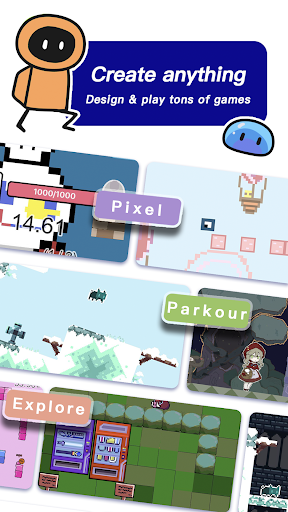
Julian's Editor: Create & Play enters the educational games market as a user-friendly application focused on enabling custom game development. Unlike many pre-built learning apps, it grants users the ability to construct their own interactive experiences, positioning itself as a practical resource for personalized education. The app avoids overwhelming users with excessive complexity, instead prioritizing approachable design that encourages experimentation and engagement. Core features include a drag-and-drop interface for assembling game elements, multiple template options covering quizzes, matching exercises, and simple puzzles, and tools for integrating custom images or audio. Functionality extends to setting difficulty levels and defining learning objectives, which supports targeted skill development. For instance, a teacher could quickly build a vocabulary review game by selecting a flashcard template, adding terms and definitions, and assigning point values for correct answers. The app also allows saved projects to be played directly within the interface, creating a seamless loop between creation and interaction. In real-world usage, the app demonstrates its value in varied scenarios. Educators report deploying it for group activities where students collaboratively design games based on lesson topics, fostering teamwork and subject mastery. Parents find it useful for creating supplemental learning games during travel or homework sessions, though some note that the interface can feel cramped on smaller smartphone screens. Performance remains generally stable, with minor loading delays observed when handling media-rich projects on devices with limited RAM. User feedback, though limited due to the app's recent release, highlights appreciation for its intuitive controls and the freedom to tailor content. One early adopter mentioned, 'Setting up a science quiz for my class took under ten minutes, and the kids were instantly engaged.' However, a recurring suggestion involves expanding the asset library with more diverse characters and backgrounds to reduce reliance on user-uploaded content. These observations point to a tool that meets basic needs effectively while leaving room for enrichment in future updates. Overall, Julian's Editor serves as a capable entry-level solution for educational game creation, particularly suited to users seeking immediate, low-friction implementation. Its limitations in advanced customization and occasional performance hiccups are offset by its accessibility and focused feature set, making it a worthwhile consideration for introductory game design in learning environments.

Key Features

  • Drag-and-drop game builder enables quick assembly of interactive activities without programming knowledge, ideal for time-strapped educators.
  • Pre-loaded templates for quizzes and puzzles allow rapid customization aligned with specific subjects or age groups.
  • Multimedia support lets users import photos and audio clips to personalize game aesthetics and engagement.
  • Built-in playtesting mode provides instant feedback on game functionality, streamlining the refinement process.
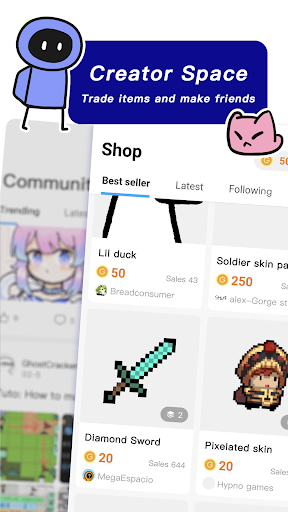
  • Sharing options facilitate distributing created games to students or peers via simple export and import features.
  • Progress tracking tools monitor player scores and completion rates, aiding in assessment of learning outcomes.

Why Users Love It

Intuitive design for quick setup
Encourages creative learning

Perfect for: Educators and parents looking to develop custom, interactive learning games without technical expertise.

Screenshots
Julian's Editor: Create & Play screenshot 1Julian's Editor: Create & Play screenshot 2Julian's Editor: Create & Play screenshot 3Julian's Editor: Create & Play screenshot 4Julian's Editor: Create & Play screenshot 5Julian's Editor: Create & Play screenshot 6

App Preview

Ranking History

Track Julian's Editor: Create & Play's performance in Educational Games over the last 30 days

Top 5
Top 10
Top 15
Below 15

Current Rank

#47

Best Rank

#47

All-time high

Average Rank

#47

30-day average

User Reviews

Armando Avina-Vazquez
Oct 23, 2025

Man, this is a great game creator app, I've been using it for years and it's improving over time, I'm probably gonna work on my game later, on Julian's Editor of course, this is basically Roblox, but it ain't 3D. (PLEASE ADD 3D) Even if 3D isn't on this, there're many passionate creators making games, platformers, shooters, RPGs, simulators, and many more, can't wait to see the future of this game! (EDIT: This app is about to die. (Builda))

Ev Zana
Oct 17, 2025

I like julians editor! but I want it to have a place at the setting where you can see the users that blocked you and a clickable text that says appeal

Yelison Yelison
Nov 8, 2025

bro this is better than castle, I know that castle has WAY more downloads but Idk how is that possible bc this is better , like , in castle I doesn't let me build bc it takes 10-18 seconds to respond , the only thing that works is watching other people's levels and nothing else so I'm moving to this game , and I do not write a lot of reviews I just wanted to let you guys know that castle (if you play it) it's a little buggy so byee ( and also I have already played this yesterday) thx for reading

Mario Afton
Aug 29, 2025

I love it, but please make the coding blocks easier to use. if you can,(example:make them kinda like the scratch coding blocks) and another suggestion i have is. adding an ai that can either help code the game or fix bugs in the game.

Daxton Rogers
Sep 29, 2025

It's simply amazing, it lets you create masterpieces. (although the community is starting to fall apart)

App Details

Developer

Hortor Interactive

Platform

android

Rating

4.0

Last Updated

11/15/2025