Instant Boost: Gaming Performance
by Trilokia Inc.
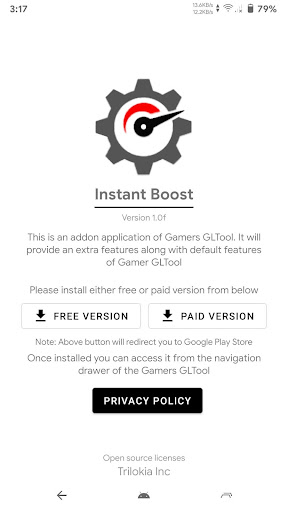
Instant Boost is an addon for Gamers GLTool designed to elevate your gaming experience. Unlock extra features and optimize your device for peak **gaming performance**. Compatible with Gamers GLTool version 1.4 and above, it's your key to smoother gameplay.
Detailed Review
Key Features
- •Unlock extra features within Gamers GLTool
- •Optimize device for enhanced gaming performance
- •Access advanced settings for reduced lag and improved frame rates
Why Users Love It
Perfect for: Mobile gamers seeking to optimize device performance and enhance their gaming experience.
Screenshots
User Reviews
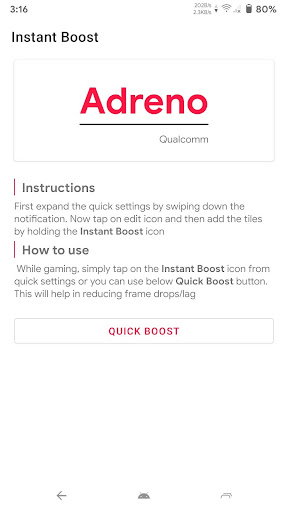
In order for the addons to work ive found if you install the tool. And open it go to the top left = menu and click the addons from in and install. Also in your phone notification bar(wifi/BT/airplane mode etc) icons pull down until u see edit. Edit and add the button to that tab. Bring up tool pick a stable ping apply. I go to it in the app click quick boost>home>clickgame icon>if set graph mang. Apply settings&boost.game loads pull not bar click instant boost icon(swiped mine to #1 spot)
In order for the addons to work ive found if you install the tool. And open it go to the top left = menu and click the addons from in and install. Also in your phone notification bar(wifi/BT/airplane mode etc) icons pull down until u see edit. Edit and add the button to that tab. Bring up tool pick a stable ping apply. I go to it in the app click quick boost>home>clickgame icon>if set graph mang. Apply settings&boost.game loads pull not bar click instant boost icon(swiped mine to #1 spot)
In order for the addons to work ive found if you install the tool. And open it go to the top left = menu and click the addons from in and install. Also in your phone notification bar(wifi/BT/airplane mode etc) icons pull down until u see edit. Edit and add the button to that tab. Bring up tool pick a stable ping apply. I go to it in the app click quick boost>home>clickgame icon>if set graph mang. Apply settings&boost.game loads pull not bar click instant boost icon(swiped mine to #1 spot)
In order for the addons to work ive found if you install the tool. And open it go to the top left = menu and click the addons from in and install. Also in your phone notification bar(wifi/BT/airplane mode etc) icons pull down until u see edit. Edit and add the button to that tab. Bring up tool pick a stable ping apply. I go to it in the app click quick boost>home>clickgame icon>if set graph mang. Apply settings&boost.game loads pull not bar click instant boost icon(swiped mine to #1 spot)
In order for the addons to work ive found if you install the tool. And open it go to the top left = menu and click the addons from in and install. Also in your phone notification bar(wifi/BT/airplane mode etc) icons pull down until u see edit. Edit and add the button to that tab. Bring up tool pick a stable ping apply. I go to it in the app click quick boost>home>clickgame icon>if set graph mang. Apply settings&boost.game loads pull not bar click instant boost icon(swiped mine to #1 spot)
App Details
Developer
Trilokia Inc.
Platform
androidRating
Last Updated
9/18/2025