HelloBlink icon
HelloBlink App Review: Designing and Printing Custom Stickers

by efercro

4.5
ANDROIDTools
For anyone who enjoys personalized crafts, the HelloBlink app pairs with a dedicated thermal printer to produce custom stickers. This tool provides a straightforward platform for designing, editing, and printing adhesive graphics directly from an Android device. Reviews frequently highlight its ease of use and the surprising quality of the output.

Detailed Review

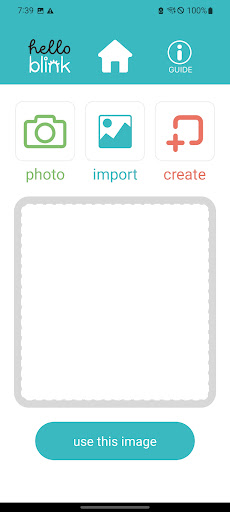
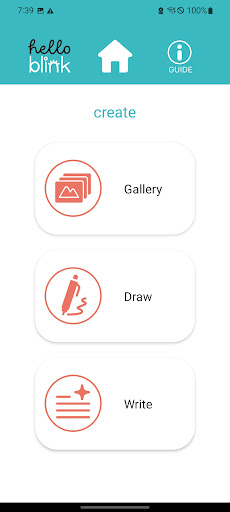
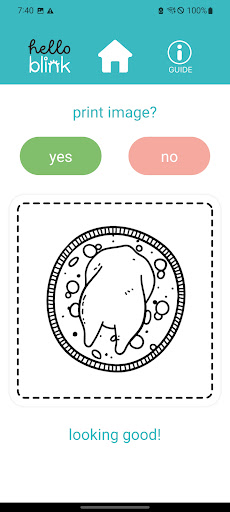
HelloBlink serves as the dedicated control software for a specific portable thermal sticker printer, positioning itself in the niche market of instant, at-home custom merchandise. Unlike generic design apps, its primary function is to serve as a direct bridge between a user's creative ideas and a physical product, handling the entire workflow from digital canvas to printed roll. This focus on a single hardware companion differentiates it from broader graphic design suites, offering a purpose-built experience for sticker creation. The app's core functionality revolves around a design studio where users can layer text, basic shapes, and clipart. A significant feature is the ability to import and crop any image from the device's gallery, allowing for photographs, memes, or downloaded graphics to be turned into stickers. The interface includes tools for adjusting contrast and brightness to optimize prints for the thermal paper's characteristics. Prior to printing, users can see a preview and are reportedly given a count of how many stickers can be printed from the remaining paper on the roll, which aids in planning and avoiding waste. In real-world use, the experience is largely defined by its simplicity. The setup process, as described by users, involves downloading the app, pairing via Bluetooth, and loading a paper roll. A common scenario involves parents and children co-creating stickers for school projects, planners, or personal decoration. The immediacy of the process—designing on a phone and holding a physical sticker minutes later—is a key part of its appeal. The app manages the printer's specific requirements, such as print density and cutting, abstracting technical details away from the user. User feedback consistently points to several positive trends. The high average rating is bolstered by repeated mentions of output quality exceeding expectations, with stickers noted for their detail and adhesive strength. The 'surprise' at how well it works is a recurring theme, suggesting initial skepticism about the capabilities of a compact, thermal-based system. Reviews also frequently praise the value proposition, comparing the cost of blank rolls to purchasing pre-made sticker packs. However, this feedback is intrinsically linked to the hardware; the app alone has limited utility without the paired printer. Overall, HelloBlink accomplishes its specific task reliably. Its strengths are a focused toolset, an intuitive user journey, and reliable hardware integration that delivers a satisfying creative result. The main limitation is its complete dependence on proprietary hardware, making the app irrelevant for those who do not own the printer. Occasional mentions in reviews of Bluetooth sync hiccups are present but not predominant. For its target audience, it provides a functional and enjoyable gateway into custom sticker production.

Key Features

  • Integrated Design Studio: Offers tools for adding text, shapes, and included clipart to create custom sticker designs from scratch within the app.
  • Photo and Media Import: Allows users to select any image from their device's gallery, crop it, and apply basic edits to prepare it for printing as a sticker.
  • Print Preview and Paper Management: Displays a preview of the final sticker and shows how many prints are possible with the remaining paper on the roll.
  • Direct Bluetooth Printer Control: Manages all communication with the HelloBlink hardware, handling print density, cutting, and other device-specific settings.
  • Simple Setup and Workflow: Guides users from initial pairing to final print with a minimal number of steps, emphasizing a straightforward user experience.

Why Users Love It

Surprisingly high print quality and detail
Easy setup and intuitive design process

Perfect for: Perfect for parents, craft enthusiasts, and students looking for an accessible way to create custom, physical stickers at home.

Screenshots

HelloBlink screenshot 1HelloBlink screenshot 2HelloBlink screenshot 3HelloBlink screenshot 4HelloBlink screenshot 5HelloBlink screenshot 6

Ranking History

Track HelloBlink's performance in Tools over the last 30 days

Top 5
Top 10
Top 15
Below 15

Current Rank

#39

Best Rank

#39

All-time high

Average Rank

#39

30-day average

User Reviews

Paula Lynch
May 23, 2025

a very cool app to do where you make these amazing stickers which I love I give this five out of five stars amazing

Paula Lynch
May 23, 2025

a very cool app to do where you make these amazing stickers which I love I give this five out of five stars amazing

Tecla Pruitt
Sep 5, 2025

I love this little printer. It's easy to use, refill, and can make very detailed stickers. The stickers are of higher quality and aren't too small to see. The rolls it comes with have more stickers than expected.

Tecla Pruitt
Sep 5, 2025

I love this little printer. It's easy to use, refill, and can make very detailed stickers. The stickers are of higher quality and aren't too small to see. The rolls it comes with have more stickers than expected.

Rowan Randol
Jul 10, 2025

it works so good I was so shocked I thought it would not be this good but oh my God I love hello blank everybody should get this instead of buying all these little things all these little stickers separate when you can just design and make or even print a picture of you as a sticker of your own


App Details

Developer

efercro

Platform

android

Rating

4.5

Last Updated

12/26/2025