Google Family Link icon
Google Family Link: A Hands-On Review of Google's Parental Control Suite

by Google LLC

4.5
ANDROIDTools
This app provides a comprehensive toolkit for parents to manage a child's digital experience on Android devices. Designed to help families set boundaries on screen time, filter content, and monitor device location, it addresses core concerns of modern parenting. For anyone who needs centralized oversight of a child's smartphone or tablet usage, it offers a detailed level of control directly from a parent's own device.

Detailed Review

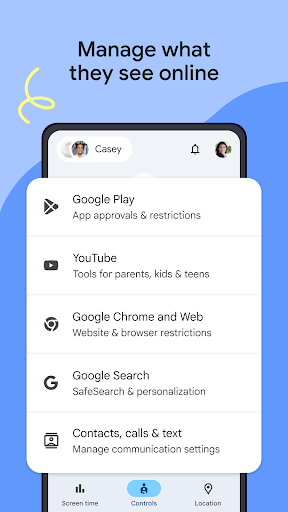
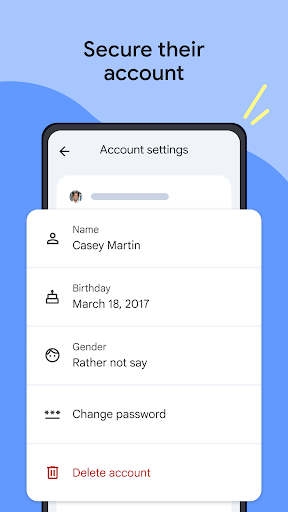
Google Family Link positions itself as a central hub for parental oversight in the Android ecosystem. It allows an adult to create and manage a Google Account for a child under 13 (or supervise an existing teen's account), linking it to their own. This connection forms the basis for a suite of remote management tools, providing an alternative to piecemeal solutions or built-in manufacturer-specific controls. Its integration with core Google services offers a significant advantage for families already invested in that ecosystem. The application's functionality breaks down into several key areas: daily screen time limits, app-specific allowances, content filtering, and real-time location management. Parents can set a hard bedtime for the device, locking it entirely during designated hours. More granular control is available per application; for instance, social media apps can be limited to 30 minutes daily while educational tools are permitted unrestricted use. The app also manages Google Play Store downloads, requiring parental approval for purchases or new installations. A particularly noted feature is the ability to remotely lock the child's device immediately or make it ring at full volume to locate a misplaced phone. In real-world scenarios, the app is utilized for managing homework schedules by limiting entertainment apps during study hours, ensuring devices are not used late into the night, and providing peace of mind through location checks when a child is traveling to or from school. The parent-facing interface is generally considered intuitive, though initial setup requires physical access to both devices and can be slightly fiddly. Once configured, most controls are executed with a single tap from the parent's phone. User feedback, as seen in app store reviews, consistently highlights relief and empowerment. Common praises include the immediacy of the remote lock function, the granularity of app-by-app timers, and the utility of the location features. Reviews indicate a strong appreciation for the ability to adjust filters and limits as a child matures, moving from strict blocking to more supervised access. The sentiment often centers on reducing parental anxiety about online dangers and excessive screen time. However, a balanced assessment must note its limitations. The app's effectiveness is contingent on the child's device remaining powered on and connected to the internet. Tech-savvy older children may find workarounds, and some parents report that the app's location accuracy can occasionally be delayed. Furthermore, while it excels at managing the Google-centric aspects of a device, it may not deeply monitor activity within all third-party apps or browsers. Despite these minor imperfections, for the vast majority of families seeking structured, remote device management, Google Family Link delivers a robust and highly functional solution that successfully addresses fundamental digital parenting challenges.

Key Features

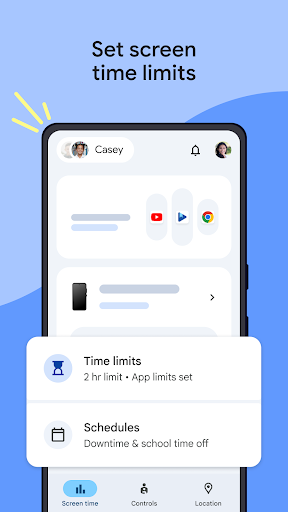
  • Daily & Bedtime Schedules: Set maximum daily screen time and enforce a device lock during chosen sleep hours, helping maintain consistent routines.
  • App-Specific Time Limits: Control usage on a per-application basis, allowing different limits for games, social media, and educational tools.
  • Remote Device Lock & Locate: Immediately lock the child's device or force it to ring at full volume, useful for enforcing breaks or finding a lost phone.
  • App Approval & Content Filters: Approve or block apps downloaded from the Play Store and filter mature content on Google Search and Chrome.
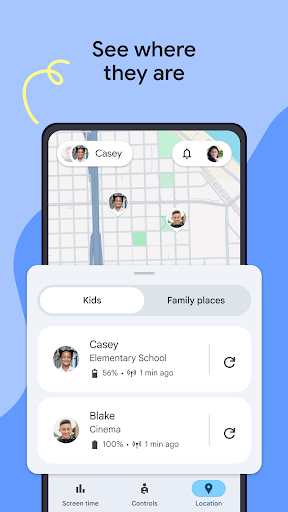
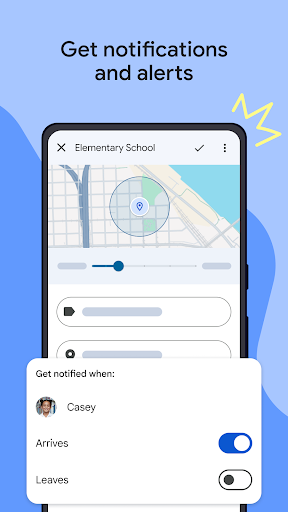
  • Real-Time Location Viewing: Check the child's device location on a map, providing reassurance during commutes or outings.
  • Activity Reporting: Review a dashboard showing how much time was spent in each app on the child's device over any given day or week.

Why Users Love It

Granular remote control over screen time and apps
Provides real-time location tracking and device security

Perfect for: Perfect for parents of children and young teens who use Android devices and seek centralized, remote management of screen time and content.

Screenshots
Google Family Link screenshot 1Google Family Link screenshot 2Google Family Link screenshot 3Google Family Link screenshot 4Google Family Link screenshot 5Google Family Link screenshot 6

Ranking History

Track Google Family Link's performance in Tools over the last 30 days

Top 5
Top 10
Top 15
Below 15

Current Rank

#20

Best Rank

#20

All-time high

Average Rank

#20

30-day average

User Reviews

Ruth Thomas
Dec 22, 2025

great way of controlling how much screen time your child can have. being able to immediately turn of the device is all so useful.

Samantha Jo
Dec 25, 2025

love that I can lock my kids phone and make time limits on apps. I can even have it make a noise when they lose it, even if its on silent! I tell everyone about this app!

Ceda Grafix
Dec 24, 2025

this app help me monitor and protect my child... I no longer feel like by giving her a phone... I am putting her in danger this is am amazing and helpful app

SeattleDan R
Dec 24, 2025

Easy to use. Great granularity of control and doesn't require a Google product to manage kids' devices. So much better than crApple products.

Yeukai Mungoshi
Dec 23, 2025

l like this app bcz it controls the child it gives limit and when ever it locks it locks she wont have access until the aggreement time

App Details

Developer

Google LLC

Platform

android

Rating

4.5

Last Updated

12/26/2025