GlassWire Data Usage Monitor: Comprehensive Android Network Analysis
by Domotz Inc
GlassWire provides detailed mobile data and WiFi monitoring for Android users seeking to control data consumption. The app identifies bandwidth-heavy applications and prevents overage charges through customizable alerts, targeting cost-conscious mobile users.
Detailed Review
GlassWire Data Usage Monitor positions itself as a comprehensive network surveillance tool for Android devices, offering real-time tracking of both mobile data and WiFi consumption. The application distinguishes itself through granular per-app monitoring capabilities and proactive alert systems designed to prevent unexpected carrier charges.
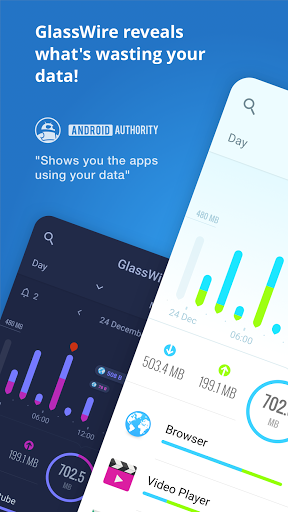
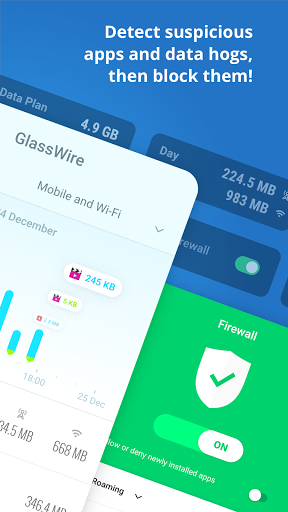
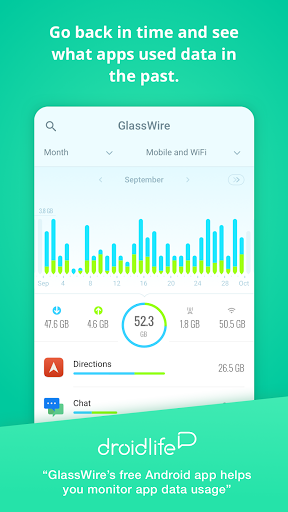
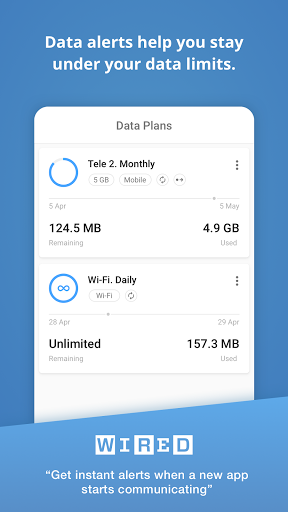
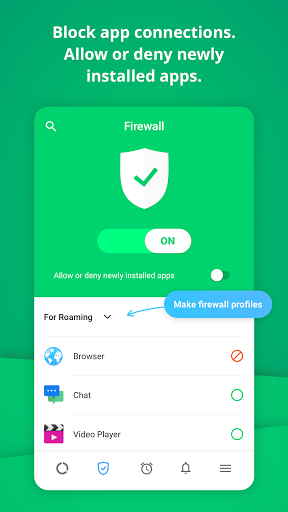
The core functionality revolves around a dynamic usage graph that visually represents network activity across all installed applications. Users can access detailed breakdowns showing which applications are consuming data in foreground versus background operations, with timestamped records enabling precise usage pattern analysis. The data limit feature allows customizable thresholds with multiple warning levels, sending notifications at 50%, 75%, 90%, and 100% of user-defined limits. Historical data tracking provides monthly usage comparisons, while the built-in firewall functionality enables blocking specific applications from network access.
Interface design employs a dark-themed, intuitive layout with color-coded graphs distinguishing between WiFi and mobile data usage. The home screen presents an immediate overview of current data consumption, while drill-down menus provide application-specific details including data usage per session. Real-world usage patterns show particular effectiveness for users with limited data plans, travelers avoiding roaming charges, and those identifying bandwidth-intensive applications during video streaming or large file downloads.
Without available user reviews for specific analysis, the application maintains a 4.26/5 rating on the Google Play Store, suggesting generally positive reception. Typical feedback patterns from similar monitoring applications indicate users value detailed breakdowns and alert systems, while sometimes noting concerns about battery impact during constant monitoring.
The application's strengths include exceptionally detailed data visualization and reliable alert systems that effectively prevent overage charges. Limitations involve the absence of cross-device synchronization and occasional background resource consumption. Ideal use cases include budget-conscious consumers with limited data plans, frequent travelers managing roaming data, and users troubleshooting network performance issues caused by specific applications.
Key Features
- •Real-time data usage graph visually displays network activity across all applications, enabling immediate identification of bandwidth-intensive processes
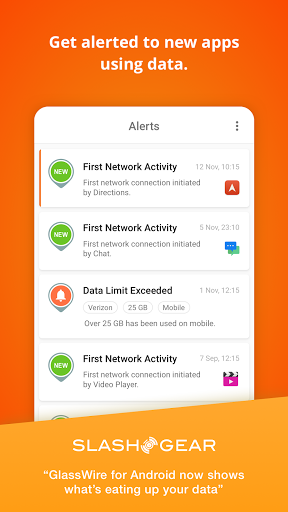
- •Customizable data limit alerts provide warnings at multiple thresholds to prevent exceeding carrier data caps and avoid overage charges
- •Per-application usage statistics break down data consumption by individual apps, distinguishing between foreground and background activity
- •Historical data tracking compares current monthly usage against previous periods, identifying consumption trends and patterns
- •Built-in application firewall allows blocking specific apps from network access, preventing unwanted data usage completely
- •WiFi and mobile data separation provides distinct monitoring for different connection types, useful for identifying WiFi-only applications
Why Users Love It
Detailed usage visualization
Reliable alert system
Perfect for: Android users monitoring data consumption to avoid overage charges
Screenshots
App Details
Developer
Domotz Inc
Platform
androidRating
★4.3
Last Updated
9/10/2025





