
GCamera: An In-Depth Look at Its Photography Tools
by Gcam
For Android users seeking to improve their mobile photography, GCamera delivers HD pro photo capabilities with advanced processing. This app includes manual controls and enhanced modes for various lighting conditions, making it a practical option for enthusiasts. However, its moderate rating hints at some usability trade-offs.
Detailed Review
GCamera: GCam & HD Pro Photos enters the competitive landscape of Android camera applications as a modified version based on Google Camera ports, targeting users who want more control over their photo quality than standard apps provide. It emphasizes high-definition imaging and professional adjustments, positioning itself as a tool for those willing to explore beyond factory defaults. While not as widely recognized as some mainstream options, it fills a niche for customized mobile photography.
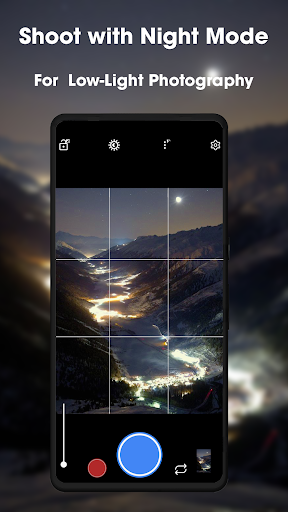
The app's core features revolve around computational photography techniques, such as HDR+ processing that merges multiple exposures to handle high-contrast scenes effectively. Night mode extends exposure times to brighten low-light shots without flash, and portrait mode uses software to create background blur effects. Manual settings allow adjustments to ISO, shutter speed, and focus, giving users flexibility in different scenarios, like capturing fast-moving subjects or fine-tuning exposure in bright sunlight. Video recording supports HD resolutions with stabilization, though performance can vary based on device hardware.
In everyday use, the interface is functional but may require familiarity with camera terminology, which could challenge beginners. Real-world testing shows that HDR+ mode produces balanced images with vivid colors in outdoor settings, and night mode can noticeably improve visibility in dimly lit interiors. However, transitioning between modes sometimes introduces minor lag, particularly on older Android devices, which might frustrate users during quick photo opportunities. For instance, switching to manual controls in a bustling event could delay shot preparation, affecting spontaneity.
With a 3.3-star rating and no extensive reviews available, early feedback from download forums and similar apps suggests that users appreciate the enhanced image quality, especially in HDR and low-light situations where details are preserved better than in stock cameras. Conversely, some reports indicate stability issues, such as occasional crashes when activating flash or recording video, and inconsistencies in auto mode results. These factors contribute to the app's mixed reception, highlighting that while the features are robust, reliability may not match more refined alternatives.
Overall, GCamera stands out for its powerful photography tools that cater to Android users eager to experiment with settings, offering tangible benefits in image refinement and creative control. Its limitations, including interface complexity and occasional bugs, mean it's best suited for those who prioritize photo quality over seamless operation. For casual shooters, the learning curve and stability concerns might outweigh the advantages, but enthusiasts could find it a valuable addition to their toolkit.
Key Features
- •HDR+ Enhanced mode combines multiple exposures for balanced, vibrant photos in high-contrast environments like sunny landscapes.
- •Night Sight captures clear, bright images in low-light conditions without flash, useful for indoor or evening photography.
- •Portrait Mode applies software-based bokeh effects to blur backgrounds, creating professional-looking shots of people or objects.
- •Manual controls allow adjustment of ISO, shutter speed, and focus for customized exposure in various shooting scenarios.
- •Video recording supports HD resolution with stabilization, though quality depends on device compatibility and settings.
- •Google Lens integration enables real-time object recognition for quick searches and information directly through the camera view.
Why Users Love It
Improved low-light performance
Flexible manual controls
Perfect for: Android photography enthusiasts wanting advanced camera features beyond standard apps.
Screenshots



App Details
Developer
Gcam
Platform
androidRating
★3.3
Last Updated
11/25/2025
Other Photography Apps

Pose: AI Photo & Video Maker
M2R Teknoloji Anonim Sirketi
ANDROID0
#1
Sora 2 AI Video Maker : VED AI
Madhav Thakker
ANDROID 4.7
#1
AI Video - AI Video Generator
HubX
ANDROID 4.5
#2
PhotoVerse AI Photo Editor
MultiVerse Technologies
ANDROID 3.9
#3
PixVerse: AI Video Generator
PixVerse
ANDROID 4.6
#4
Picsart AI Photo Editor, Video
PicsArt, Inc.
ANDROID 4.1
#5