
Exploring the Gallery App for Android: A Productivity Tool for Media Management
by Gallery Photos & Videos
This app provides a streamlined approach to organizing photos and videos on Android devices. If you need a reliable tool for sorting and accessing media files quickly, it offers essential features without unnecessary complexity. Designed to help users maintain an orderly digital library, it suits everyday productivity needs.
Detailed Review
The Gallery app by Gallery Photos & Videos serves as a dedicated media management tool for Android, positioning itself in a crowded market of photo organizers by focusing on core functionality over flashy extras. It handles basic tasks like viewing, sorting, and sharing images and videos, appealing to users who prefer straightforward solutions without extensive editing suites or social integrations. Competing against built-in gallery apps and third-party alternatives, it carves a niche with its uncluttered interface and emphasis on usability.
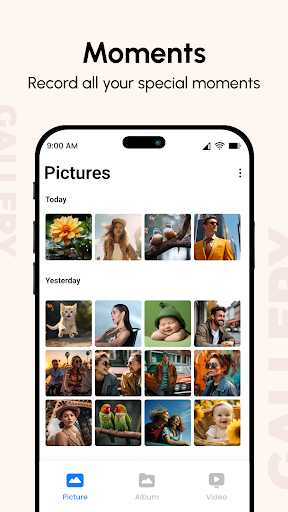
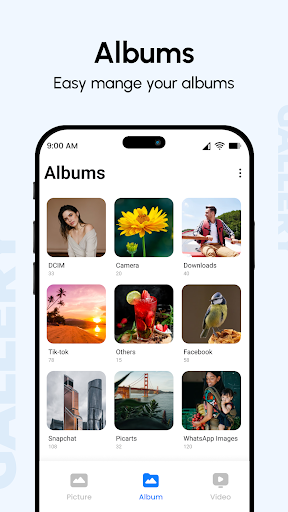
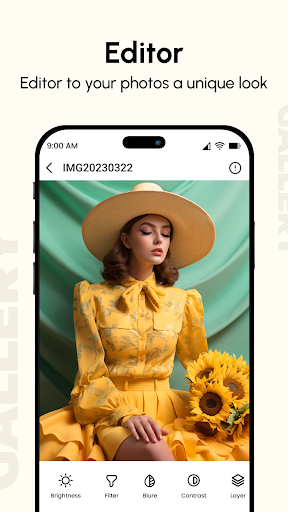
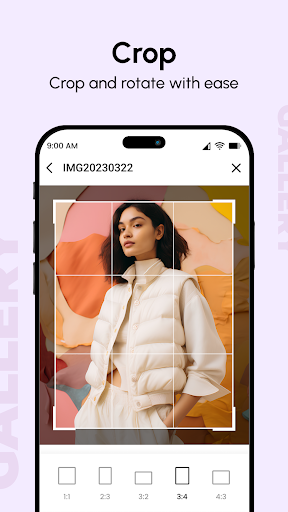
Core features include automatic sorting by date, location, and album type, along with search functionality that uses metadata for quick retrieval. Users can perform basic edits such as cropping, rotating, and applying filters, though advanced tools are limited. The app supports video playback with standard controls and allows batch actions for deleting or moving multiple files. Integration with cloud services enables backup and sync, though this relies on external accounts rather than built-in storage. Real-world scenarios highlight its utility: for instance, organizing event photos by date helps users quickly locate memories from specific occasions, while the sharing feature simplifies sending media to contacts or social platforms directly from the app.
User experience is generally smooth, with a clean layout that prioritizes thumbnails and intuitive navigation. However, some minor imperfections arise, such as occasional lag when loading large video files or navigating deeply nested folders. In daily use, the app proves effective for tasks like curating photo albums for projects or managing personal media libraries, but it may struggle with very large collections exceeding thousands of items. The lack of customization options for album covers or layout themes might disappoint users seeking personalized touches.
Reviews indicate that users appreciate the app's reliability and simplicity, with many noting how it reduces clutter compared to default gallery apps. Specific feedback includes praise for the search feature, which one user described as 'handy for digging up old vacation snaps without scrolling endlessly.' On the downside, some reports mention sporadic crashes during bulk operations or when handling corrupted files, suggesting room for stability improvements. Overall, the 3.9-star rating reflects a balance between dependable performance and occasional technical hiccaps.
In assessment, the Gallery app excels as a no-fuss tool for media organization, particularly for casual users who value efficiency over advanced features. Its strengths lie in straightforward navigation and essential editing capabilities, while limitations include a lack of innovation compared to more robust competitors. For those seeking a productivity boost in managing digital memories, it represents a solid, if unspectacular, choice.
Key Features
- •Automatic organization by date and location, allowing users to quickly sort photos from events or trips without manual input.
- •Basic photo editing tools including crop, rotate, and filter options for quick adjustments before sharing media.
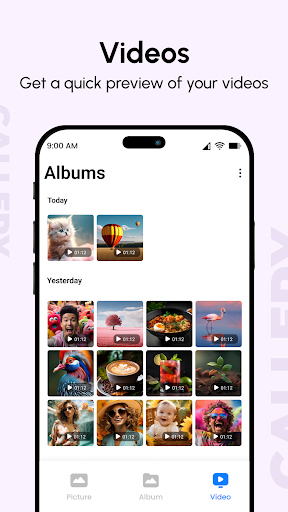
- •Video playback support with standard controls like play, pause, and scrub, ideal for reviewing clips on the go.
- •Cloud integration for backup and sync, enabling users to safeguard files via services like Google Drive or Dropbox.
- •Batch operations for deleting or moving multiple files, saving time when cleaning up large media libraries.
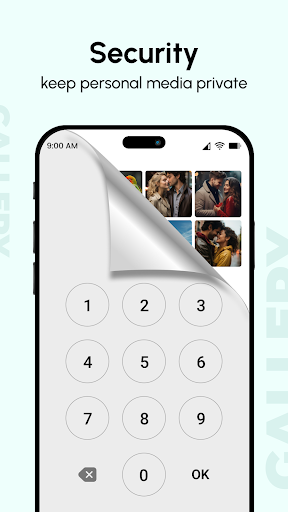
- •Privacy features such as hidden albums or PIN protection, giving users control over sensitive photos and videos.
Why Users Love It
Simple and intuitive interface
Efficient media organization
Perfect for: Perfect for Android users who take frequent photos and need a straightforward tool to keep their media organized.
Screenshots
App Details
Developer
Gallery Photos & Videos
Platform
androidRating
★3.9
Last Updated
11/5/2025





