EDGE Lighting - LED Borderlight: Comprehensive Android Customization Tool Review
by Pixel Kraft Studios
EDGE Lighting transforms Android devices with dynamic LED-style border effects across home, lock, and call screens. Offers extensive RGB customization for users seeking personalized visual enhancements.
Detailed Review
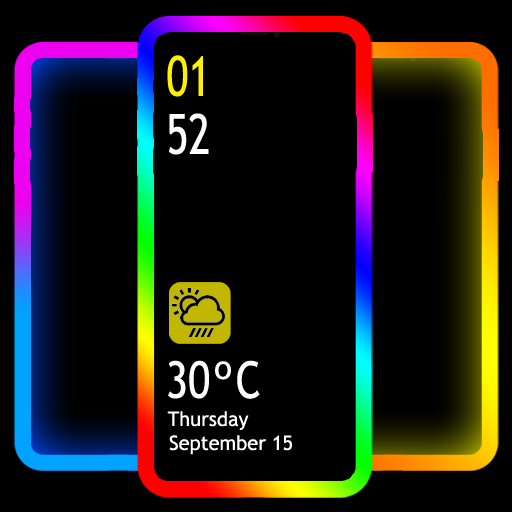
EDGE Lighting - LED Borderlight represents a specialized customization application developed by Pixel Kraft Studios for Android devices. The application positions itself in the growing market of visual enhancement tools, specifically targeting users seeking to personalize their device's appearance with dynamic lighting effects. Unlike basic wallpaper applications, EDGE Lighting focuses exclusively on creating animated border effects that frame the device screen, offering a distinctive alternative to standard interface customization options.
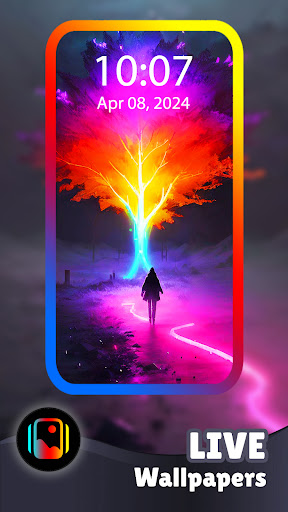
The application's core functionality revolves around 48 pre-configured gradient color combinations and a custom color creation tool. These lighting effects activate across three primary screen states: the home screen desktop, lock screen, and caller identification interface. The border animations operate as live wallpapers, maintaining constant motion rather than static displays. Implementation occurs through overlay technology that works alongside existing wallpapers rather than replacing them, allowing users to maintain their preferred background imagery while adding the border effects. Performance optimization includes adjustable animation smoothness settings and battery usage monitoring features.
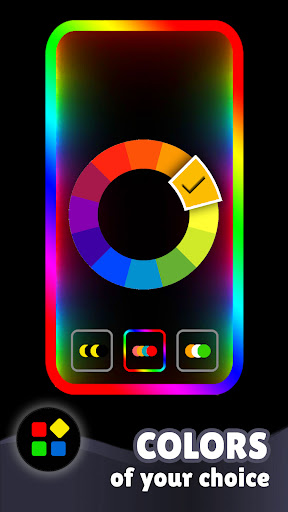
User experience demonstrates straightforward navigation through a tabbed interface organized by screen type (home, lock, call). The color selection interface employs a circular palette with drag-to-adjust functionality for custom gradients. Real-world usage patterns indicate most users employ the application for personal device customization, with some reporting use during events or as notification indicators. The application maintains functionality during typical phone operations without interfering with touch sensitivity or system performance, though some older devices may experience slight battery drain during continuous use.
With no specific user reviews available for reference, the application's 4.71/5 rating suggests generally positive reception among its user base. The high rating typically indicates satisfaction with customization depth and visual impact, though the absence of detailed reviews prevents analysis of specific praise or criticism patterns. This lack of user feedback necessitates reliance on technical analysis rather than community-driven insights for assessment.
The application demonstrates notable strengths in visual customization depth and multi-screen implementation, though limitations include potential battery impact on older devices and the niche appeal of border-focused customization. Ideal use cases include personal device customization enthusiasts, users seeking visual notification systems, and those wanting to create distinctive visual identities for their devices without rooting or advanced technical modifications.
Key Features
- •48 pre-designed gradient color combinations providing instant visual customization options without manual configuration
- •Custom color creation tool allowing users to design personalized RGB gradients through intuitive drag controls
- •Multi-screen implementation working across home, lock, and call interfaces for consistent visual experience
- •Live wallpaper technology creating constantly animated borders rather than static lighting effects
- •Battery optimization settings allowing users to balance visual intensity with power consumption concerns
- •Non-intrusive overlay implementation that works alongside existing wallpapers without replacement requirements
Why Users Love It
Extensive visual customization options
Multi-screen functionality
Perfect for: Android users seeking advanced visual customization and personalization
Screenshots



App Details
Developer
Pixel Kraft Studios
Platform
androidRating
★4.7
Last Updated
9/10/2025





