Design Space: DIY with Cricut icon
Design Space by Cricut: An In-Depth Look at the DIY Crafting Companion

by Cricut

โ˜…3.9
ANDROIDLifestyle
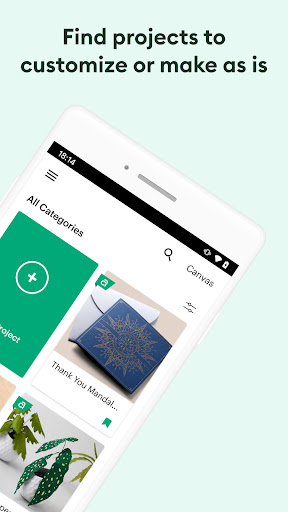
This app serves as the central hub for Cricut cutting machine users, enabling design creation and project management for DIY crafts. If you need a platform to personalize gifts or home decor, it provides extensive editing tools and a social inspiration gallery. Designed to help hobbyists bridge digital design with physical crafting, it supports a seamless workflow across multiple devices.

Detailed Review

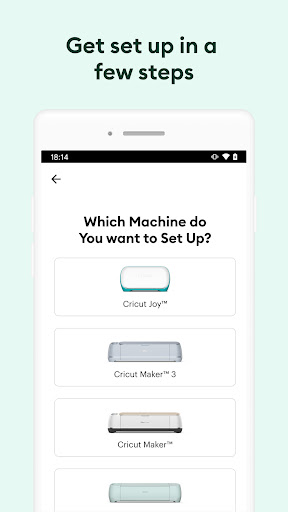
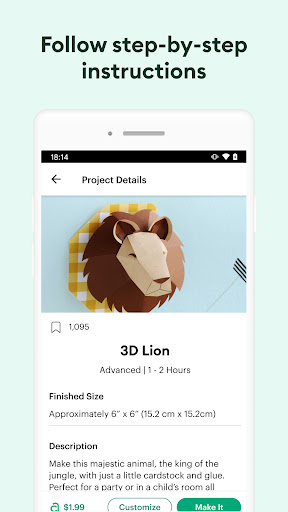
Design Space: DIY with Cricut acts as the proprietary software interface for Cricut's line of cutting machines, catering to a market of DIY enthusiasts and professional crafters. The app allows users to design, edit, and execute projects ranging from vinyl decals to intricate paper crafts, positioning itself as an all-in-one solution for personalized creation. Its integration with Cricut hardware makes it a pivotal tool in the maker ecosystem, though its effectiveness is closely tied to user familiarity with the system. Core functionality revolves around advanced image editing, including background removal and logo optimization, which prepare custom graphics for precise cutting. A subscription-based model grants access to a vast library of pre-made images and projects, while the inspiration gallery functions similarly to social platforms, letting users browse and share ideas. Multi-device synchronization is a standout feature, permitting projects to be started on a smartphone and completed on a desktop, enhancing flexibility for users with busy schedules or varied workspaces. In practical scenarios, such as crafting holiday cards or designing home decor elements, the app demonstrates utility once users overcome an initial learning curve. Newcomers often report a period of trial and error with setup and navigation, but persistent users find the interface becomes intuitive over time. Real-world usage highlights minor imperfections, like occasional lag during complex edits or the need for frequent blade replacements in machines, which can affect cut quality on materials like cardstock or vinyl. User feedback trends reveal strong approval for the app's design capabilities and community features. Reviews indicate that many appreciate the inspiration drawn from others' projects, comparing it to platforms like Pinterest, and value the ability to work seamlessly across devices. However, consistent criticisms include connectivity issues, such as error code 45 during updates, which can disrupt machine pairing, and the reliance on a subscription for full feature access, which may deter casual users. Specific testimonials note successes in creating retirement cards or personalized gifts, though some mention frustrations with customer support responsiveness. Ultimately, Design Space offers a comprehensive suite for dedicated crafters, with strengths in its editing tools and multi-device support. Limitations involve technical glitches and a steeper onboarding process that can alienate beginners. For those willing to invest time and possibly a subscription fee, the app effectively enables creative expression, but it may not be the best fit for infrequent users seeking plug-and-play simplicity.

Key Features

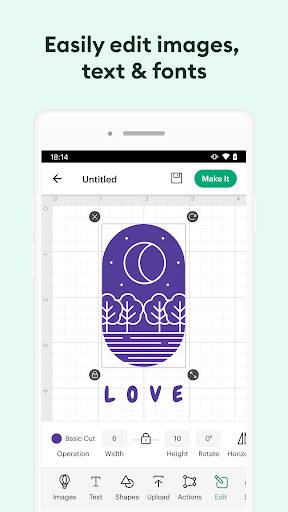
  • โ€ขAdvanced Photo Editing: Includes tools for uploading and editing photos or logos, with specific functions like background removal to prepare images for cutting on Cricut machines.
  • โ€ขProject Inspiration Gallery: Acts as a social platform where users can browse and share craft ideas, similar to Pinterest, fostering creativity and community engagement.
  • โ€ขMulti-Device Synchronization: Allows signing in on smartphones, tablets, and computers to access and edit the same saved projects, supporting a flexible crafting workflow.
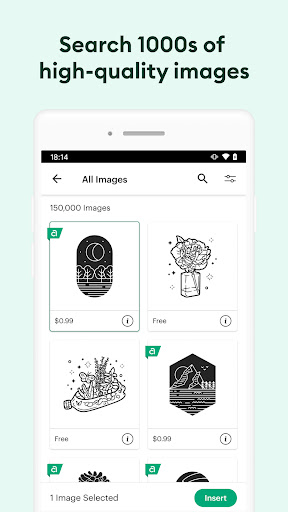
  • โ€ขExtensive Design Library: Provides a large collection of ready-to-use images and projects, reducing the need for external design sources for common craft themes.
  • โ€ขBackground Removal Tool: Specifically designed for finishing touches on projects, enabling clean cuts by eliminating unwanted elements from images before execution.
  • โ€ขSubscription-Only Content: Offers premium designs and enhanced features through a paid plan, which frequent users report as valuable for advanced project variety.

Why Users Love It

Vast design library and easy editing tools
Reliable multi-device project synchronization

Perfect for: DIY hobbyists and crafters seeking to personalize projects with a Cricut cutting machine.

Screenshots
Design Space: DIY with Cricut screenshot 1Design Space: DIY with Cricut screenshot 2Design Space: DIY with Cricut screenshot 3Design Space: DIY with Cricut screenshot 4Design Space: DIY with Cricut screenshot 5Design Space: DIY with Cricut screenshot 6

Ranking History

Track Design Space: DIY with Cricut's performance in Lifestyle over the last 30 days

Top 5
Top 10
Top 15
Below 15

Current Rank

#45

โ†’

Best Rank

#45

All-time high

Average Rank

#45

30-day average

User Reviews

Brian Kent jr
โ˜…โ˜…โ˜…โ˜…โ˜…
Dec 8, 2025

This app rocks once you figure it out . Especially the editing for photos or logos. If you can afford to buy a Cricut machine do it! So much you can do and create with this app. If you use it a lot, ITS WORTH THE SUBSCRIPTION! IN Addition, the circuit explorer air machines I feel are better with the app and just as a better cutting machine. the app works for finishing up last touches on a project, especially cutting out the background! recommend for sure!

pauline CarlaGrace
โ˜…โ˜…โ˜…โ˜…โ˜…
Dec 12, 2025

Finally got one after wishing to have one. forever! but it does take a few trial and errors to figure out, but this machine is damn amazing! this is the ultimate tool for any artist! anyone can just lose themselves for hours creating endless projects for home decor or personalized gifts! I love my cricut!

G Rice
โ˜…โ˜…โ˜…โ˜…โ˜…
Dec 6, 2025

Honestly, this app has basicly taken the place of pinterest (to look at all of the projects others are doing and gain inspiration), and Instagram (I take a picture of my projects to link to the finished product.) The app is very user friendly and I love how simple it is to interact with. Also I really love how I can sign onto multiple devices and work on the same saved project.

Idanes Cortes
โ˜…โ˜…โ˜…โ˜…โ˜…
Dec 20, 2025

Hobbiest here, just doing my spare time stuff and enjoying the things I am learning and enjoying i guess I like the outcome and the fact that I can make it better just make me feel like this was a nice investment. I suppose.

Laurie Vargason
โ˜…โ˜…โ˜…โ˜…โ˜…
Dec 18, 2025

My daughters bought this Cricut for me 2 years ago and I could never figure out how to even get started, I called the support number but they hung up on me so I gave up trying to use it. my daughter came over yesterday and told me to get it out and try again so I did and with the help of this app I actually got it going! Thank you!

App Details

Developer

Cricut

Platform

android

Rating

โ˜…3.9

Last Updated

12/26/2025