
CpuFloat: Comprehensive System Monitoring for Android Devices
by Daan Muller
CpuFloat provides real-time system monitoring through an overlay interface, tracking CPU/GPU performance, battery metrics, and network activity. Designed for power users needing performance visibility without interrupting workflow.
Detailed Review
CpuFloat by developer Daan Muller represents a specialized system monitoring solution for Android devices that operates as a persistent floating window. This approach distinguishes it from conventional monitoring apps that require switching between applications, providing continuous visibility into system performance metrics during active use. The app occupies a niche position in the utility category, targeting users who require real-time performance data without interrupting their primary tasks.
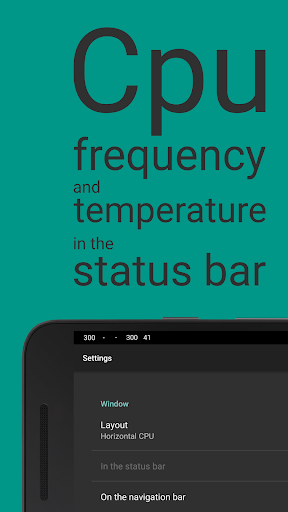
The application monitors nine critical system parameters with varying levels of granularity. CPU frequency tracking shows real-time clock speeds across cores, while temperature monitoring for both CPU and GPU provides thermal performance insights. GPU load monitoring offers raw data rather than normalized percentages, giving advanced users more precise information. Battery current monitoring shows charge/discharge rates in milliamps, complemented by battery temperature tracking. Network speed monitoring displays real-time upload/download rates, and system uptime tracking differentiates between active and deep sleep states, providing battery efficiency insights.
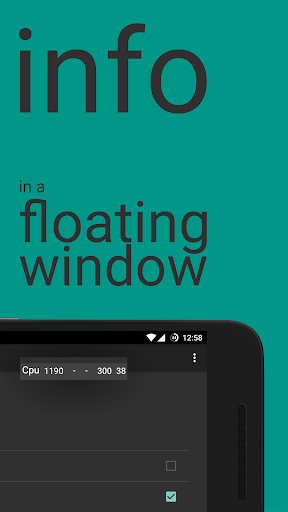
User experience centers around a customizable floating widget that can be repositioned, resized, and configured for transparency. The interface prioritizes data density over visual polish, presenting numerical readouts in a compact format. Real-world usage patterns show the app being utilized during gaming sessions to monitor thermal throttling, during development work to track resource usage, and by general users monitoring battery drain during intensive applications. The overlay remains visible during full-screen applications and can be configured to show only during specific scenarios.
With no user reviews available for analysis, the application's reception must be assessed through its feature set and implementation. The 4.28 rating suggests generally positive reception, though the absence of detailed feedback limits insight into specific user experiences or recurring issues. This lack of public feedback may indicate either limited adoption or users who find the application fulfills its purpose without notable complaints.
The application's primary strength lies in its practical implementation of system monitoring without requiring context switching, though the technical nature of the data presentation may limit accessibility for casual users. Limitations include the absence of historical data tracking or export capabilities, and the developer-focused approach to data presentation. Ideal use cases include mobile gamers monitoring thermal performance, developers debugging resource usage, and technical users optimizing battery life during intensive tasks.
Key Features
- •Real-time CPU/GPU frequency monitoring provides immediate visibility into processor performance across all cores during intensive applications
- •Thermal tracking for both CPU and GPU components alerts users to potential overheating issues before performance throttling occurs
- •Battery current monitoring displays precise charge/discharge rates in milliamps, enabling accurate power consumption analysis
- •Network speed overlay shows real-time upload/download throughput without interrupting streaming or downloading activities
- •System uptime tracking differentiates between active usage and deep sleep states, providing battery efficiency insights
- •Persistent floating window design allows continuous monitoring without switching applications or interrupting workflow
Why Users Love It
Non-intrusive overlay monitoring
Comprehensive system metrics
Perfect for: Android power users requiring real-time system performance data
Screenshots


App Details
Developer
Daan Muller
Platform
androidRating
★4.3
Last Updated
9/10/2025





