Coverstar icon
Coverstar App Review: Assessing the Kid-Friendly Social Video Platform

by Coverstar

4.2
ANDROIDSocial
Aimed squarely at a younger demographic, Coverstar presents itself as a moderated alternative to mainstream short-form video apps. This platform emphasizes safety and positive engagement, allowing children to create and share content within a controlled environment. For parents seeking a social app with built-in guardrails, it offers a specific set of tools and community guidelines.

Detailed Review

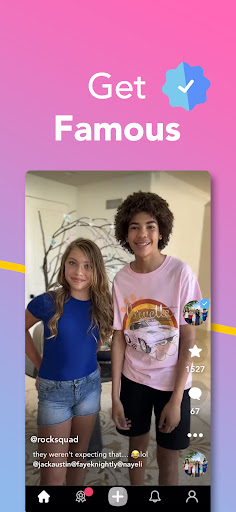
In the crowded social video landscape, Coverstar carves out a distinct niche by focusing on safety and age-appropriate content. The app functions similarly to other short-form video platforms, enabling users to film, edit, and share videos, often tied to themed challenges. Its primary differentiation lies in its strict content moderation policies, which are designed to filter out profanity, bullying, and mature themes. This positioning targets parents and guardians who are hesitant about popular apps but recognize the creative and social appeal they hold for younger users. The core functionality revolves around video creation and community participation. Users can browse a 'For You' feed, participate in official challenges, and follow other creators. The editing suite includes tools for trimming clips, adding text, and, crucially, accessing a library of licensed music and sounds—a key feature for dance and lip-sync videos. A notable aspect is the privacy control, which allows accounts to be set to private, though with the caveat that challenge submissions may become publicly visible. The app also incorporates a live streaming feature with virtual gifting, which has sparked mixed reactions. From a user experience perspective, the interface is straightforward and mirrors familiar patterns from larger platforms, reducing the learning curve. However, performance inconsistencies form a significant part of the user feedback. Many reviews on Android devices highlight persistent issues with the music search function, which can be unresponsive, forcing creators to choose from a limited pre-selected list. Video upload times are frequently described as slow, and some users report crashes or an inability to scroll through entire profiles and challenge histories, unlike on iOS versions. The inclusion of mandatory ads before uploading and persistent live stream notifications are additional points of friction. Analyzing user feedback reveals a clear trend: high satisfaction with the app's core promise of a safe environment, countered by recurring technical grievances. Reviews consistently praise the absence of inappropriate content and the positive community atmosphere, with parents explicitly noting it as a trusted platform for their children. The most cited criticisms are platform-specific bugs, particularly the broken search on non-iOS devices, and the intrusive nature of ads and notifications. Other noted shortcomings include the lack of a 'favorites' collection for liked videos and no recovery option for accidentally deleted drafts. Overall, Coverstar succeeds in its fundamental goal of providing a walled garden for young social video enthusiasts. Its strengths in content moderation and community guidelines are substantial, addressing a genuine market need. Yet, the experience is hampered by uneven performance across platforms and several design choices that detract from usability. For families prioritizing safety above all, these technical flaws may be an acceptable trade-off. The app represents a viable, if imperfect, middle ground between unrestricted social media and completely isolated play.

Key Features

  • Moderated Video Feed: A 'For You' page and challenge streams are actively moderated to exclude profanity, bullying, and mature content, creating a curated viewing experience.
  • Privacy Controls: Users can set their accounts to private, controlling who can view their general posts, though videos submitted to public challenges may override this setting.
  • Integrated Music Library: Offers a selection of licensed songs and sounds for video soundtracks, though search functionality is reportedly unreliable on Android devices.
  • Video Challenges: Regular themed challenges encourage user participation and content creation, providing structure and community engagement points.
  • Live Streaming with Gifts: Includes a live broadcast feature where viewers can send virtual gifts, a function that has drawn some criticism for encouraging requests.
  • Basic Video Editor: Provides essential tools for trimming clips, adding text overlays, and applying music to create polished short-form videos.

Why Users Love It

Strong safety and content moderation
Encourages creative expression safely

Perfect for: Perfect for parents seeking a supervised social video platform for children and pre-teens.

Screenshots

Coverstar screenshot 1Coverstar screenshot 2Coverstar screenshot 3

Ranking History

Track Coverstar's performance in Social over the last 30 days

Top 5
Top 10
Top 15
Below 15

Current Rank

#28

+3 from last week

Best Rank

#24

All-time high

Average Rank

#35

30-day average

User Reviews

Khloe Stuckless
Aug 30, 2025

I really recommend this app it's just like TikTok and YouTube just a safer version there's no cursing and it's a safe and friendly app for kids if u want to have an account u can have an option to put it on private or not private u can join challenges and get awards. but if ur account is on private and u joined a challenge other people can see the video hope this message helps!!

Hermione Granger
Aug 23, 2025

I LOVE this app but there is two things that bug me. So when you want to post a video there is a button on top to add sounds or songs. Then after you click on it there is a search bar to search up songs. For iPhones you can click on it but I you use any other phone you can't search up anything and there is some songs to choose from but sometimes it isn't what you want. The second thing the videos take forever to post and sometimes when there to long they don't post and you just go to your fyp.

Cane Family
Sep 2, 2025

I really love this app it is very good for kids and is basically a kid friendly tik tock. There is also no bullying, If there is it gets reported. there is minimal glitches and is very fun with challenges and stuff! but if u accidentally delete ur video, u can't get it back so u have to restart all over again...

Bethany
Oct 28, 2025

Coverstar is a really good safe app for kids who would like to be young influencers and show what they got I do have a tip maybe make the videos to tiktok length like 10 minutes so they can express more I feel like it's great for kids and I let my kids use it all the time

Ryan Wilson
Oct 28, 2025

I would rate 5 if it worked like on ios. You can only view the most recent 20 or so vids on a profile or challenge. So annoying!! Ios you can scroll and scroll and scroll to the end edit: rating upped as the app works great now. My main complaints now, which are minor, is that the app spams you with live notifications that can't be disabled, people begging for gifts on live, and no favorites or recently liked you can see.

App Details

Developer

Coverstar

Platform

android

Rating

4.2

Last Updated

1/1/2026