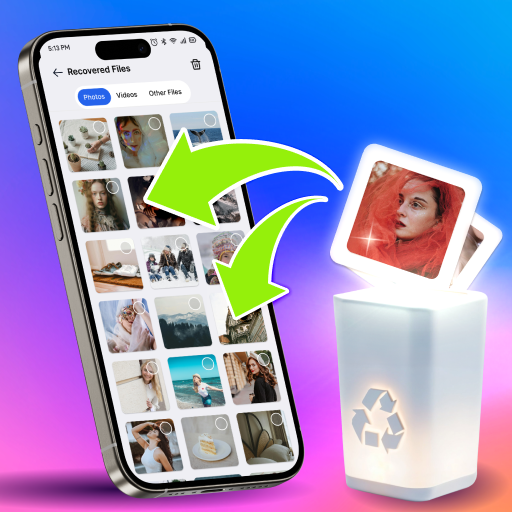
Cleanup: Phone Storage Cleaner icon
Cleanup: Phone Storage Cleaner App Review - A Deep Dive on Features and Value

by Deep Flow Apps

4.4
ANDROIDTools
This Android utility tackles the common problem of dwindling storage space by identifying and removing junk files, cache data, and duplicate media. A powerful tool for organizing a cluttered device, its effectiveness is somewhat tempered by a premium paywall for certain core functions. Perfect for users seeking a straightforward cleaning interface but who are willing to navigate its subscription model.

Detailed Review

Positioned in a crowded field of optimization tools, Cleanup: Phone Storage Cleaner by Deep Flow Apps offers a focused approach to reclaiming gigabytes on Android devices. The application scans internal storage to categorize expendable files, presenting users with a clear breakdown of junk, cache, duplicates, and residual app data. Its primary value lies in simplifying what can be a manual and technical process, automating the detection of storage-hogging items that often go unnoticed during regular use. The core functionality revolves around several distinct cleaning modules. The duplicate finder is a headline feature, designed to locate identical or similar photos and videos—a common source of wasted space. Another module aggressively targets app cache and temporary files, which can accumulate into significant storage bloat over time. The interface typically presents findings with visual previews and file-size tallies, giving users a degree of control before deletion. For basic system junk and cache cleanup, the app operates effectively, providing tangible storage relief after each scan. In real-world usage, the app performs efficiently during initial scans, quickly presenting a summary of recoverable space. The process is straightforward: launch the app, initiate a scan, review categorized results, and approve deletions. This simplicity makes it accessible for users less comfortable digging into Android's file system manually. However, the user experience diverges significantly when attempting to use the more advanced features, such as deleting identified duplicate media. At this point, access is frequently gated behind a premium membership, requiring a subscription to complete the cleanup process the app itself recommended. Examining user feedback reveals a consistent and telling trend. Reviews indicate general satisfaction with the app's performance, as reflected in its 4.4-star rating, but a notable point of contention surrounds its monetization. Multiple reviews mirror the sentiment: 'It's cool but there's a premium membership that you have to pay for when other apps don't charge for deleting photos or videos that you have duplicates of.' This pattern suggests users appreciate the detection capabilities but are frustrated that acting on the results for duplicates—a key advertised feature—requires payment, a model not universal among competitors. Ultimately, Cleanup: Phone Storage Cleaner is a competent tool with a significant caveat. Its scanning and analysis are robust, providing valuable insight into storage usage. The limitation stems not from functionality but from its business structure, placing a paywall between the user and the resolution for some of the most space-intensive problems it finds. It represents a solid choice for those who find its free tier sufficient for cache cleaning and don't mind subscribing for full duplicate management, but may disappoint users seeking a completely free, comprehensive solution.

Key Features

  • Duplicate Photo & Video Finder: Scans the gallery to identify identical or visually similar media files, helping to eliminate redundant content and free up substantial space.
  • Junk File Cleaner: Targets system cache, residual files, app leftovers, and temporary data that accumulate during normal phone operation.
  • Storage Analysis Dashboard: Provides a visual breakdown of storage consumption by file type, offering clarity on what is using the most space.
  • One-Tap Optimization: Features a quick-clean button designed to safely remove common junk files identified by the scanner without manual review.
  • App Data Manager: Allows users to inspect and clear the cache and data of individual installed applications from a centralized interface.

Why Users Love It

Effective and fast storage scanning
Simple, user-friendly interface

Perfect for: Android users experiencing low storage warnings, particularly those with large, unorganized photo galleries who want a guided cleanup process.

Screenshots

Cleanup: Phone Storage Cleaner screenshot 1Cleanup: Phone Storage Cleaner screenshot 2Cleanup: Phone Storage Cleaner screenshot 3Cleanup: Phone Storage Cleaner screenshot 4Cleanup: Phone Storage Cleaner screenshot 5Cleanup: Phone Storage Cleaner screenshot 6

Ranking History

Track Cleanup: Phone Storage Cleaner's performance in Tools over the last 30 days

Top 5
Top 10
Top 15
Below 15

Current Rank

#34

Best Rank

#34

All-time high

Average Rank

#42

30-day average

User Reviews

David Isenhour
Dec 5, 2025

It's cool but there's a premium membership that you have to pay for when other apps don't charge for deleting photos or videos that you have duplicates of.

David Isenhour
Dec 5, 2025

It's cool but there's a premium membership that you have to pay for when other apps don't charge for deleting photos or videos that you have duplicates of.

David Isenhour
Dec 5, 2025

It's cool but there's a premium membership that you have to pay for when other apps don't charge for deleting photos or videos that you have duplicates of.

David Isenhour
Dec 5, 2025

It's cool but there's a premium membership that you have to pay for when other apps don't charge for deleting photos or videos that you have duplicates of.

David Isenhour
Dec 5, 2025

It's cool but there's a premium membership that you have to pay for when other apps don't charge for deleting photos or videos that you have duplicates of.

App Details

Developer

Deep Flow Apps

Platform

android

Rating

4.4

Last Updated

12/8/2025