
Evaluating Cast to TV & Screen Mirroring: Performance and Features
by iKame Applications - Begamob Global
If you need a reliable way to project Android content onto larger displays, this app offers straightforward screen mirroring and casting. It supports various devices and provides a user-friendly interface for everyday use. Perfect for media sharing or presentations without complex setups.
Detailed Review
Cast to TV & Screen Mirroring by iKame Applications serves as a utility for Android users seeking to extend their device screens to televisions and compatible displays. Positioned in a crowded market of casting tools, it distinguishes itself through broad compatibility and minimal configuration requirements. The app operates without demanding advanced technical knowledge, making it accessible for casual and frequent users alike.
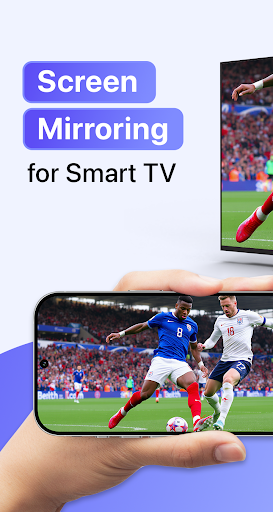
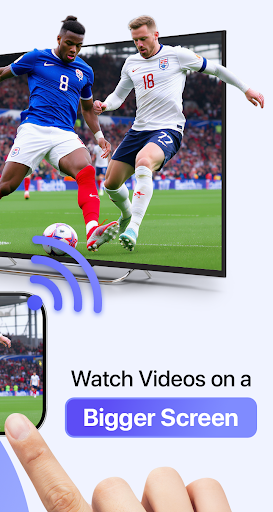
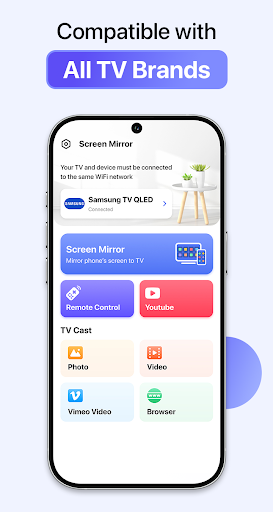
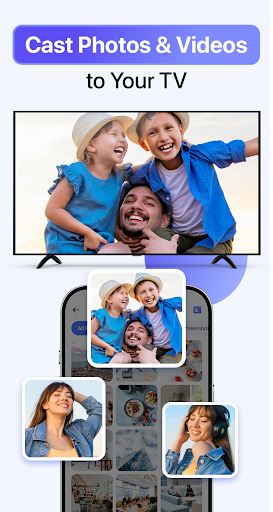
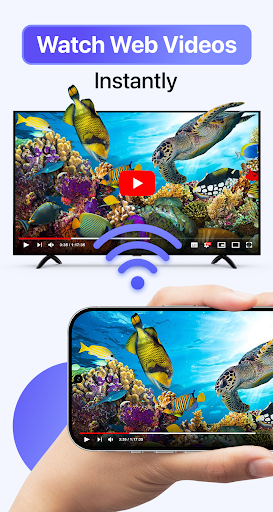
Core functionality includes real-time screen mirroring and media casting to devices like smart TVs, Chromecast, and other Miracast-enabled hardware. Users can stream videos, photos, and presentations directly from their Android devices, with support for common file formats such as MP4, AVI, and JPEG. The app integrates seamlessly with built-in Android capabilities, allowing mirroring of the entire screen or specific apps. Features like automatic device detection and one-tap connectivity simplify the process, though performance can vary based on network stability and device specifications.
In real-world scenarios, the app performs adequately for home entertainment or small group presentations. Setting up a connection typically takes under a minute, and the interface remains intuitive with clear icons and prompts. However, users might notice occasional lag or audio sync issues during high-resolution video playback, particularly in environments with Wi-Fi interference. The app handles basic tasks well, such as streaming YouTube videos or displaying photo slideshows, but it may struggle with latency-sensitive applications like gaming.
User feedback trends highlight a generally positive reception, with many reviews emphasizing ease of use and consistent performance. For instance, numerous five-star ratings accompanied by enthusiastic comments like 'So good and amazing' reflect satisfaction with reliability. Despite the abundance of positive ratings, some users report intermittent disconnections or ads that can interrupt the experience, suggesting room for improvement in stability and user interface polish.
Overall, Cast to TV & Screen Mirroring provides a solid solution for everyday casting needs, balancing simplicity with functional depth. Its strengths lie in broad device support and straightforward operation, while limitations include occasional performance hiccups and the presence of advertisements. For users prioritizing convenience over advanced features, it remains a practical choice in the screen mirroring landscape.
Key Features
- •Real-time screen mirroring to compatible TVs and devices, enabling live display of Android content without delays.
- •Support for casting media files in multiple formats, including videos and images, directly from local storage.
- •Automatic detection of available devices on the same network, streamlining the connection process for users.
- •User-friendly interface with one-tap start options, reducing setup time and technical barriers.
- •Compatibility with Chromecast, Miracast, and DLNA protocols, ensuring wide hardware integration.
- •No root access required, maintaining device security while allowing full screen sharing capabilities.
Why Users Love It
Easy setup and reliable connection
Wide device compatibility
Perfect for: Ideal for individuals who regularly share media or conduct presentations using larger screens.
Screenshots

App Preview
User Reviews
ibers zero
Oct 20, 2025★★★★★
So good and amazing 😀😀😀😀😀😀😀😀😀😀😀😀😀🇲🇨🇲🇨🇲🇨🇲🇨🇲🇨🇲🇨🇲🇨🇲🇨🇲🇨🇲🇨🇲🇨🇲🇨🇲🇨🇲🇨🇲🇨🇲🇨😀😀😀😀😀😀😀😀😀😀😀
ibers zero
Oct 20, 2025★★★★★
So good and amazing 😀😀😀😀😀😀😀😀😀😀😀😀😀🇲🇨🇲🇨🇲🇨🇲🇨🇲🇨🇲🇨🇲🇨🇲🇨🇲🇨🇲🇨🇲🇨🇲🇨🇲🇨🇲🇨🇲🇨🇲🇨😀😀😀😀😀😀😀😀😀😀😀
ibers zero
Oct 20, 2025★★★★★
So good and amazing 😀😀😀😀😀😀😀😀😀😀😀😀😀🇲🇨🇲🇨🇲🇨🇲🇨🇲🇨🇲🇨🇲🇨🇲🇨🇲🇨🇲🇨🇲🇨🇲🇨🇲🇨🇲🇨🇲🇨🇲🇨😀😀😀😀😀😀😀😀😀😀😀
ibers zero
Oct 20, 2025★★★★★
So good and amazing 😀😀😀😀😀😀😀😀😀😀😀😀😀🇲🇨🇲🇨🇲🇨🇲🇨🇲🇨🇲🇨🇲🇨🇲🇨🇲🇨🇲🇨🇲🇨🇲🇨🇲🇨🇲🇨🇲🇨🇲🇨😀😀😀😀😀😀😀😀😀😀😀
ibers zero
Oct 20, 2025★★★★★
So good and amazing 😀😀😀😀😀😀😀😀😀😀😀😀😀🇲🇨🇲🇨🇲🇨🇲🇨🇲🇨🇲🇨🇲🇨🇲🇨🇲🇨🇲🇨🇲🇨🇲🇨🇲🇨🇲🇨🇲🇨🇲🇨😀😀😀😀😀😀😀😀😀😀😀
App Details
Developer
iKame Applications - Begamob Global
Platform
androidRating
★4.3
Last Updated
10/30/2025





